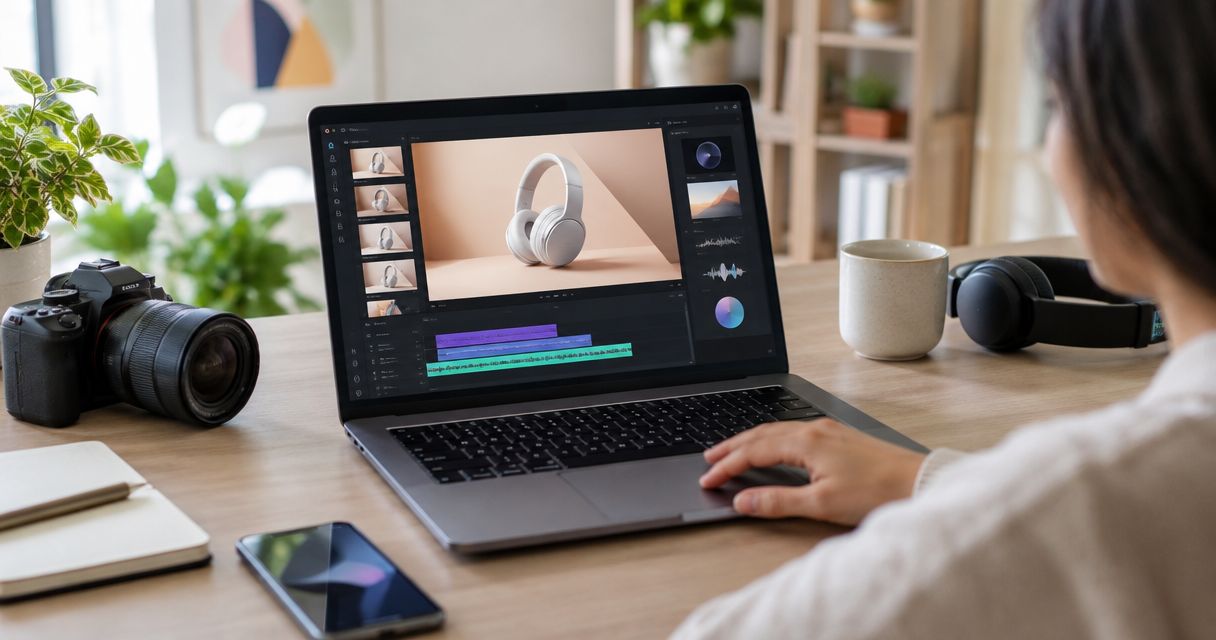
Choose Icarus when you want AI product photos and creator-style videos in one place, Creatify when you want a product-page-to-ad workflow, or HeyGen when a script-led AI presenter is the main requirement. These tools create advertising content; they do not turn an invented character into a genuine customer.
- For UGC ads, AI tools generate creator-style advertising rather than authentic customer experiences.
- Icarus suits small teams making product photos and videos together.
- Creatify documents product-page inputs, avatar ads, and batch variations.
- HeyGen documents script-led AI presenters and digital-twin workflows.
- Review product accuracy, spoken claims, consent, and the final export before running an ad.
Why this matters
UGC means user-generated content. In AI advertising, the label is also used for videos that imitate the look of someone talking to a phone. The visual style can be casual, but the content is still an advertisement created by the brand.
That distinction matters before choosing a tool. A script that explains a product is different from a script that pretends an invented person bought and used it. Pick the workflow around a truthful brief rather than asking for a fake review.
For a small team buying in 2026, the practical decision is whether you need a broader product-content suite, an ad assembly workflow, or a presenter reading a script. The guide to planning ad creatives helps separate a new concept from a variation of the same idea.
What makes a useful AI UGC ad generator?
Judge the output and production workflow, not just the avatar gallery:
- Product accuracy: Does the visible item keep its shape, label, material, and proportions through the clip?
- Script control: Can your team review every statement before it is spoken?
- Presenter fit: Does the delivery suit the brand without implying a fake personal experience?
- Revision process: Can you identify and correct the part that failed the brief?
- Input fit: Do you start from product photos, a product page, or an approved script?
- Usage checks: Have you checked the current commercial terms and any requirements for the placement you intend to use?
A plausible person is only part of the asset. The wrong product, an unsupported claim, or a misleading testimonial can make an otherwise polished video unusable.
AI UGC ad tools at a glance
| Tool | Best for | Documented workflow | Main review burden |
|---|---|---|---|
| Icarus | Product photos and creator-style videos in one suite | AI product imagery, model shots, videos, and supported chat-app requests | Check generated product details and the meaning of the script |
| Creatify | Turning product pages into ad variations | URL-to-video, avatars, ad workflows, and batch creation | Check imported facts, assembled scenes, and each variant |
| HeyGen | Script-led presenter videos | AI actors, digital twins, and script-to-video workflows | Check delivery, consent where relevant, and product depiction |
The selection is based on public product descriptions checked on October 26, 2026. It is not a rendered-video realism test, a conversion ranking, or a cost comparison.
1. Icarus: best for product photos and videos together
Icarus is an AI creative suite for ecommerce brands and in-house teams. Its documented offer includes product photos, model shots, and videos, and its homepage describes making phone-style product ads. Consider it when a launch needs both still content and video rather than a presenter clip alone.
The benefit is the scope of the creative workflow. You can brief the product, the intended setting, and the output you need within the same suite. That is a documented product distinction, not evidence that every result is more accurate or performs better than a rival.
Icarus pros:
- Product photography and video creation belong to the same suite.
- The documented offer includes model shots and creator-style ad content.
- Official guides support practical product briefs and repeatable visual direction.
- Claude and ChatGPT connections are documented for requesting content.
Icarus tradeoffs:
- Your team must inspect product details and approve the script.
- A generated scene does not document a real customer's experience.
- This comparison does not assume automatic ad-account publishing, batch controls, or editing features that have not been verified.
Best for: An ecommerce founder or small team producing a mixed set of product photos and videos in-house.
Verdict: Buy for the combined content brief; skip expecting a tool to supply truthful customer testimony. Keep factual claims tied to the real product, not the presenter's apparent confidence.
2. Creatify: best for a product-page-to-ad workflow
Creatify documents turning a product page into a video ad, alongside avatar video and batch creation. Its official site describes several starting routes, including URL-to-video, an agent workflow, and an ad editor. This makes it a relevant option when the product page already contains the facts and assets you want to turn into ad variations.
The product-page route is a production shortcut, not fact-checking. Review the imported message before generation. An out-of-date page or an exaggerated claim should not become spoken copy simply because it was collected automatically.
Creatify pros:
- A product URL is a documented starting input.
- Avatar-led advertising is part of the documented offer.
- Batch creation supports making variations of an ad.
- Its product site describes ad-focused creation and review workflows.
Creatify tradeoffs:
- Imported product facts still need approval.
- Multiple variations multiply the number of outputs that need inspection.
- An assembled ad is not proof that the product behaves as the scenes imply.
Best for: A team starting from established product pages and seeking an ad-specific variation workflow.
Verdict: Buy when the product-page input solves your production job; skip feeding unreviewed claims straight into generation. Use Creatify's own documentation for its features rather than a rival's comparison page.
3. HeyGen: best for script-led AI presenter videos
HeyGen documents AI actors, digital twins, and script-led creator-style video workflows. Its own guide describes choosing a presenter, supplying a script, and generating versions for advertising. Consider this route when the central deliverable is a person explaining an approved message to camera.
A presenter workflow is not automatically a product-demonstration workflow. A character talking about an item, an item shown beside the presenter, and a person accurately handling that item are separate requirements. Test the one your brief actually needs.
HeyGen pros:
- Script-led AI presenter generation is documented.
- AI actors and digital-twin approaches are described in official guidance.
- Its guides discuss making variations from a script.
- The format fits a spokesperson-led explanation of a product or offer.
HeyGen tradeoffs:
- A realistic presenter does not verify the product or script.
- A digital twin raises consent and authorization questions your team must resolve.
- Product-handling accuracy needs inspection in the exact workflow you choose.
Best for: A team whose main assignment is an approved message delivered by an AI presenter.
Verdict: Buy for a presenter-first brief; do not assume convincing speech makes an unsupported claim acceptable. Check current product documentation before planning your 2026 workflow around a particular feature.
Use an AI spokesperson, not an invented customer
A spokesperson presents the brand's message. A customer testimonial represents someone's actual experience. These should not be blended simply because the video has handheld framing and conversational speech.
The FTC's consumer-review guidance describes rules against testimonials that misrepresent whether someone used a product or what their experience was. Its published materials also address false representations that a testimonialist exists. For a US-facing 2026 campaign, keep invented characters away from invented purchase histories and outcomes.
Do not write “I bought this and it fixed my problem” for a fictional person. Instead, explain a verified product feature or show an accurate, clearly framed demonstration. This is not a substitute for legal review, and a disclosure does not make an otherwise false product claim true.
If you use a real person's likeness or voice, confirm that you have permission for the intended use. Before running the finished video, check the advertising platform's current content and labeling requirements. No single label guarantees acceptance across every placement.
A sample brief for a product-video comparison
The following example is illustrative. It does not describe a customer outcome, a tested result, or a feature every tool can execute.
Product: A mug with an approved reference photo. The handle shape and matte finish must remain exact.
Format: A 15-second vertical concept with a presenter, a clear view of the mug, and a closing invitation to view the product.
Spoken message: Describe only features confirmed by the seller. Do not invent durability, health, environmental, or performance claims.
Presenter: A brand spokesperson, not a customer recounting a purchase.
Visual rule: If hand contact or motion changes the mug, reject the shot. A separate approved product view is better than an inaccurate interaction.
Variants: 3 possible openings around the same approved message. These counts define the example assignment; they are not a recommended test volume for every budget.
This brief gives every shortlisted tool the same job. It also separates what the brand knows from what the generator is allowed to create.
Write the script before you compare the avatars
Start with the product fact the viewer should understand. Then decide the opening line and closing action. A casual delivery should make the message easier to follow, not make an unsupported assertion sound like a friend's advice.
For the illustrative mug, an opening can invite the viewer to inspect the handle or finish if those features are shown accurately. Avoid writing an unverified story about how the mug transformed someone's morning or survived an invented test.
Keep the product fact fixed across versions. If you change the hook, presenter, setting, offer, and closing action together, you have made different concepts rather than a clean variation set. That makes it harder to understand what the audience responded to once you run the ads.
Inspect the moving product, not just the thumbnail
A correct first frame does not guarantee a correct clip. Play the output normally to judge the message, then inspect moments where the product moves, turns, or meets a hand.
Check these details before approving:
- Logos and label text remain consistent through motion.
- Handles, lids, closures, and other parts do not change shape or count.
- The product stays a believable size relative to the person.
- Hands do not pass through the item or hide an invented component.
- Captions match the spoken message.
- The final invitation matches the destination page.
Repeat the check on the exported file. Do not assume a preview and an export have identical crops or text placement. Check the version you actually plan to upload.
How to compare the three workflows fairly
Use the same approved product references and message. Record the usable result, the correction work, and any missing capability. If a tool cannot complete your exact brief, that is a useful finding; it is not a reason to change the assignment midway through the comparison.
For a 2026 purchasing decision, distinguish production success from advertising success. A usable clip meets the brief. A successful ad generates the business outcome you measured after it ran. Neither a vendor demo nor a realistic avatar establishes that outcome in advance.
Do not copy a rival's pricing table or realism score as fact. Published features support a shortlist; your own representative brief helps choose the workflow. Actual campaign results decide whether to keep using the resulting ads.
Which AI UGC ad generator should you choose?
Choose Icarus for product photos and videos in one place, Creatify for product-page-led ad creation, and HeyGen for a script-led presenter. These are distinct use cases, not a claim that one tool wins every dimension.
If the assignment requires authentic customer experience, commission or obtain genuine customer content with the necessary permissions instead. AI can create the style of a creator video, but style is not testimony.
FAQ
What is an AI UGC ad generator?
An AI UGC ad generator creates advertising videos in a creator-style format, often using an AI presenter. It does not create a genuine customer's experience.
Which tool fits a small team needing photos and videos?
Icarus is a relevant choice because product photos and videos are part of its documented creative suite. Compare it with dedicated ad and presenter workflows using the same brief.
Which tool starts from a product page?
Creatify documents a URL-to-video workflow. Review the imported assets and product claims before generating and approving an ad.
When should I choose a script-led presenter tool?
Choose that route when the core assignment is a spokesperson delivering an approved message. HeyGen documents AI actors and script-led video workflows.
Can I make an invented AI actor describe a personal purchase?
Do not fabricate a purchase or customer experience for an invented person. Keep the script truthful and distinguish a brand spokesperson from a genuine customer testimonial.
What should I inspect before using an AI product video in 2026?
Inspect the product through motion, the spoken claims, captions, consent where relevant, and the final exported file. Check current placement rules before publishing.
One last thing
The most useful comparison question is not “Which person looks most real?” It is “Can this workflow deliver a truthful message and an accurate view of my product that my team can approve?”