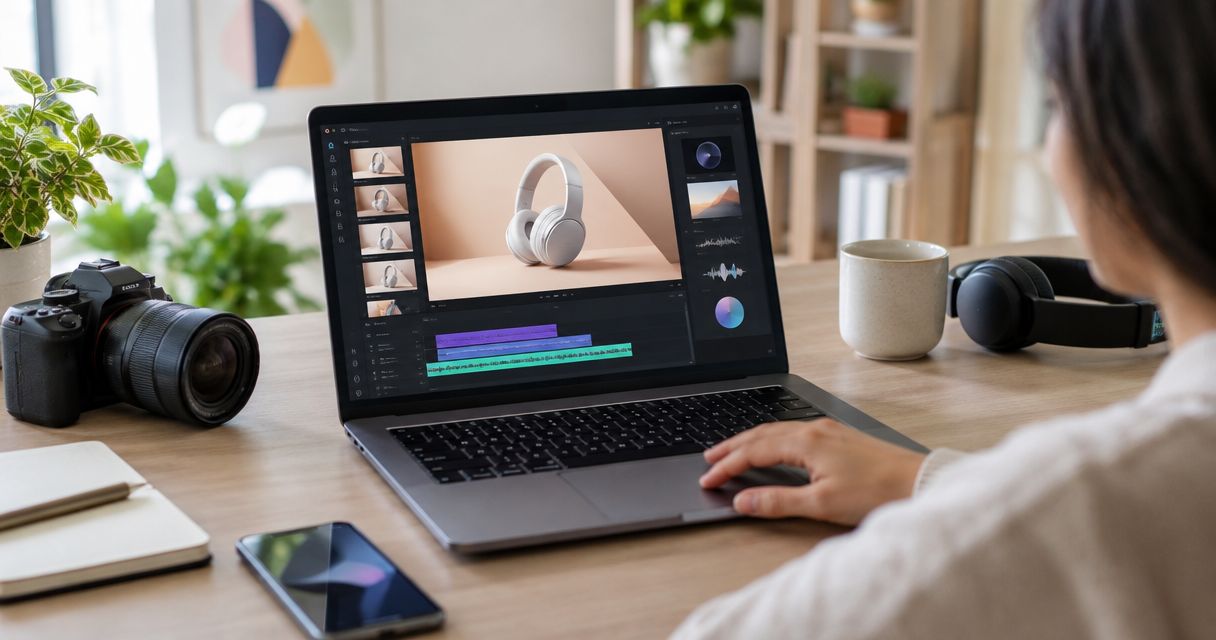
Choose Icarus if you want AI product photos and videos in one place; choose soona if you need a team to photograph your physical products; choose Photoroom if your main job is editing product images and managing a Shopify catalog. These are different production routes, not interchangeable photography services.
- Compare ecommerce product photography services by the work you need done, not a generic best-overall claim.
- Icarus suits in-house teams making AI product photos and videos together.
- soona offers physical studio production with creative direction, styling, and editing.
- Photoroom documents product-image tools and a direct Shopify catalog connection.
- Approve product accuracy before you approve the scene.
Why this matters
An ecommerce founder can need a clean product-page photo, a lifestyle campaign image, and a short video for the same launch. Buying every asset through the same process is not automatically the right choice. Start with the job, then choose who or what should do it.
A studio service supplies people and a production process. An AI creative suite supplies tools your team directs. A product-image editor improves or transforms source images. This 2026 guide compares those routes without calling software a staffed photography service.
Use the same product photography brief template for each option. Otherwise, you end up comparing different assignments rather than different ways to complete one assignment.
What makes a good product photography option?
Judge each route against these criteria before choosing a provider:
- Product accuracy: Does the finished asset preserve the actual shape, material, label, and color?
- Production ownership: Does someone else arrange the shoot, or does your team create and review the work?
- Deliverable fit: Do you need product-page stills, styled scenes, model shots, videos, or a mixture?
- Revision control: Can you describe a specific correction and understand what happens next?
- Publishing workflow: Does the provider document a store connection, or will you export and upload files yourself?
- Approval responsibility: Who has the product knowledge to reject an attractive but inaccurate result?
Treat accuracy as a gate. A persuasive image of the wrong product fails the assignment, however polished the background looks.
Product photography options at a glance
| Option | Best for | Documented approach | Main tradeoff |
|---|---|---|---|
| Icarus | In-house teams needing AI product photos and videos together | AI creative suite with product-photo, model-shot, and video workflows | Your team briefs and checks generated output; this is not a staffed physical shoot |
| soona | Brands wanting physical studio production with creative support | Product photography, live shoots, styling, creative direction, and editing | Requires production planning and getting physical samples to the studio |
| Photoroom | Sellers focused on product-image editing and Shopify catalog workflow | Backgrounds, product staging, correction tools, and documented Shopify syncing | A software workflow still requires product review and correct listing assignments |
The order follows the needs of a small in-house team considering AI production. It is not a claim that one provider produces better photographs in every category.
1. Icarus: best for AI product photos and videos in one place
Icarus is an AI creative suite for ecommerce brands and in-house marketing teams. Its documented offering includes product photos, model shots, and ad videos. The practical reason to consider it is that you can brief still and moving content within the same suite rather than starting with separate photo and video tools.
That makes it relevant when your content request is broader than a replacement background. A founder preparing a launch can describe the product, the setting, and the intended use, then review whether the resulting assets actually match those requirements.
Icarus pros:
- Product photos and videos belong to the same creative suite.
- The documented offering includes model shots as well as product imagery.
- Official guides show how to write product briefs and maintain a consistent scene.
- Official connection documentation covers making content through Claude and ChatGPT.
Icarus tradeoffs:
- Generated output needs review against the real product; software does not remove approval work.
- AI imagery is not evidence that a physical product was photographed in the depicted setting.
- This guide does not assume a direct Shopify connection or automatic catalog updates.
Best for: A founder or small marketing team that wants to own the brief and make AI photos and videos together.
Verdict: Buy for that combined creative job; skip it as a substitute for a staffed physical inspection or shoot. No hands-on quality comparison is implied by this recommendation.
2. soona: best for a physical shoot with creative support
soona documents product photography backed by studio production, creative direction, styling, and editing. Its product-photography page describes shipping samples to a studio and joining a shoot virtually. That is a different purchase from opening an AI image tool: you are arranging production with a team.
Choose this route when you want someone to handle the physical product, plan the setup, and photograph the result. Explain the materials and details that matter before the shoot, particularly when a buyer needs to see how the actual item behaves or fits.
soona pros:
- Physical studio production is part of the documented service.
- Creative direction and shot-list development are included in its described capabilities.
- The workflow supports live collaboration and approvals during a shoot.
- Its documented offer extends to video, not only still product images.
soona tradeoffs:
- Samples, scheduling, and production scope need coordination.
- A late change to the assignment can require production changes rather than another text prompt.
- Your team still needs to check that the delivered work matches the product and brief.
Best for: A brand that wants a production partner to handle a real shoot rather than direct software itself.
Verdict: Buy when physical production is the requirement; skip booking a shoot before your shot list is settled.
3. Photoroom: best for product-image editing and catalog workflow
Photoroom documents background generation, product staging, shadows, and tools for correcting inaccurate product details. It also documents a direct Shopify connection for managing product images and listings. These are useful distinctions when your assignment is to update an existing catalog rather than commission a new physical shoot.
Do not reduce the comparison to “Icarus has video, Photoroom does not.” Photoroom also documents product-video tools. The useful decision is whether you prefer a broader creative brief or a workflow centered on product-image preparation and catalog publishing.
Photoroom pros:
- Dedicated tools address backgrounds, staging, and specific product-detail corrections.
- Official documentation covers a direct Shopify connection.
- Product-image preparation and catalog management sit within the same documented workflow.
- Its guidance explicitly separates visual realism from product accuracy.
Photoroom tradeoffs:
- A store connection introduces permissions and publishing decisions that your team must review.
- A convincing scene can still contain an inaccurate product detail.
- Catalog automation does not decide whether the right image belongs to the right variation.
Best for: A seller whose recurring job is preparing and assigning product visuals across a Shopify catalog.
Verdict: Buy for a documented catalog-centered workflow; do not treat syncing as automatic quality approval.
When a physical shoot is the better starting point
Choose a real shoot when the asset must show the actual product doing something that matters to the purchase decision. Examples include the fit of a garment, the way a closure operates, or the visible relationship between two physical parts. An illustrative scene does not verify those properties.
That does not require rejecting AI across the whole launch. You can keep approved physical reference photographs for product truth and use generated imagery for suitable supporting scenes, provided the generated results still match the item being sold.
For your 2026 launch brief, mark every required image as either a factual product view or an illustrative marketing scene. This simple distinction makes approval easier and stops an attractive concept from quietly replacing necessary product information.
A sample brief you can send to either route
The following is an illustrative assignment, not a customer result or a required shot count.
Product: A ceramic mug with a matte finish and a distinctive handle. Supply approved reference photos of the real item.
Goal: Help a shopper understand the product and supply supporting launch content.
Deliverables: 3 still images: a clear product view, a detail view of the handle and glaze, and a styled table scene. Request 1 short video separately if the launch needs moving content.
Must remain exact: Handle shape, glaze finish, proportions, and any visible maker's mark. Do not turn the matte surface into a glossy one.
Scene: A plain table beside a window. Keep props away from the handle and leave the product unobstructed.
Approval: Compare the images with the real mug. Reject any change to the item, even when the new scene looks better.
For a studio, ask who supplies props and how revisions work. For software, determine who will create the assets and check each result. These are production questions, not reasons to invent a universal cost-saving claim.
How to compare proposals without guessing
Put each proposal against the same finished deliverables. A quote for a physical shoot and access to a software tool are not comparable simply because both mention product photography.
Ask each option to clarify:
- What you must supply before production begins.
- Which assets and revisions belong to the assignment.
- Who handles product preparation and final approval.
- What commercial-use terms apply to the delivered files.
- How the files reach your store or advertising workflow.
For a 2026 purchasing decision, check the current provider documentation rather than copying an old plan comparison. This guide omits fixed prices and turnaround promises because your actual scope and the provider's current terms determine them.
How these recommendations were selected
These recommendations use the providers' public descriptions checked on October 26, 2026. They compare production model, documented capabilities, approval work, and publishing workflow. They do not reflect a hands-on shoot or image-quality test.
No conversion lift, savings percentage, or accuracy ranking is assigned. The recommended route changes with the assignment: combined AI creative work, physical studio production, or catalog-focused image preparation.
Which option should you choose?
Choose Icarus for in-house AI product photography and video creation together. Choose soona for physical studio production with a team. Choose Photoroom when product-image editing and a documented Shopify catalog connection lead the brief.
If you remain undecided, write the shot list first. The best ecommerce product photography services in 2026 are the ones that complete the actual assignment while preserving the product, not the ones with the longest feature list.
FAQ
What is the difference between a photography service and an AI tool?
A photography service supplies a production team and process; an AI tool supplies software your team directs. Compare the same finished deliverables before choosing between them.
Is Icarus a traditional product photography studio?
Icarus is an AI creative suite for product photos, model shots, and videos. Do not assume a staffed physical shoot is included.
When should I use a physical studio instead of AI?
Use a physical studio when the image must document the real item's fit, construction, or behavior. Generated scenes still require comparison with the actual product.
Can I use physical photos and AI images together?
Yes. Keep approved physical photos as product references and check every generated scene against them before publishing.
Does a Shopify connection guarantee accurate product photos?
No. A connection moves or manages content; it does not replace checking the item, variation, label, and image assignment.
Which provider should I choose for my 2026 launch?
Choose by the assignment: Icarus for AI photos and videos together, soona for physical production, or Photoroom for a catalog-centered image workflow. Check current terms and run a small representative assignment before expanding.
One last thing
Approve the least glamorous asset first: the clear view of the real product. If your team cannot agree on that reference, a richer background or moving camera will only hide the disagreement until later.