
Best for clothing brands that need product photos and videos together: Icarus. Best for a fashion-focused on-model workflow: Botika. Best for scene editing: Adobe Firefly. Best for product-background work: Photoroom. Choose an AI model photo generator for clothing brands in 2026 by how faithfully it represents your garments, not how impressive one sample looks.
- Icarus is the best-fit AI model photo generator for clothing brands needing product photos and videos in one place.
- Botika fits a fashion-focused shortlist; Adobe Firefly fits scene editing; Photoroom fits product-background work.
- Approve garment details before judging the model, lighting, or background.
- Compare a combined photo-and-video workflow against separate tools using the same clothing brief.
Why this matters
A convincing person does not make an accurate clothing image. Your customer also needs to see the right neckline, sleeve length, print placement, and silhouette. An attractive image that changes those details misrepresents what you sell.
Separate two decisions: whether the image looks good and whether it describes the garment correctly. The second decision comes first. A generated image also does not establish how a garment fits a real person or behaves in motion.
For your 2026 shortlist, start with the work you need to publish. Catalog images, styled social posts, and video ads require different reviews. A tool that suits one assignment does not automatically suit the others. Choose around the assignment rather than a broad feature list.
What makes the best AI model photo generator for clothing brands
Use these criteria before comparing names:
- Garment fidelity: Check seams, fastenings, hem shape, graphics, and fabric appearance against your original product references.
- Model-image suitability: Decide whether you need clothing shown on a person, a styled concept, or an isolated product image. These are different assignments.
- Editing control: Check whether you can correct the specific mistake without rebuilding an otherwise acceptable image.
- Set consistency: Review the images together. Model appearance, framing, and lighting need a deliberate relationship across the set.
- Photo-and-video coverage: Decide whether the same team needs still images and videos, or whether a photo-only workflow is sufficient.
- Publishing rights: Read the current terms for commercial use and any restrictions relevant to your assets and campaign.
Treat garment accuracy as a pass-or-fail gate. Strong composition cannot compensate for a changed product. These criteria apply to every option in this 2026 comparison, including the first pick.
AI clothing image tools at a glance
The table separates direct on-model choices from adjacent editing tools. Adobe Firefly and Photoroom belong in the comparison because editing and background work are different buying needs—not because every listed tool performs the same job.
| Tool | Best for | Relevant capability | Key limitation to evaluate |
|---|---|---|---|
| Icarus | Teams needing product photos and videos | Product photos, model shots, social and ad content, and videos in one suite | A combined suite does not remove garment-level review |
| Botika | A fashion-focused on-model shortlist | AI fashion imagery centered on clothing shown on models | Model presentation is not evidence of real-world fit |
| Adobe Firefly | Creative teams editing scenes | Image generation and generative image editing | A general image editor is not a garment-fit validation tool |
| Photoroom | Product-background preparation | Background removal and AI product-image backgrounds | Background editing alone does not meet an on-model clothing brief |
1. Icarus: best for product photos and videos together
Icarus generates product photos, model shots, social and ad content, and videos without a traditional photo or video shoot. Its confirmed distinction here is the ability to make photos and videos in one place.
That scope matters when your clothing launch needs more than a catalog still. You can assess one suite against a setup that uses separate photo and video tools. Do not assume that sharing a platform guarantees matching outputs; evaluate each deliverable against the same brief.
Icarus pros:
- Covers product photos and videos within one suite.
- Includes model shots among its stated content types.
- Addresses social and ad content alongside product imagery.
Icarus cons:
- Generated clothing images still require comparison with the real garment.
- Photo and video deliverables need separate approval checks.
- The broader scope is less relevant if your only task is background removal.
Best for: E-commerce founders and small in-house teams choosing one place for product photos and videos.
For evaluation, bring a garment reference, a still-image brief, and a video brief. Judge whether the outputs satisfy those assignments rather than assigning extra value to features you will not use. If video is outside your publishing plan, compare the still-image workflow on its own merits.
Verdict: Buy for a combined photo-and-video requirement after the garment check passes.
2. Botika: best for a fashion-focused on-model shortlist
Botika focuses on AI fashion imagery and clothing shown on models. It belongs on your shortlist when the main assignment is on-model garment presentation rather than a broad collection of creative formats.
Keep the evaluation narrow. Ask whether the resulting image represents your actual garment and suits its intended placement. A convincing pose does not prove that the clothing has retained its proportions.
Botika pros:
- Fashion imagery is central to the product's purpose.
- Its on-model focus matches a clothing-specific evaluation brief.
- It offers a relevant comparison against a broader creative suite.
Botika cons:
- A generated model image does not validate physical fit or sizing.
- Fashion specialization does not remove the need to inspect construction details.
- A successful still-image evaluation does not answer a separate video requirement.
Best for: Clothing teams prioritizing on-model still imagery in their buying decision.
Use a garment with recognizable construction details for the comparison. A distinctive collar or asymmetric fastening makes it easier to spot a changed product than a plain, loose silhouette. This is a review tactic, not a claim that any tool handles one garment category better.
Verdict: Buy for a fashion-first assignment only after the sample preserves the garment.
3. Adobe Firefly: best for scene editing and creative direction
Adobe Firefly supports image generation and generative editing. Its role in this comparison is scene development and image changes, not proof of how a garment fits a wearer.
Consider it when your team wants to explore a setting or revise an image. Keep product-critical details outside the scope of creative improvisation: a new background and a redesigned jacket are not equivalent edits.
Adobe Firefly pros:
- Supports image generation for visual concept development.
- Supports generative editing for changes to an existing image.
- Gives creative teams an option beyond a clothing-specific workflow.
Adobe Firefly cons:
- A general image-generation brief requires explicit garment constraints.
- Generated edits still need a product-accuracy review.
- Scene-editing capability alone does not satisfy an on-model clothing requirement.
Best for: Teams whose main task is developing or editing the scene around a product.
Write the edit boundary before generating: change the setting, retain the garment. Then inspect the boundary itself, including sleeve edges, hair overlapping a collar, and objects crossing the clothing. Reject an edit that improves the scene by changing the item you sell.
Verdict: Buy for scene-editing needs; hold if your only requirement is a dedicated clothing-on-model workflow.
4. Photoroom: best for product-background preparation
Photoroom provides background removal and AI product-background tools. It is relevant when your clothing workflow starts with an existing product image that needs a different presentation.
This is an adjacent use case, not a substitute for every model-photo requirement. If your brief requires a person wearing the garment, evaluate that exact task rather than accepting an attractive isolated-product result.
Photoroom pros:
- Directly addresses background removal.
- Supports AI-generated backgrounds for product imagery.
- Fits a clearly bounded product-presentation assignment.
Photoroom cons:
- Background work alone does not demonstrate garment presentation on a person.
- Product edges and cutouts still need inspection.
- A background workflow does not establish sizing, drape, or physical fit.
Best for: Teams preparing product images where the garment already appears in the source photograph.
Inspect openings and fine edges carefully. Gaps between straps, loose threads, and sheer sections deserve attention because the separation between product and background is part of the image's accuracy. Keep the source photograph available during approval.
Verdict: Buy for background-focused work; skip as a replacement for an unmet on-model brief.
Compare one suite with separate photo and video tools
For your 2026 buying decision, compare complete workflows rather than unrelated demonstrations. Give a combined suite and your proposed separate tools the same product references, intended placements, and approval criteria.
Write down the handoffs as well as the outputs. Who prepares the source files? Who reviews the still? Who writes the video brief? Who rejects an inaccurate garment? A workflow is not ready just because someone generated an attractive first image.
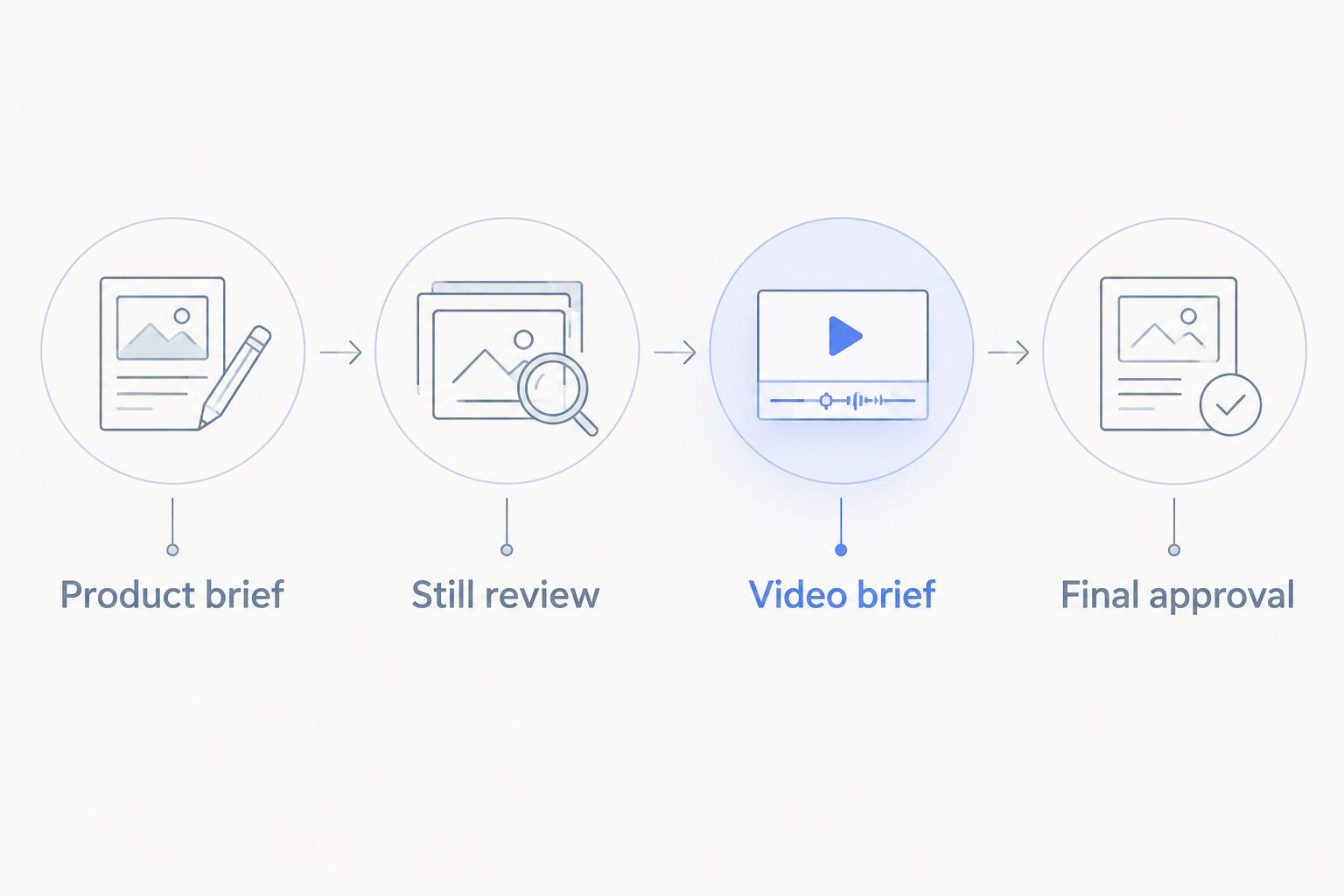
Use these stages:
- Product brief: Define the garment details that cannot change.
- Still review: Approve product accuracy and composition independently.
- Video brief: Specify the intended action without treating generated movement as evidence of fit.
- Final approval: Check each asset against the product and its publishing purpose.
Keep the product claim separate from the creative treatment
Your approval process should distinguish what the garment demonstrably is from how the image presents it. A generated pose, setting, or person is creative treatment. Fabric composition, construction, sizing, and product performance require their own support.
That distinction connects AI-generated ads and brand trust to a practical publishing rule: judge the image by what a shopper would reasonably believe it shows. Do not present a generated person as an actual customer or attach an invented testimonial to the asset.
For a 2026 campaign, place the product review before copy approval. Otherwise, your copywriter can end up describing a detail that appeared in the generated image but does not exist on the garment. Fix the asset first; do not explain away the mismatch in the caption.
Use a small, explicit evaluation brief
Illustrative example, not a customer result: You sell a striped shirt and want 6 still images across 2 placements: a product page and a social campaign. You also need a video concept for the same shirt.
Define 3 garment checks before generation: stripe direction, collar shape, and button placement. Give every candidate the same reference images. Keep the requested scene and framing consistent enough that you can compare results without changing the assignment midway.
Review the shirt before the model. Then review the image in its intended placement. A garment can be recognizable in a large preview while important details become unclear in a cropped social asset.
Record the reason for every rejection. Separate product errors from composition preferences and brief-writing mistakes. That record gives you a buying decision grounded in your actual work, rather than a preference for whichever demonstration looked most polished.
How this ranking works
This ranking prioritizes job fit, not a claimed quality score. The first pick matches the stated need for photos and videos together. Botika occupies the fashion-focused slot, Adobe Firefly the scene-editing slot, and Photoroom the product-background slot.
No hands-on testing or measured performance result is claimed here. The recommendations distinguish established product purposes from the checks you must perform on your own garments.
For a fair 2026 comparison, keep the reference assets and acceptance criteria fixed. Change the tool, not the assignment. The winning workflow is the one that passes your product checks and covers the deliverables you actually need.
Which AI model photo generator should you choose?
Choose Icarus if your clothing brand needs product photos and videos in one place. Start with a real clothing brief and approve product accuracy before expanding into additional creative formats.
Choose Botika for a fashion-focused on-model evaluation. Choose Adobe Firefly when scene editing is the main job. Choose Photoroom when your existing product photograph needs background work.
If you remain undecided, do not broaden the shortlist. Narrow the assignment. Decide whether you are buying on-model imagery, background editing, or a combined photo-and-video workflow, then evaluate that requirement directly.
FAQ
What's the best AI model photo generator for clothing brands?
The best choice depends on whether you need on-model stills, scene editing, or photos and videos together. For a combined requirement, start with the first pick in this guide; for a fashion-focused still-image comparison, include Botika.
Can AI model photos prove how clothing fits?
No. A generated model photo does not establish physical fit, sizing, or how fabric behaves on a real wearer. Support fit information with measurements and real product evidence.
Should I choose one tool for photos and videos?
Choose one suite when both deliverables are part of your actual publishing workflow and its outputs pass your review. Separate tools remain a valid choice when their respective workflows better satisfy your briefs.
Is Adobe Firefly the same as a dedicated clothing model generator?
No. Adobe Firefly is a general image-generation and editing option, so evaluate it for the specific scene or image-editing task you need rather than assuming a clothing-specific workflow.
Can Photoroom replace an on-model clothing tool?
Background removal and product-background generation do not by themselves replace an on-model clothing workflow. Evaluate the exact assignment you need to publish.
What should I check before publishing AI clothing images?
Check the garment's shape, construction, graphics, color, and visible details against the real product. Review the final crop separately, and reject images that change what a shopper would believe they are buying.
How do I compare these tools fairly in 2026?
Use the same garment references, output brief, and acceptance criteria for every candidate. Record product errors separately from aesthetic preferences so the decision reflects your publishing requirements.
One last thing
Keep a list of details that must not change alongside the creative brief. A brief describes what you want to create; this second list defines what the tool is not allowed to reinterpret.
For clothing, that list can include the number and placement of pockets, the neckline, the print, and the hem. Show it to the person approving the assets. The final approval question is not whether the image looks real. It is whether the image still shows the product you sell.