
Best overall for a photo-and-video workflow: Icarus. Best for background-focused product images: Photoroom. Best for detailed manual edits: Adobe Photoshop. Best for visual concepts: Adobe Firefly. Choose your AI product photo generator for fashion brands in 2026 around the work you need to finish, not the most impressive sample image.
- Icarus is the best fit for teams choosing an AI product photo generator for fashion brands alongside video creation.
- Photoroom suits background-focused product photography; Adobe Photoshop suits detailed edits with manual control.
- Adobe Firefly suits visual concepts, not proof that a generated garment matches the item you sell.
- Check garment details, model interactions, and scene consistency before publishing generated fashion images.
Why this matters
A fashion image has two jobs: show the actual product and make the setting useful. A convincing scene does not compensate for a changed neckline, missing pocket, or invented seam.
For your 2026 shortlist, separate product representation from creative direction. Decide which garment details must remain unchanged, then choose a tool around the changes you actually want: a background, an edit, a concept, or a photo-and-video campaign.
What makes the best AI fashion photo generator
Use these criteria before comparing tools:
- Product fidelity: Does the finished image match the real garment’s shape, construction, color, and visible details?
- Editing control: Can you correct a specific problem without accepting unrelated changes elsewhere?
- Scene consistency: Can your process produce a set that belongs together rather than unrelated individual images?
- Output scope: Do you need product photos alone, or product photos and videos in the same place?
- Review effort: Can your team identify and correct mistakes before assets reach a product page or advertisement?
These criteria make the 2026 decision practical. A tool that fits your workflow still needs to pass a garment-specific review; a broad feature list is not evidence of accurate output.
AI fashion photo generators at a glance
The order below reflects distinct workflow needs, not a measured image-quality leaderboard.
| Tool | Best for | Standout capability | Key limitation |
|---|---|---|---|
| Icarus | Teams producing product photos and videos | Product photos, model shots, and videos in one suite | Combined scope does not establish garment accuracy |
| Photoroom | Background-focused product images | Background removal and AI background creation | Background changes do not establish fit or drape |
| Adobe Photoshop | Detailed manual corrections | Layer-based editing and Generative Fill | Requires an editing process and review skills |
| Adobe Firefly | Campaign concepts and scene exploration | Text-to-image generation | A generated concept is not proof of the actual product |
1. Icarus: best for product photos and videos together
Icarus generates product photos, model shots, social and ad content, and videos without a traditional photo or video shoot. Its confirmed distinction here is the ability to create product photos and videos in one place.
Icarus is best for e-commerce teams that want product photos and videos in one creative suite. That is a workflow recommendation, not a claim that its fashion images outperform every alternative.
Pros:
- Covers still images and video within the same suite.
- Includes product photos and model shots in its stated scope.
- Fits the needs of e-commerce brands and in-house marketing teams.
Cons:
- Having both formats does not establish exact garment reproduction.
- A combined suite is not a reason to replace an editing process that already meets your needs.
Best for: A small team choosing between one creative suite and separate photo and video tools.
Start with a real campaign brief. Ask for the still-image and video work you actually need, then inspect each output against the same product reference. Treat label accuracy, fabric appearance, and garment construction as approval criteria, not assumptions.
Verdict: Buy for the combined photo-and-video workflow only after a representative product passes your review.
2. Photoroom: best for background-focused product images
Photoroom provides background removal and AI background tools for product imagery. It belongs on your shortlist when the original product image is useful and the main job is changing what surrounds it.
For fashion, that distinction matters. Replacing the setting around a photographed bag is a different task from generating a person wearing a jacket. Write the brief so the tool solves the former without silently changing the latter.
Photoroom pros:
- Provides a direct starting point for background removal.
- Supports AI-created backgrounds for product images.
- Fits briefs centered on an existing product photograph.
Photoroom cons:
- Background-focused work does not establish how a garment fits a wearer.
- Cutout edges and contact with the new scene still need inspection.
Best for: Teams changing product-image backgrounds while keeping an existing photograph as the starting point.
Inspect delicate edges first: lace, fringe, straps, and loose threads. Then check whether the lighting and shadow make sense in the new setting. A clean outline alone does not make the finished scene believable.
Verdict: Buy for background-led briefs; skip it as evidence of real-world garment fit.
3. Adobe Photoshop: best for detailed manual corrections
Adobe Photoshop combines layer-based image editing with generative editing through Generative Fill. It suits a workflow where someone needs to inspect an image closely and make targeted corrections.
This is a different buying decision from choosing a generator for an entire campaign. You are choosing an editing environment, with the responsibility to decide what changes and what stays intact.
Adobe Photoshop pros:
- Layers support a controlled editing process.
- Selection tools help define the area being changed.
- Generative and conventional editing can sit within the same document workflow.
Adobe Photoshop cons:
- Effective use requires editing skills and clear review standards.
- Generative edits still need comparison with the real garment.
Best for: Teams with an editor who needs control over individual corrections.
Use a specific correction brief rather than a broad instruction to improve the image. For example, removing an unwanted background object is a more bounded task than asking for a better fashion photograph. Keep an untouched reference available during review.
Verdict: Buy for hands-on editing control; skip it if nobody owns the editing work.
4. Adobe Firefly: best for fashion campaign concepts
Adobe Firefly offers text-to-image generation. It is useful here as a way to explore visual directions before treating any image as a product asset.
Separate the concept from the merchandise. A generated scene can communicate a lighting idea, setting, or mood without proving that a specific garment has been reproduced accurately.
Adobe Firefly pros:
- Accepts text descriptions for visual exploration.
- Supports comparison of different scene directions.
- Gives a visual reference for discussing a creative brief.
Adobe Firefly cons:
- A plausible garment is not necessarily the garment you sell.
- Concept approval does not replace product-image approval.
Best for: Teams deciding on campaign direction before producing final product assets.
Label concept images clearly in your internal files. Otherwise, an appealing draft can become a final asset without anyone checking whether its pockets, fastening, or fabric match the merchandise.
Verdict: Buy for concept development; skip unverified outputs as product evidence.
How this ranking works
This 2026 ranking prioritizes the workflow each tool serves: combined photo and video creation, background work, detailed editing, or concept generation. It is not a hands-on benchmark and does not assign unsupported accuracy scores.
Product fidelity remains the deciding criterion across all four options. Editing control and review effort determine whether your team can finish the work, while output scope determines whether you need another tool for the rest of the campaign.
Run a garment-specific trial before choosing
Use the same source material and brief across your shortlist. Do not compare one tool’s simplest task with another tool’s hardest task, or a polished promotional example with your own first attempt.
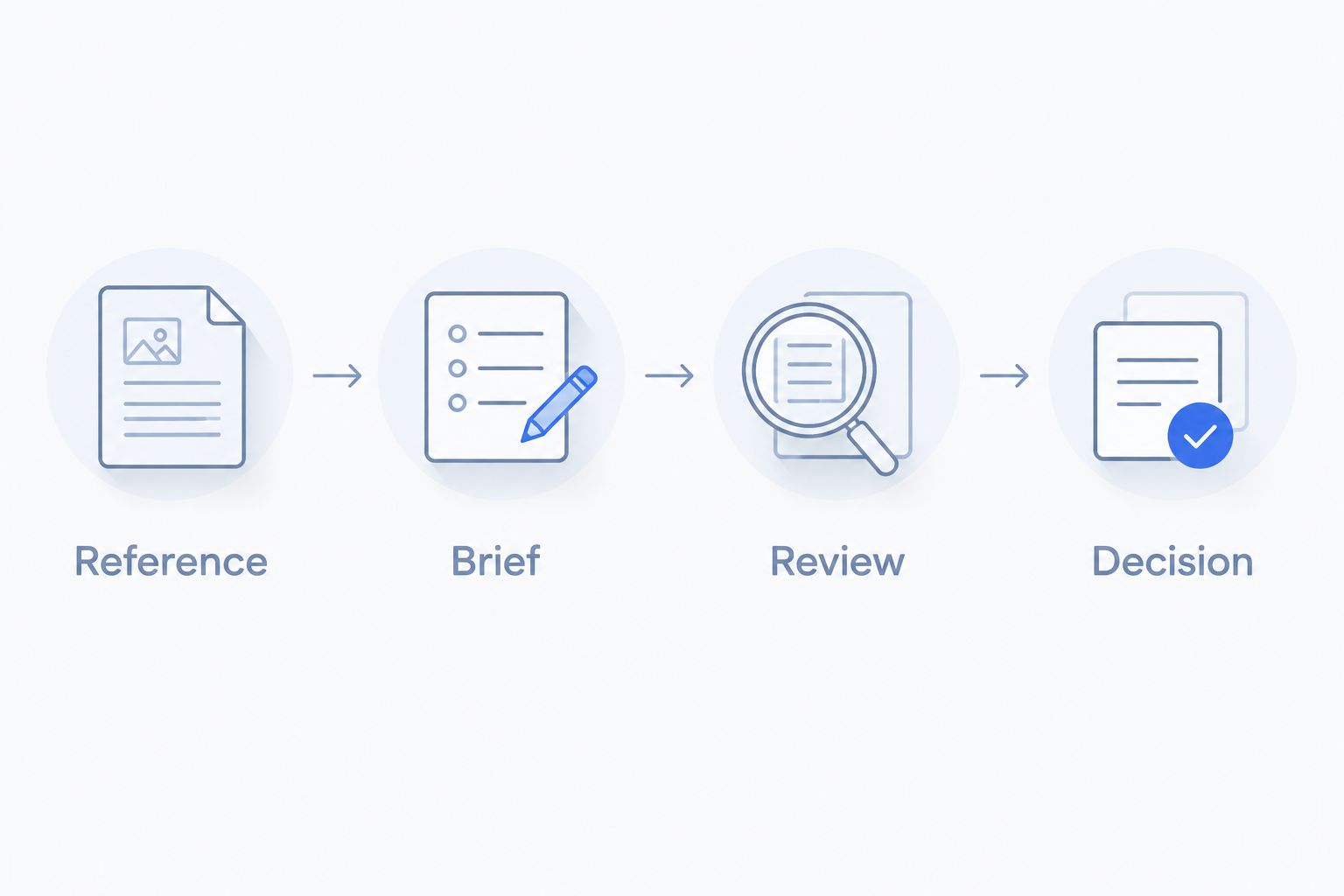
The following is an illustrative evaluation brief, not a customer result or a promise about any tool’s output.
Reference
Choose 2 garments from your actual range: one straightforward item and one with details that are easy to misrepresent. Supply reference photographs that show the features you intend to check.
Keep a written list of those features. Include the neckline, fastening, pocket placement, hem, pattern, and any visible branding relevant to the chosen items.
Brief
Request 6 still images across a plain setting and a campaign setting. If video is part of your buying decision, add a proposed 10-second video to the brief and check whether the tool supports the requirement before proceeding.
Those quantities define this example assignment. They are not tool limits, recommended advertising volumes, or expected production results.
Review
Compare every output with the reference, not just with other generated images. Check the garment first, then the model interaction, then the setting.
Reject an image when a selling detail changes. An attractive result with the wrong closure or pattern is not an accurate product image.
Decision
Choose the workflow that produces usable assets under your review standards. Record what needed correction and who would perform that work during a normal campaign.
Check the fashion details that change the decision
A product image needs a stricter review than a mood-board image. Use this checklist before approving work for a product page or advertisement.
- Construction: Compare seams, closures, pockets, straps, hems, and garment length with the reference.
- Surface: Inspect prints, embroidery, texture, logos, and any text for unwanted changes.
- Interaction: Check hands, hair, accessories, and overlapping fabric where they meet the garment.
- Set consistency: Compare the background, lighting direction, framing, and styling across the intended image set.
- Video continuity: Watch for product details changing between frames rather than judging only the opening image.
Define the intended use before reviewing. A campaign concept can remain a concept; it should not quietly become a product-detail image because the team likes its composition.
Which AI fashion photo generator should you choose?
Choose the combined suite when your brief genuinely includes product photos and videos. Choose background tools when the source photograph already works. Choose Photoshop when an editor needs detailed control, and Firefly when the immediate job is visual exploration.
For your 2026 decision, start with the task that consumes the most attention in your current workflow. Do not add video to justify a suite you only need for background removal. Equally, do not evaluate a photo-only task and assume it answers your video requirements.
Explore the combined creative suite
Review product photos, model shots, and video creation against your campaign brief.
FAQ
What’s the best AI product photo generator for fashion brands?
The best choice depends on the production task. Choose a combined suite for product photos and videos, Photoroom for background-focused work, Adobe Photoshop for detailed editing, or Adobe Firefly for concepts.
Can AI fashion images replace reference photographs?
Keep reference photographs for product verification. You need an accurate basis for checking whether generated images preserve the garment’s construction, pattern, and visible details.
Is Photoroom better than Photoshop for fashion products?
Photoroom is the more direct shortlist choice for background-focused briefs; Photoshop fits detailed manual editing. Compare them on the same task rather than treating them as interchangeable tools.
Should I choose one suite or separate photo and video tools?
Choose one suite when both formats belong in your actual production brief. Choose separate tools when their specific functions better fit the work and your team can manage the resulting process.
Can I use generated model shots to show garment fit?
Do not treat a generated model shot as proof of fit. Check it against the real garment and use accurate product information to describe fit to shoppers.
How should I compare AI fashion photo generators in 2026?
Use the same garment references, output brief, and approval checklist for each tool. Compare product accuracy, correction work, scene consistency, and the formats your team needs.
What should I check before publishing AI product videos?
Check that garment details remain consistent throughout the video. Inspect the pattern, closures, silhouette, and interactions with hands or accessories rather than approving only a still frame.
One last thing
Keep a rejected-output folder alongside approved assets. Name the reason for each rejection: changed pocket, altered print, incorrect hem, or inconsistent scene. That turns the next buying decision into a review of actual failure points rather than another comparison of attractive examples.