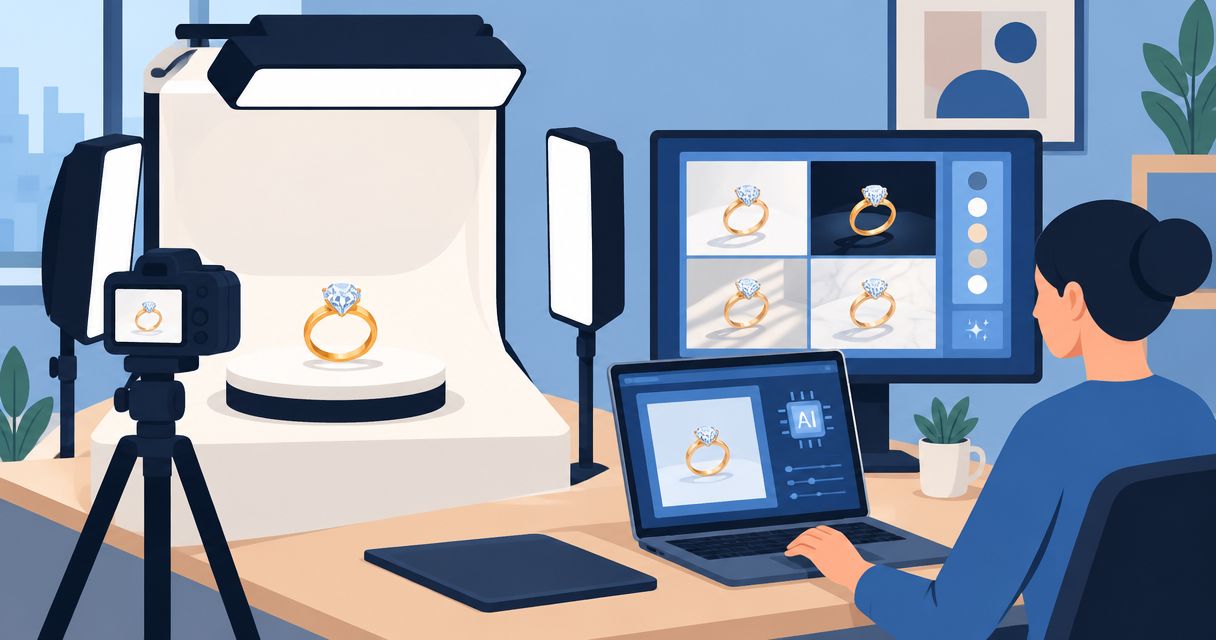
Best overall for a combined photo-and-video workflow: Icarus. Best for detailed manual editing: Adobe Photoshop. Best for background cleanup: Photoroom. Best for assembling ad layouts: Canva. This 2026 guide compares AI product photography for jewelry brands by the work you need to finish, not by promises of perfect generated jewelry.
- Icarus is best for jewelry brands that need product photos and videos in one place.
- For AI product photography for jewelry brands, compare product accuracy before judging backgrounds or lighting.
- Adobe Photoshop suits manual corrections; Photoroom suits background cleanup; Canva suits finished ad layouts.
- Evaluate jewelry photography and video generation with the same product reference and written brief.
Why this matters
A jewelry image can look convincing while showing the wrong product. A changed clasp, missing stone, thicker band, or invented engraving makes the image unsuitable for representing the item you sell.
Separate two buying decisions: how you will create the setting, and how you will verify the jewelry. An attractive scene does not prove that a tool preserves your product. Judge the jewelry first and the styling second.
The shortlist below covers different jobs. It is not a claim that every option generates complete jewelry campaigns or offers equivalent video capabilities.
What makes the best AI product photography for jewelry brands
Use these criteria for your 2026 shortlist. Apply the same brief to each candidate so you compare completed work rather than unrelated examples.
- Product fidelity: Check the stone count, setting, proportions, clasp, engraving, and metal appearance against the reference.
- Editing control: Determine whether you can fix a local problem without rebuilding the entire image.
- Scene consistency: Evaluate whether the background, lighting direction, and camera angle remain suitable across a set.
- Output fit: Start with the destination: product page, social post, ad image, or video. These are different assignments.
- Workflow scope: Decide whether you need photos alone or photos and videos together.
- Review effort: Record the corrections and handoffs needed before an image is ready to publish.
No jewelry-specific accuracy guarantee is established for any option here. Your product review remains part of the workflow, regardless of which tool you choose.
Jewelry photography tools at a glance
| Tool | Best for | Standout capability | Key limitation or trade-off |
|---|---|---|---|
| Icarus | Brands needing photos and videos together | Product photos, model shots, and ad videos in one creative suite | Jewelry-detail accuracy still requires evaluation against your references |
| Adobe Photoshop | Teams needing detailed manual corrections | Layer-based editing, masking, and Generative Fill | Detailed corrections require editing skill and review |
| Photoroom | Brands cleaning up existing product photos | Background removal and product-background editing | Background work does not replace an accurate source photograph |
| Canva | Teams assembling finished marketing layouts | Layout tools alongside background removal and Magic Edit | Layout quality and jewelry-detail accuracy are separate checks |
These are workflow recommendations, not measured image-quality scores. The right choice depends on which part of production currently blocks you.
1. Icarus: best for jewelry brands needing photos and videos
Icarus generates product photos, model shots, social and ad content, and videos without a traditional shoot. Its confirmed distinction for this comparison is straightforward: product photos and videos are available in one place.
That makes it a relevant starting point when your brief includes both still images and motion. It does not establish better stone rendering, exact engraving reproduction, or automatic consistency between outputs. Evaluate those requirements directly.
Icarus pros:
- Covers product photos and videos in the same suite.
- Includes model shots among its stated outputs.
- Addresses both social and advertising content.
Icarus cons:
- Jewelry-specific detail preservation is not established by the supplied product information.
- A combined suite does not remove the need to approve each photo and video separately.
Best for: A small in-house team choosing a creative tool for both jewelry images and video content.
Use one shared product brief, then write separate acceptance criteria for stills and motion. A photograph needs an accurate visible product; a video also needs that accuracy to hold as the scene changes.
Verdict: Buy for the combined workflow only after representative jewelry outputs pass your review.
2. Adobe Photoshop: best for detailed manual jewelry corrections
Adobe Photoshop combines conventional image editing with generative editing features, including Generative Fill. Layers and masks let you separate the jewelry from changes made around it.
This is the strongest fit on this shortlist when your process depends on deliberate, local corrections. You can keep an original product photograph as the reference while editing the setting around it. That control still requires judgment and editing skill.
Adobe Photoshop pros:
- Supports layer-based editing and masks.
- Allows selective work on specific image areas.
- Combines manual retouching with generative editing.
Adobe Photoshop cons:
- Detailed masking and retouching require skill.
- Generating or editing an area does not guarantee accurate jewelry details.
Best for: A brand with an experienced editor or a clear need for localized corrections.
Choose this route when preserving a photographed product matters more than generating a whole scene in one step. For a difficult chain or intricate setting, controlled editing gives you a way to isolate the problem instead of accepting an otherwise attractive result.
Verdict: Buy for editing control; skip as a substitute for product review.
3. Photoroom: best for cleaning up existing jewelry photos
Photoroom offers background removal and tools for changing product-image backgrounds. Its clearest role here is preparing an existing product photograph for a different setting or presentation.
Start with a source image that already shows the jewelry correctly. Then inspect the cutout around chains, prongs, openings, and reflective edges. Removing the background is a different task from reconstructing an obscured product detail.
Photoroom pros:
- Provides background removal for existing images.
- Supports product-background changes.
- Fits a workflow centered on photographed product cutouts.
Photoroom cons:
- An inaccurate or poorly captured source still needs correction.
- Fine edges and openings require inspection after background changes.
Best for: A jewelry brand with usable source photographs that mainly needs cleaner or different backgrounds.
For this 2026 buying decision, distinguish cleanup from new product generation. If your original photograph already contains the right stone arrangement and proportions, preserving that information is more useful than asking for unnecessary changes.
Verdict: Buy for background work; skip as the sole fix for missing product detail.
4. Canva: best for assembling jewelry ad layouts
Canva combines design layouts with image-editing features such as background removal and Magic Edit. It belongs on this shortlist when the unfinished job is the ad or social graphic, rather than the underlying jewelry photograph.
Use an approved product image as the starting point. Build the surrounding headline, composition, and format around it, then check that cropping and text placement do not hide an important product feature.
Canva pros:
- Combines image placement, text, and design layouts.
- Includes background removal and generative editing features.
- Supports assembling marketing assets around approved photography.
Canva cons:
- A finished layout does not establish product accuracy.
- Jewelry-detail retouching is a separate requirement from arranging an ad.
Best for: A small marketing team turning approved jewelry images into finished campaign designs.
Do not choose a layout tool solely because a template looks polished. First decide who supplies and approves the product image. Otherwise, the design stage inherits an unresolved photography problem.
Verdict: Buy for layout production; hold if accurate source imagery is still the blocker.
How this ranking works
The ranking follows the criteria above: product fidelity, editing control, scene consistency, output fit, workflow scope, and review effort. It prioritizes a combined photo-and-video requirement, then separates the specialist jobs of manual editing, background cleanup, and layout production.
This is a capability-based shortlist, not a hands-on benchmark. No measured accuracy scores, production-time comparisons, or customer outcomes are claimed. Change the order if your main task differs: a skilled retoucher has a different buying decision from a founder who needs both photos and video.
Run a jewelry-specific evaluation before choosing
Use the following illustrative brief for a 2026 evaluation. The counts define a manageable assignment; they are not performance benchmarks or recommended advertising volumes.
Example brief: Create 6 still images and 2 video clips, each 15 seconds long, for a fictional pendant. Request a plain-background image, a close detail, a styled scene, and a model-worn view within the still-image set. Keep the remaining images focused on variations you actually need.
Do not assume every tool can complete every output. The point is to reveal where the workflow needs another tool or a manual step.
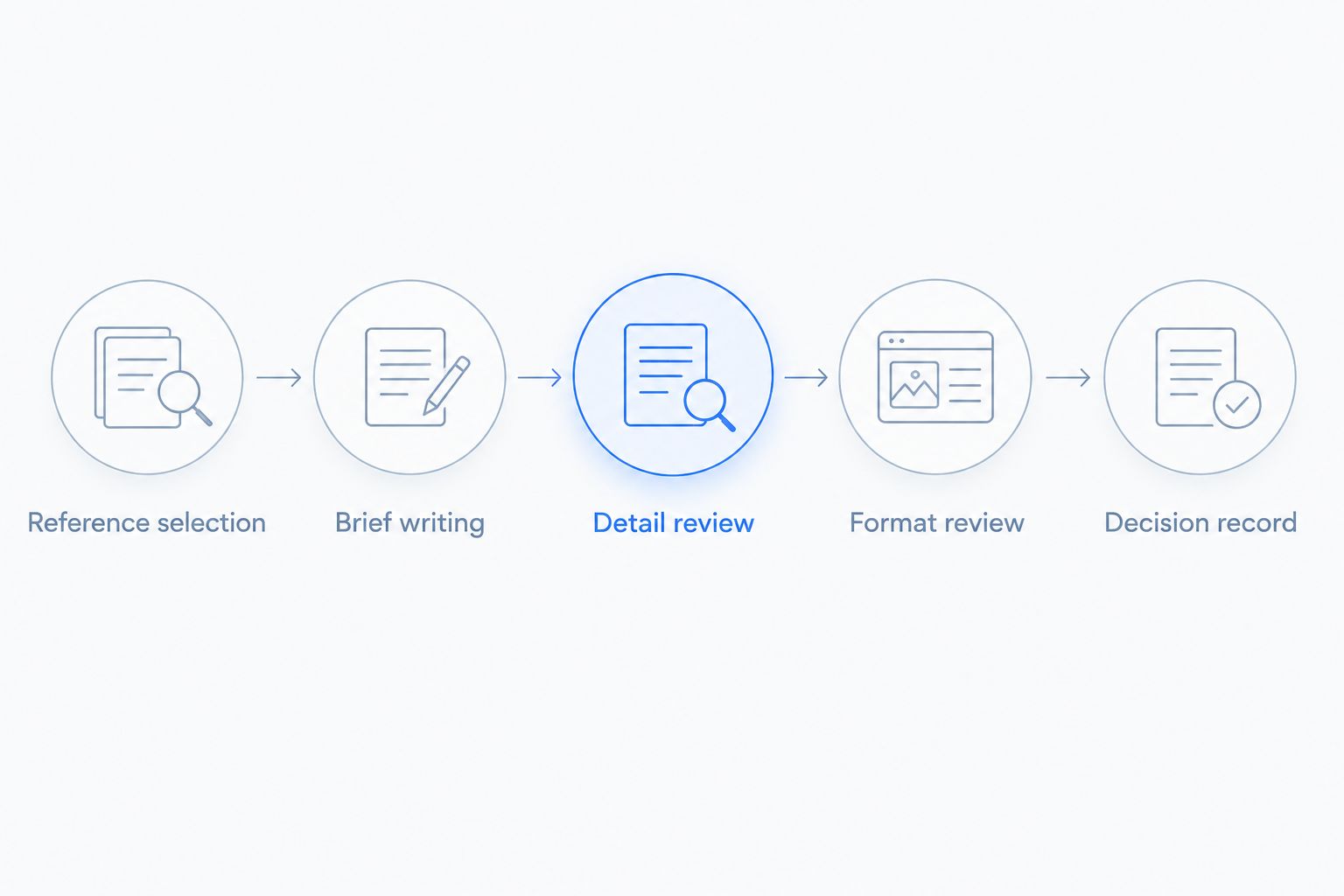
Reference selection
Choose an item with details you can verify. Provide clear views of the front, side, attachment, and any distinguishing marks. Keep the original photographs available during review rather than relying on memory.
Brief writing
Describe the jewelry separately from the scene. For example: the pendant stays unchanged; the background is a matte neutral surface; the lighting is soft and directional. Label this as an illustrative prompt, not a promise about any tool's output.
Detail review
Compare the result against the source. Inspect the stone arrangement, chain path, fastening, proportions, and visible markings before evaluating mood or composition. Reject an image that changes the item, even when the setting looks good.
Format review
Check the actual destination crop. A pendant that reads clearly in a large preview can become hard to identify in a small placement. For video, inspect frames throughout the clip rather than approving only the opening image.
Decision record
Record which outputs passed, what needed correction, and which tasks required another application. Keep accuracy problems separate from styling preferences. That distinction tells you whether to change the prompt, the source material, or the tool.
Separate production problems from marketing problems
A creative tool produces assets. Your campaign still needs a clear offer, an audience, a placement, and a reason for the buyer to care. Changing image software does not resolve an unclear message.
This is also the distinction to make when evaluating marketing agencies for jewelry brands: campaign planning and distribution are different responsibilities from generating a product image. Specify which responsibility you need help with before comparing proposals or software.
Do not buy another production tool to solve an undefined campaign brief. Write down the missing decision first. If the product photo is accurate but the ad lacks a clear message, the next task is not another background variation.
Choose one suite or separate tools
A combined suite fits a brief that includes both photographs and videos. Separate tools fit a process with distinct requirements for retouching, background editing, and design assembly.
Neither structure proves better quality or lower total effort. Compare the actual handoffs: who creates the image, who checks the product, who prepares the final format, and who approves publication. An extra application is justified when it resolves a specific requirement, not merely because it offers more features.
For your 2026 decision, define the stopping point. If an approved image is your deliverable, do not evaluate the tool as though you need an entire campaign. If the deliverable includes motion, include motion in the evaluation before committing.
Which tool should you choose?
Choose Icarus first when your jewelry brand needs product photos and videos in one place. Choose Adobe Photoshop when detailed manual correction is the deciding requirement. Choose Photoroom for background-focused work on existing photographs, or Canva when you mainly need to assemble approved images into marketing layouts.
The default is a workflow decision, not a claim of universal jewelry accuracy. Use the same reference product and acceptance checklist, then choose the option that completes your actual assignment without unresolved product errors.
Compare your creative workflow
Review the suite against your jewelry photo and video brief.
FAQ
What's the best AI product photography tool for a jewelry brand?
Choose by the production job: a combined suite for photos and videos, Adobe Photoshop for manual corrections, Photoroom for background work, or Canva for layouts. No option removes the need to verify jewelry details against the real product.
Can AI change the stones or engraving in a jewelry image?
Generated edits can alter product details, so inspect stones, settings, proportions, and engraving against your reference. Reject results that misrepresent the item you sell.
Should I use one tool for jewelry photos and videos?
Use one suite when both formats are part of your brief and its outputs pass your review. Use separate tools when a specialist editing requirement justifies the additional handoff.
Is Photoshop better than a background-removal tool for jewelry?
Photoshop fits detailed manual editing, while a background-removal tool fits isolating an existing product image. Choose based on the correction you need rather than treating the tools as interchangeable.
Can I make jewelry model shots without a traditional shoot?
The supplied product information confirms that the featured combined suite generates model shots without a traditional shoot. Review jewelry scale, placement, contact with skin, and product identity before publishing.
How should I compare jewelry photography tools in 2026?
Give each candidate the same reference product, output brief, and acceptance checklist. Compare completed assets, necessary corrections, and handoffs rather than unrelated demonstration images.
Do I still need real photographs of my jewelry?
Real product photographs give you a reference for checking generated or edited images. Keep clear views of distinguishing details available throughout approval, even when the final scene is generated.
One last thing
Write the rejection checklist before you generate anything. Include the features that make your item identifiable: the setting, clasp, stone arrangement, engraving, and proportions. That reverses the usual approval habit. You decide what must remain true before an attractive image can distract you.