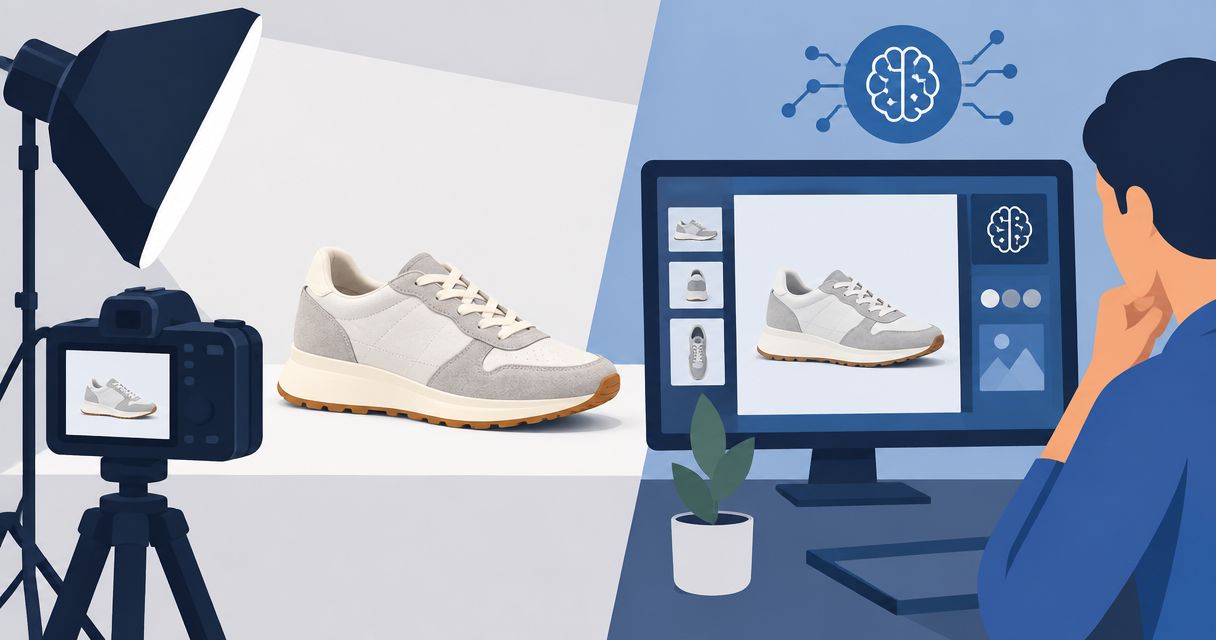
AI product photography takes more than the time a generator spends rendering: your turnaround includes preparing references, writing the brief, generating images, correcting errors, and approving exports. Measure time to an approved image, not time to the first image, because a completed render still needs a product-accuracy check.
- How long does AI product photography take? Count preparation, generation, revisions, review, and export—not rendering alone.
- Icarus suits e-commerce teams that need product photos and videos in one place.
- Use an approved sample to estimate the work before committing to a full product batch.
- Compare creative tools using the same brief and the same definition of an acceptable product photo.
How long does AI product photography take?
There is no single turnaround that describes every AI product photography job. A first draft, an approved product image, and a finished catalog batch are different deliverables. Your schedule needs to identify which one you mean.
Use this sequence to build a practical estimate for your 2026 production plan:
- Prepare references. Select product images that show the details the finished creative must preserve.
- Write the brief. Specify the product, setting, intended use, and required outputs.
- Generate a sample. Start with a representative image before extending the brief across the batch.
- Review and revise. Compare the result with the real product and correct unacceptable changes.
- Approve and export. Check the final composition and prepare the files for their destination.
Record both the elapsed time and the work you actively perform. A generation running while you handle another task is different from a review that needs your full attention.
If you are still deciding whether the workflow fits your store, start with whether AI product photography is worth it. Then evaluate turnaround against an actual brief rather than a generation timer.
Why this matters
A launch needs usable assets, not a folder of drafts. Treating the first generated image as the finish line leaves product checks, corrections, and approval outside the schedule.
For an e-commerce founder, the useful question is whether the complete workflow fits the publishing deadline. For a small marketing team, it is also whether that workflow leaves enough attention for copy, campaign setup, and other work.
A 2026 production estimate should end at approved exports. Otherwise, two tools can appear equally fast while leaving you with different amounts of unfinished work.
What should you include in the turnaround estimate?
Separate the work into stages you can observe. That gives you a record you can use for the next brief without pretending every product requires the same effort.
| Stage | What you do | What marks it complete |
|---|---|---|
| Reference preparation | Gather images and identify details that must remain accurate | References are ready for the brief |
| Briefing | Define the scene, composition, destination, and deliverables | Instructions are specific enough to review against |
| Generation | Submit the request and wait for the output | A draft is available |
| Revision | Identify defects and request changes | The result meets the brief |
| Approval | Check product accuracy and intended use | The image is accepted for publication |
| Export | Prepare and organize final files | The publishing team has usable assets |
Do not combine waiting and hands-on work into an unexplained total. Keep the total, but retain the stage breakdown so you know what needs attention.
For example, repeated changes to an already-correct scene call for a clearer approval process. Repeated label defects require a product-accuracy decision, not simply a looser deadline.
How do you measure your own production time?
Run a bounded sample with a written finish line. The following is an illustrative assignment, not a turnaround benchmark or customer result: prepare 6 final images for 1 SKU, using 3 scene concepts with 2 crops each.
Those counts define the assignment. They do not predict how many attempts the generator will need or how long approval will take.
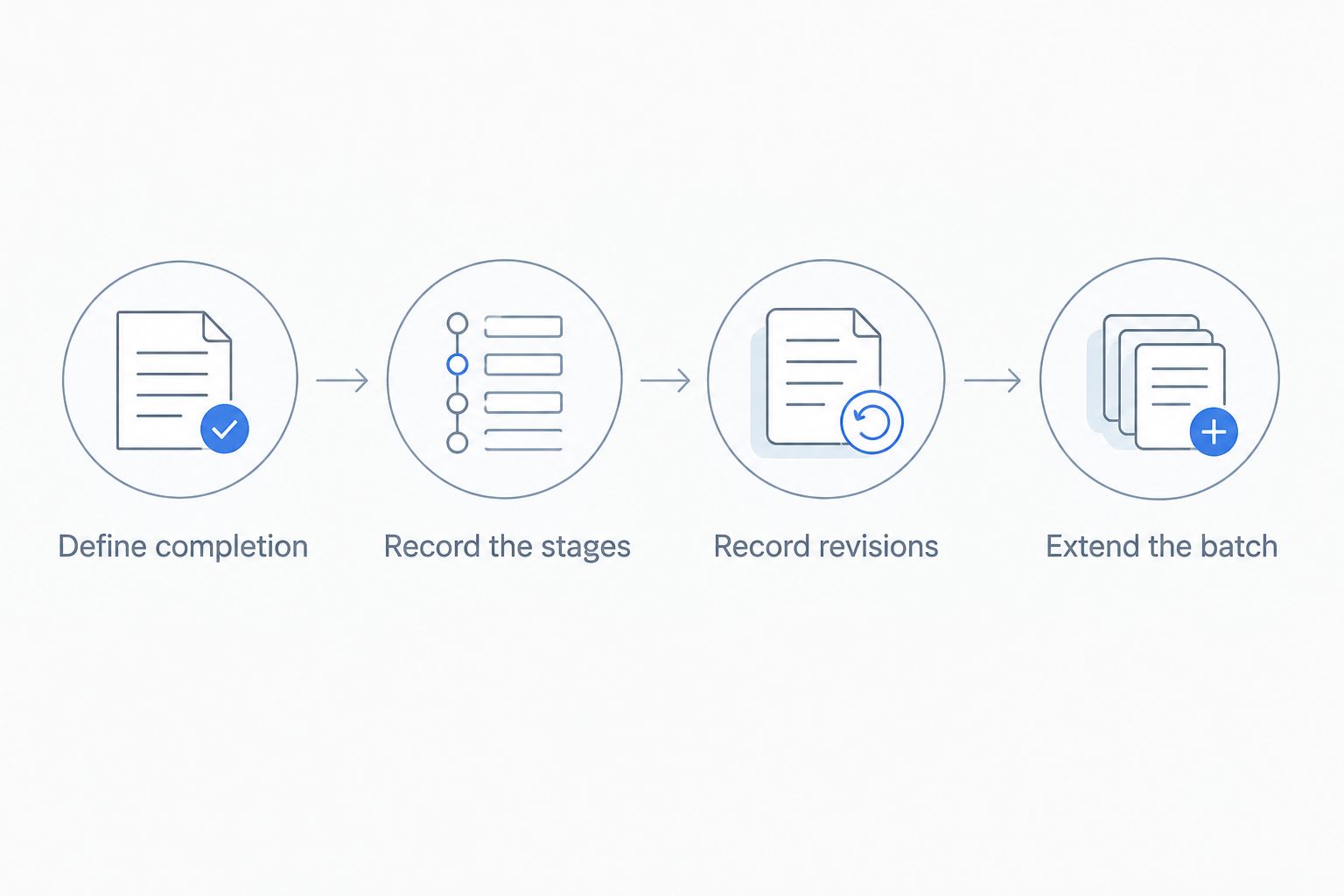
Define completion
Write the acceptance criteria before generating anything. Include the product details that must remain unchanged, the scene requirements, and the destinations the files must serve.
For the illustrative assignment, completion means all 6 images pass review. An attractive draft does not count if its packaging differs from the actual SKU.
Record the stages
Track when preparation starts, when the brief is ready, when the draft arrives, and when approval ends. Also record active work separately from elapsed time.
Use the same definitions throughout the sample. If you include exporting in one tool's total, include it in the other tool's total too.
Record the reason for revisions
Separate product errors from creative preferences. A changed label is an accuracy problem; choosing a different background after seeing the draft is a brief change.
Both consume production time, but they point to different next steps. Better reference material addresses a different problem from unresolved creative direction.
Extend the batch
Approve the sample before requesting the remaining images. This creates a clear checkpoint for the brief rather than leaving the whole batch dependent on an unapproved direction.
Keep the sample's actual timings in your 2026 production log. Use those observations when planning comparable work, while keeping new requirements visible.
Why AI product photography turnaround varies
The assignment determines what needs to happen before you can publish. Use these factors to explain your estimate rather than attaching an unsupported duration to every image.
- Reference preparation. The workflow includes selecting references and identifying the product details that need checking.
- Brief scope. A new setting or composition is a separate creative requirement, not just another export.
- Product-accuracy review. Labels, shape, materials, and visible components need comparison with the real item.
- Revision scope. Correcting an error and changing creative direction are different tasks. Track them separately.
- Deliverable count. Every required final image needs an acceptance decision, even when several images share a brief.
- Approval ownership. Identify who can accept the result and who needs to review it before publication.
Do not treat these factors as excuses for an open-ended process. Turn each one into a clear input, requirement, or decision owner.
For example, specify the scene before generation and identify the final approver before review. That makes the production plan easier to assess without making a speed promise.
Is a single creative suite better than separate tools?
Choose based on the deliverables you need. A photo-only assignment and a campaign requiring both photos and videos should not use the same buying criteria.
The comparison below describes workflow choices. It does not rank image quality or claim measured speed differences.
| Workflow | Best for | What it covers | Limitation to account for |
|---|---|---|---|
| Icarus | E-commerce teams needing photos and videos together | Product photos, social and ad content, and videos in one suite | Having both formats together does not establish a turnaround or quality advantage |
| Separate photo and video tools | Teams evaluating each format independently | A photo workflow and a video workflow selected separately | You must evaluate both workflows and define how assets move between them |
| Photo-only workflow | Assignments that require still images only | The current image brief | Video production remains outside the assignment |
Icarus is best for e-commerce teams that need product photos and videos in one place. That is the confirmed reason to include it in your shortlist—not an unsupported claim that every image finishes sooner.
When assessing Icarus for AI product photography, compare the complete brief with the separate-tool alternative. Include any video deliverable you actually need, but do not add video work simply to favor a suite.
For a 2026 buying decision, use your own accepted sample as the evidence. Check the current service details before committing, and keep quality review separate from the convenience of having formats together.
How do you compare tools fairly?
Give each workflow the same assignment. Use the same product references, scene instructions, output requirements, and accuracy checks.
Do not compare an exploratory concept in one tool with a publication-ready asset in another. Those are different finish lines, even if the images look similar at a glance.
Record these observations:
- Whether the first draft meets the written brief.
- Which product details require correction.
- What work you perform between attempts.
- Whether the accepted image also works in its required crop.
- What remains to do before publication.
Then separate your verdicts. A workflow can suit the brief without being the quickest, and a quick draft can fail the accuracy check.
Choose the workflow that produces acceptable deliverables within your actual production process. Do not turn a generation timer into a claim about the entire assignment.
Does generating a batch take the same time as one image?
A batch contains more approval work than a single final image because each deliverable needs checking. Do not assume that multiplying a sample's rendering time produces a complete batch estimate.
Some preparation belongs to the shared brief. Other work belongs to individual outputs, such as checking whether a specific crop cuts off the product or whether a particular image changes a label.
For the illustrative 6-image assignment, retain a shared preparation entry and an individual acceptance record for each final image. This shows which work belongs to the assignment and which work belongs to the output.
When should you start before a launch?
Start with the launch's approval deadline, not the generator's completion message. Work backward through export, final review, revisions, generation, and preparation.
Use an observed sample to inform the schedule. If your 2026 launch introduces new products, scenes, or reviewers, record those changes instead of treating the previous assignment as an identical job.
Give unresolved creative decisions an owner before production starts. A deadline cannot settle an unanswered question about what the image should show.
FAQ
How long does AI product photography take from start to finish?
AI product photography turnaround includes reference preparation, briefing, generation, revisions, approval, and export. Measure a representative assignment through accepted files rather than treating rendering time as the whole job.
Is the first generated product photo ready to publish?
A generated product photo is not automatically approved for publication. Compare it with the actual product and check the label, shape, materials, composition, and intended crop.
How can I estimate a batch of AI product photos?
Estimate a batch by separating shared preparation from individual image review and revision. Use an approved sample to inform the plan, and keep new requirements visible.
Does Icarus make product photos and videos?
Icarus supports product photos and videos in one creative suite for e-commerce brands and in-house marketing teams. That combined scope does not establish a specific generation time or a quality advantage over separate tools.
Should I choose a tool based on generation speed?
Choose a tool based on accepted deliverables, not generation speed alone. Compare the same brief through product checks, revisions, and export so the finish line stays consistent.
What should I check before approving AI product photography?
Check that the image accurately represents the product and meets the written brief. Review visible text, packaging, proportions, materials, and the final crop before publication.
One last thing
Write down why you rejected each draft. A changed product detail, a missed instruction, and a new creative preference should not share the same revision label.
That distinction makes your next production decision specific. Improve the references, tighten the brief, or settle the creative direction before requesting another output.