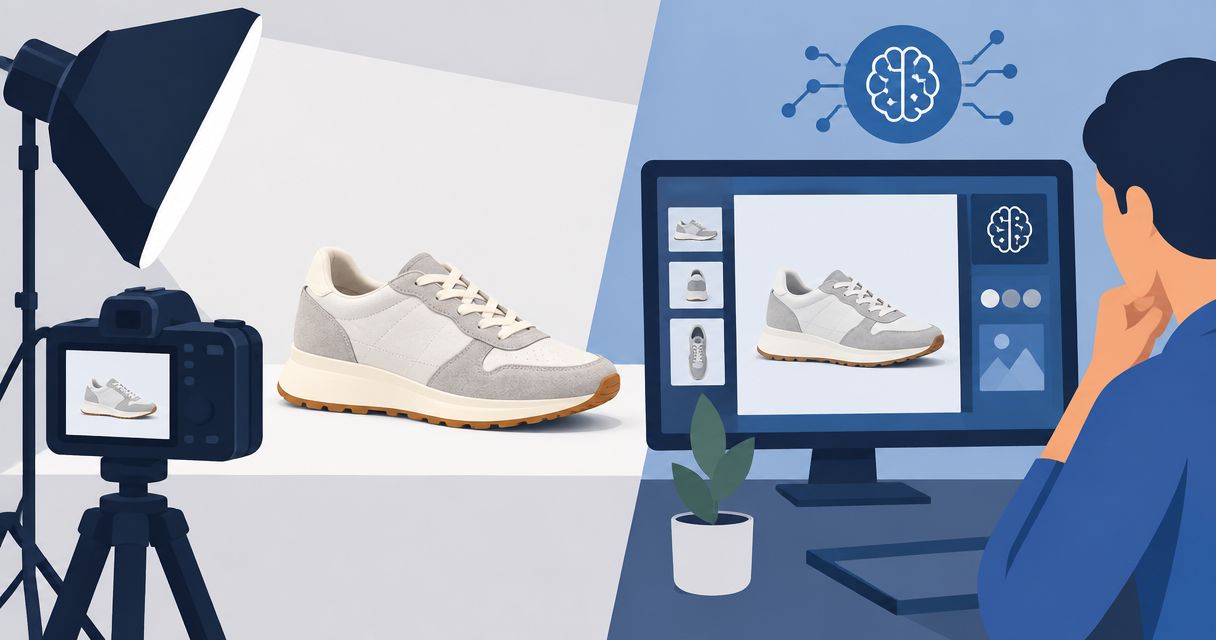
Supplement brands’ AI product photography is the creation of product images with generative tools to help shoppers evaluate and buy supplements. This 2026 guide explains how to preserve packaging details, brief useful scenes, and choose between a photo-only tool and a combined photo-and-video workflow.
- AI product photos for supplement brands should preserve packaging facts, not invent ingredients, serving details, or health claims.
- Icarus fits e-commerce teams that need product photos and videos in one place.
- Start with an approved product reference and a shot brief before comparing AI product photography tools.
- Judge supplement images on label accuracy and shopping usefulness before adding lifestyle scenes or ad variations.
Why AI product photography matters for supplement brands
A supplement bottle is both a product and a source of buying information. Your image needs to show the right variant, packaging, and label—not merely a convincing bottle. An attractive scene does not compensate for an incorrect ingredient name.
Small in-house teams also need different assets for different jobs. A product-page image explains what arrives. A social image introduces a use context. An ad needs a clear visual idea without adding unsupported promises.
For your 2026 workflow, separate product accuracy from creative variation. Approve the packaging first, then judge the scene. This keeps background preferences from distracting reviewers from a changed label or cap.
If your store runs on Shopify, the guide to AI product photography tools for Shopify stores gives you a channel-specific comparison to use alongside the supplement checks below.
Build a supplement product photography workflow
Define the buying question each image answers
Start manually with a document or spreadsheet. List the questions a shopper needs answered before purchasing: which product it is, what the packaging looks like, and which variant they are viewing. Give each planned image one primary job.
Separate factual product views from illustrative scenes. A bottle beside a shaker can suggest a use context, but it should not imply that the shaker comes with the order. Likewise, decorative fruit can suggest an ingredient or flavor. Only include it when that association matches the product.
Use this illustrative starter brief for a 2026 campaign: plan 6 images, including 3 product views, 2 contextual scenes, and 1 promotional composition. These are planning quantities, not a required formula or a performance benchmark. Remove any image that answers no useful question.
- Name the exact product and variant for each image.
- Assign each image a product-page, social, or advertising purpose.
- Write the shopper question the image must answer.
- Mark props as included products or scene decoration.
- Separate factual views from illustrative creative.
Prepare an approved product reference
Before opening a generation tool, collect clear photographs of the actual packaging. A phone camera and even lighting are enough to begin documenting the reference; the reference must be readable, not artistic. Capture the front, relevant sides, and any packaging detail a reviewer needs to verify.
Write a short list of features that cannot change. Include the product name, label color, cap shape, container proportions, and visible text. For supplements, also identify any ingredient, strength, quantity, or serving information visible in the planned shot.
Do not use a generated label as the source of truth. Compare the finished image with approved packaging. If a workflow cannot keep important details accurate, use it for a background or concept rather than the final product depiction.
Keep product references separate from mood references. A lighting example explains how an image should feel. It does not authorize changes to the bottle.
- Photograph the actual product rather than a similar variant.
- Include a readable front-label reference.
- Record packaging details that must remain unchanged.
- Identify text that needs close inspection.
- Keep lighting and scene references in a separate group.
Choose a workflow around the assets you need
Begin with the same brief in any workflow you evaluate. You can manually prepare scenes, edit approved product photographs, or coordinate a photographer. Establish that baseline before deciding which work a generation tool should replace.
Icarus is best for e-commerce teams that need product photos and videos in one place. The confirmed reason to consider Icarus for AI product photography is that it combines product photos and videos rather than requiring separate tools for those formats.
That is a workflow distinction, not evidence of better label fidelity, faster production, or stronger sales. Your supplement reference still needs a careful review. Do not assume that a combined suite includes every specialist editing control you need.
If you only need still images, compare a photo-only workflow on that task. If video is part of the brief, assess both outputs before committing to a tool. Avoid buying around a feature list that does not match your immediate work.
- List still-image requirements before evaluating tools.
- Add video requirements only when you have a defined use.
- Use the same product reference for each evaluation.
- Check required editing controls rather than assuming they exist.
- Compare review effort as well as generation steps.
Write a brief that separates product and scene
A useful prompt describes what stays fixed and what changes. Write the product instructions first. Then specify the background, lighting, composition, and intended placement. Keep unrelated ideas out of the same request.
Here is an illustrative brief, not a customer result: create a product-page supporting image using the approved bottle reference. Preserve its packaging and visible label. Place it upright on a plain surface with soft side lighting, leave space for separate page copy, and exclude loose capsules, ingredient props, badges, and extra containers.
Treat those instructions as acceptance criteria, not a promise that every tool will follow them. If the output fails, revise the request or change the production method. Do not keep an incorrect image because the composition looks good.
For your 2026 brief library, save the approved instructions alongside the reference and final asset. A prompt without its product reference is an incomplete production record.
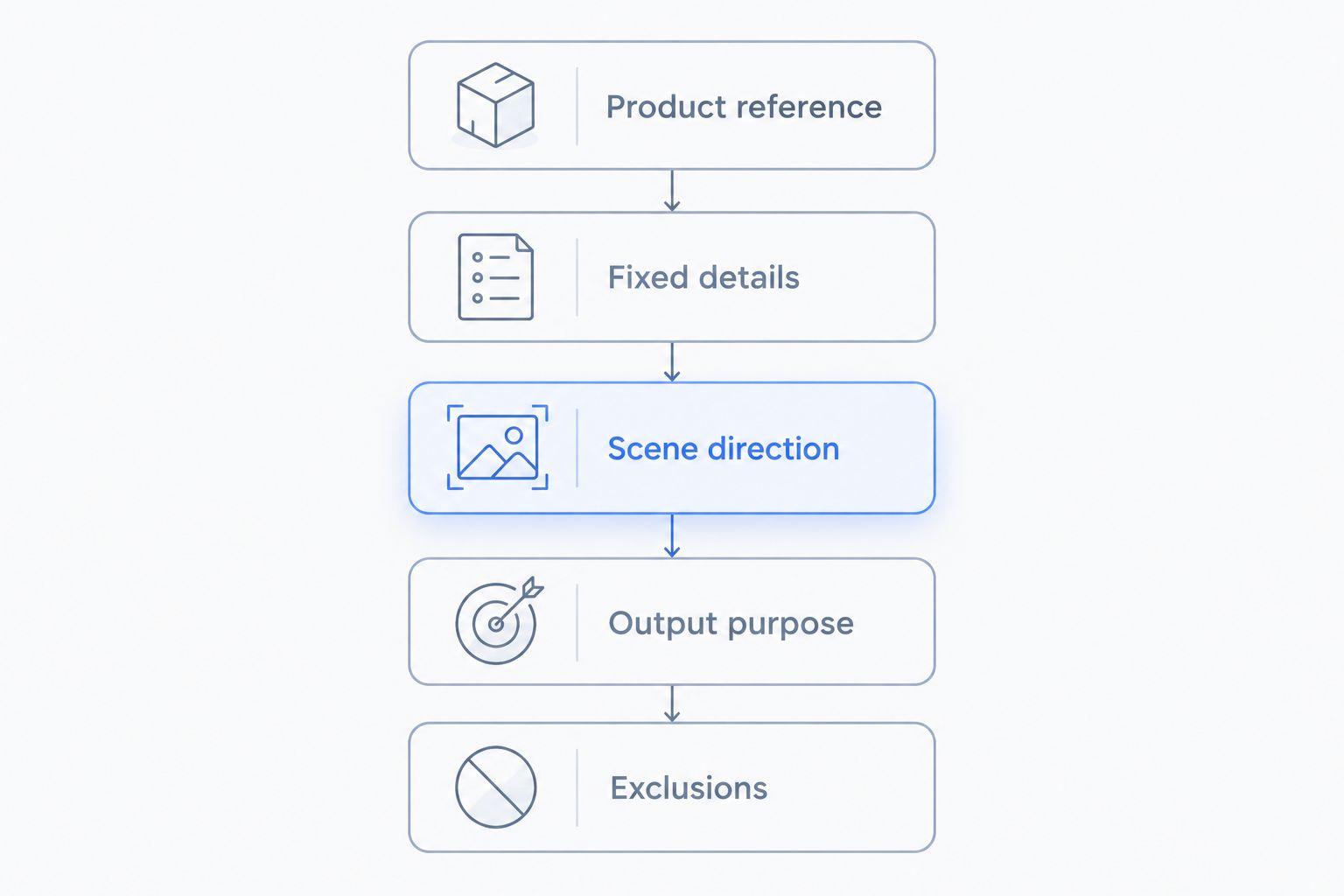
- Product reference: identify the approved packaging.
- Fixed details: name the features that cannot change.
- Scene direction: specify surface, background, and lighting.
- Output purpose: state where the image will appear.
- Exclusions: list props, claims, and additions to avoid.
Inspect the product before judging the styling
Review the output against the actual packaging, not against your memory. Start with the label and container. Then inspect scene details, shadows, and how the product meets the surface beneath it.
Use two views for review: a close inspection for packaging details and the intended display size for shopping clarity. A label can look plausible in a small preview while containing incorrect text. Conversely, an accurate bottle can become hard to identify in a busy composition.
For illustration, inspect 2 crops of the same approved image: a product-page crop and a social-feed crop. Check each independently. A crop that works on a product page does not automatically leave room for ad copy or preserve the full package elsewhere.
Reject unsupported additions, including certification-style marks, endorsement cues, or visual promises about results. Keep a written reason for each rejection so the next revision addresses the actual problem.
- Compare visible text with the approved packaging.
- Check cap, container shape, proportions, and variant colors.
- Inspect reflections, shadows, edges, and surface contact.
- Review the image at its intended display size.
- Reject added claims, badges, and misleading props.
- Record the specific correction required.
Publish a controlled set and review buying outcomes
Start with approved assets, not every variation you generate. Keep filenames and records clear enough that another team member can identify the product, placement, and approval status. Manual folders and a shared spreadsheet can handle this without another software purchase.
For product pages, assess whether the image communicates the correct item and supports the surrounding product information. For ads, keep a record of the image, copy, audience, destination, and campaign settings. Otherwise, a change in results cannot be assigned cleanly to the creative.
Use your own store and advertising data to judge commercial usefulness. Track purchases alongside earlier actions such as product-page visits or add-to-cart events. Traffic alone does not establish that an image helped you sell.
When video becomes part of the same campaign, keep the product reference and approved claims consistent across formats. Icarus combines photo and video generation, but your team still owns approval and measurement.
- Publish only assets with a recorded approval.
- Keep each asset tied to its product and placement.
- Record other campaign changes alongside creative changes.
- Review purchase outcomes rather than engagement alone.
- Reuse approved product facts across stills and video.
Compare production options for your supplement brand
Choose your 2026 production setup around the work you need now. A combined suite has a clear use when you need both formats; a specialist workflow deserves consideration when still-image editing is the central task.
The table compares workflow scope, not tested output quality. No tool should pass your selection process on packaging accuracy without a product-specific check.
| Option | Best for | Main advantage | Key limitation |
|---|---|---|---|
| Manual photography and editing | Teams that need direct control over the physical product image | You photograph the actual packaging and choose each edit | Your team must arrange capture, editing, and approvals |
| Photo-focused AI tool | Teams with a defined still-image requirement | You can evaluate the workflow around product photos alone | Video needs a separate workflow unless the chosen tool explicitly supports it |
| Separate photo and video tools | Teams with different requirements for each format | You can select each tool against its own brief | References and approvals need coordination across tools |
| Icarus | E-commerce teams producing product photos and videos | Both formats are available in one creative suite | A combined suite does not remove packaging review or prove specialist controls |
| Photography service | Teams that want an external production partner | You can brief a person responsible for the shoot | Scope, revisions, and deliverables require agreement before production |
Choose the workflow that produces an approvable asset, not the most variations. If a bottle needs repeated label repair, include that work in your evaluation. Generation is only one part of production.
Common mistakes supplement brands make
Accepting a plausible label instead of the correct label
A convincing-looking container is not enough. Check every visible product detail against the approved reference, and reject unreadable or altered text when the image is meant to show it.
Using props that imply ingredients or included items
Fruit, herbs, scoops, and capsules carry meaning. Include them only when the relationship to the product is accurate and clear. Do not use decorative ingredients to fill empty space.
Treating model imagery as proof of results
A model holding a bottle does not demonstrate a health outcome. Avoid before-and-after concepts or visual cues that imply results your approved claims do not support.
Buying a video workflow for a still-image problem
Start with your actual deliverables. If your immediate need is accurate product-page photography, evaluate that first. Add video to the buying decision when you have a defined video brief.
Approving the scene before checking the variant
Different flavors or formulations can share similar packaging. Verify the exact variant before discussing lighting, props, or composition. A polished image of the wrong item is still the wrong image.
FAQ
What's the best way to start AI product photos for supplement brands?
Start with an approved product reference and a written shot brief. Define the packaging details that must stay accurate before requesting backgrounds, props, or lifestyle scenes.
Can AI-generated supplement photos replace real product references?
No. Use the actual product and approved packaging as the reference for review. A generated image is an output to inspect, not evidence of what the product contains or looks like.
Is Icarus better than separate photo and video tools?
Icarus fits teams that want product photos and videos in one place. Separate tools deserve consideration when each format has different specialist requirements; compare those requirements rather than assuming either setup produces better images.
How do I stop a supplement label from changing?
Provide a readable reference, specify fixed packaging details, and inspect the output against the original. Instructions alone do not guarantee accuracy; reject or correct any output that changes important text or packaging.
Should supplement product images include capsules and ingredient props?
Include capsules and ingredient props only when they accurately represent the product and do not confuse what is included. Leave them out when their appearance, quantity, or relationship to the supplement is not established.
Can I use the same image for my store and social ads?
Use the same approved source image only when each crop remains accurate and readable. Review the product-page version and the social version separately for packaging visibility, composition, and surrounding copy.
What should a small team measure after changing product images?
Measure purchases alongside relevant store or advertising actions. Record other changes to the page or campaign so you do not attribute every movement in results to the image alone.
One last thing
Before producing your next batch, write a rejection checklist and give it to someone who did not create the images. Ask that person to identify the exact product and flag every mismatch with the packaging reference.
For your 2026 workflow, make that approval gate more important than the generation count. A useful supplement image must survive a product check before it earns a place in your store.