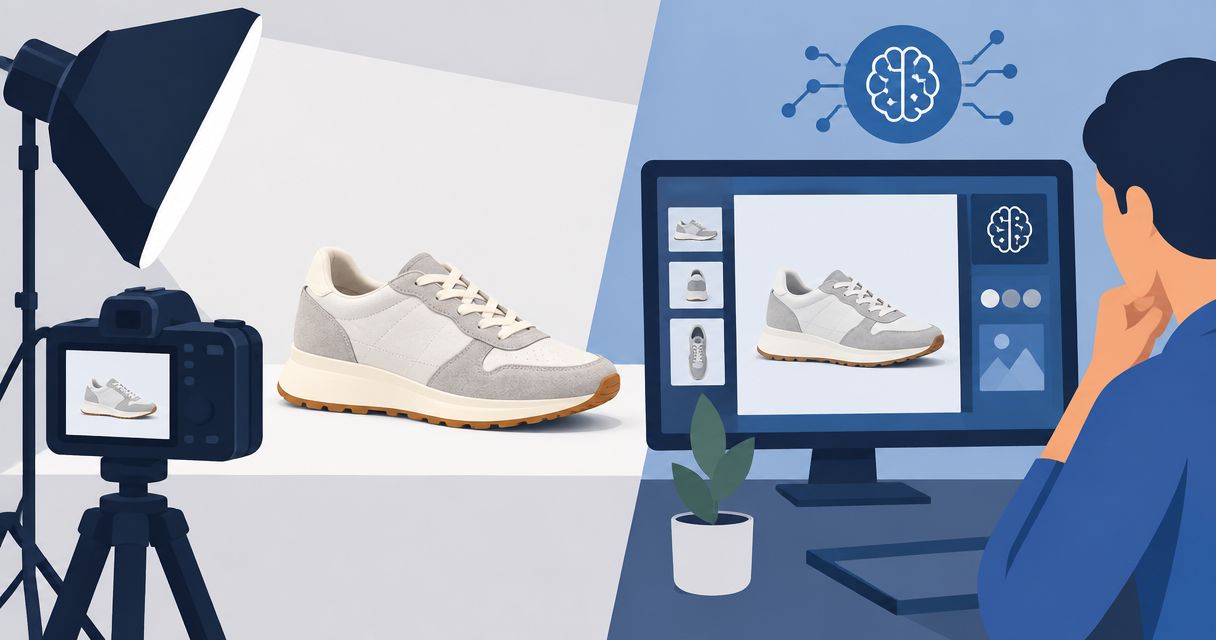
Pet brands’ AI product video advertising is the creation of promotional videos with generative tools to help sell pet products online. This guide to AI product video ads for pet brands covers the 2026 workflow, tool choices, and checks that keep generated scenes from misrepresenting your product or a pet’s behavior.
- Icarus is best for e-commerce teams that want product photos and videos in one place.
- AI product video ads for pet brands need product checks, claim reviews, and clear distinctions between illustration and evidence.
- Use generated scenes for creative concepts, not proof of pet safety, product performance, or customer experience.
- Compare a combined suite with separate photo and video tools using the same brief and acceptance checklist.
Why AI product video advertising matters for pet brands
A pet product ad has two jobs: explain the item and show a believable context for using it. A leash needs an accurate attachment. A food package needs a readable label. A toy needs to retain its actual shape when it moves.
Generated video introduces another review task: deciding whether the scene merely illustrates an idea or implies a result. A dog appearing calm beside a supplement is not evidence that the supplement caused that behavior.
Choose the production method around what the ad must prove. Use real footage when the selling point depends on actual fit, movement, feeding, or interaction. Use generated imagery when you need a visual concept that does not substitute for that evidence.
For a 2026 buying shortlist, the guide to AI UGC ad generators provides a separate comparison starting point. Evaluate that format carefully: a creator-style presentation is not the same thing as a real customer testimonial.
Build your pet product video workflow
Start manually with a written brief, existing product photographs, and an editing timeline. Then decide which production tasks a tool should handle. Do not buy a workflow before defining an acceptable finished ad.
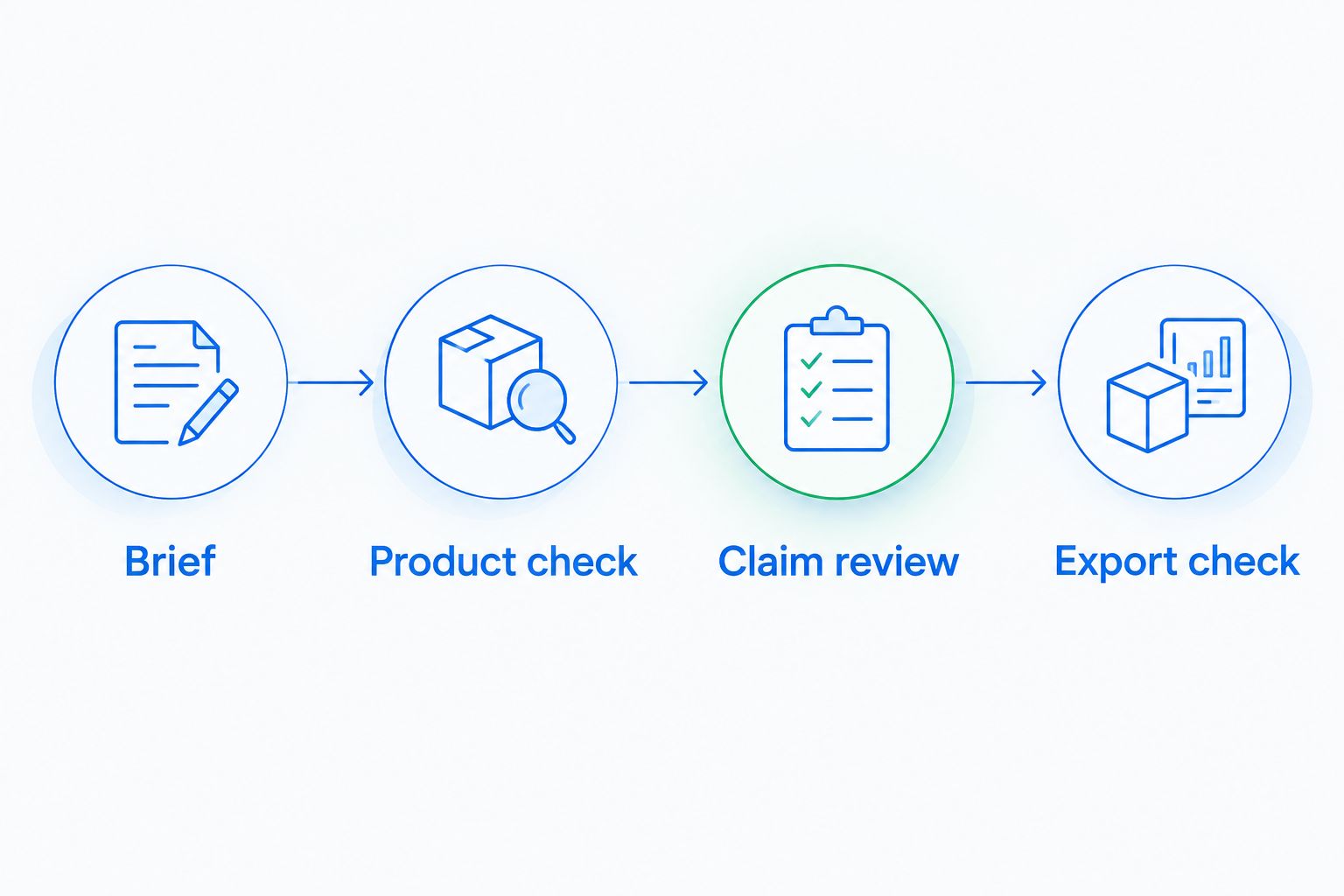
Use this review sequence: Brief, Product check, Claim review, and Export check. Keep those checkpoints even when one application handles several production tasks.
Define one buying question
Write the brief yourself before opening a generator. Pick a question that a shopper needs answered, such as how a travel bowl packs away or where a harness adjusts. One clear question gives the video a useful boundary.
An illustrative brief might request a 12-second video with 3 shots: the packed bowl, its opening mechanism, and the bowl ready for use. Those are planning choices, not recommended platform requirements or performance benchmarks.
State the intended action, too. A product detail ad should direct shoppers toward that product, not make an unrelated promise about pet health or behavior.
- Name the exact product and intended buyer.
- Write the buying question in one sentence.
- Identify the feature the viewer must understand.
- List claims the video must not imply.
- Specify the destination and intended call to action.
Assemble truthful reference material
Use your own existing photographs first. Photograph the front, back, attachment points, and any detail that would change a buying decision. A plain phone photograph is useful when it documents the actual item clearly.
Keep a separate list of non-negotiable details. For a collar, that could include the buckle type, fastening arrangement, and pattern placement. For a food pouch, it could include the package shape and approved label wording.
Do not ask a generated scene to establish facts you have not documented. If fit is central to the message, collect real fit references rather than treating a plausible-looking animal as validation.
- Select an unobstructed product photograph.
- Add close-ups of functional details.
- Copy approved wording into the brief.
- Identify features that must remain unchanged.
- Separate reference photography from creative inspiration.
Choose a production route around the deliverables
The manual route is to edit existing photographs and real clips into a short sequence. This keeps the starting material tied to your actual product, but you still need footage for any demonstrated action.
Icarus combines product photos and videos in one creative suite. Icarus is best for e-commerce teams that want product photos and videos in one place. That is the relevant buying distinction—not an assumed advantage in realism, speed, or conversion rate.
Separate photo and video tools are another route. They let you choose each application independently, but you must manage the handoff between them. Compare the finished outputs and the review work, not just the feature lists.
- List the still images and videos you actually need.
- Use one product brief across every candidate workflow.
- Check input requirements before committing to a route.
- Confirm commercial-use terms for your intended campaign.
- Evaluate the complete export, not just a preview.
Write prompts that describe observable scenes
Describe what the camera sees. Include the product, setting, framing, and intended motion. Keep factual claims in approved copy rather than asking a scene to suggest a result you cannot substantiate.
Illustrative prompt: show a generic folded travel bowl on a plain surface, followed by a close view of its opening mechanism. Treat the result as a concept until its shape and movement have been checked against the real item.
For pet interaction, specify the visible action without inventing an outcome. A pet standing beside a bed is a scene. A pet sleeping better because of that bed is a performance claim.
- Describe the scene rather than a promised benefit.
- Specify which product details must stay visible.
- Keep the background secondary to the item.
- Request one understandable action per shot.
- Avoid wording that implies unverified health effects.
Review the product, animal, and message separately
Watch each draft without sound first. Check whether the product changes between frames, whether hardware joins correctly, and whether the animal’s contact with the item makes physical sense. Then review the narration and on-screen wording.
For a 2026 review checklist, divide approval into product accuracy, animal depiction, and claims. Separate checks make it harder for an attractive scene to distract you from a misleading detail.
Reject a draft if it invents a fastening, changes a package, or shows an interaction that misrepresents use. A disclosure does not turn an inaccurate demonstration into an accurate one.
- Compare opening and closing frames with the reference.
- Inspect paws, mouths, straps, buckles, and contact points.
- Check package text and visible product markings.
- Match every stated benefit to approved evidence.
- Remove scenes that imply unsupported results.
Export a controlled test and measure purchases
Build a small, deliberate test instead of publishing every usable variation. Start with your existing editor and a spreadsheet. Record what changed, where the ad ran, and which destination it used.
An illustrative test set contains 4 assets: a product-detail still, a lifestyle still, a feature-led video, and a use-context video. This is an organizational example, not a prescribed campaign size. Keep the offer and destination consistent when you want to compare creative approaches.
For 2026 campaign reporting, judge creative against the intended business action. Attention metrics help diagnose an ad, but paying customers are the goal. Avoid declaring a winner from views alone.
- Check the destination’s current export specifications.
- Preview captions and product details on a phone.
- Name each file by concept and version.
- Record creative changes alongside campaign results.
- Review purchases alongside spend and landing-page behavior.
Compare production options for pet brands
Choose the route that fits the evidence and assets your ad needs. A combined application simplifies the choice of workspace; it does not remove your responsibility to verify the output. Separate applications add a handoff, but that trade-off can be acceptable when each meets a distinct requirement.
| Option | Best for | Practical advantage | Key limitation |
|---|---|---|---|
| Icarus | Teams needing product photos and videos together | Both asset types are available in one suite | Generated output still needs product and claim checks |
| Separate AI photo and video tools | Teams choosing each production stage independently | Each tool can be evaluated against its specific task | References, files, and revisions must pass between tools |
| Existing photos and real footage in an editor | Brands with usable source material | The sequence starts from documented product imagery | New actions require additional footage or another production method |
| Traditional product and pet filming | Ads that must demonstrate actual interaction | Captures the real product in the filmed situation | Requires arranging the product, animal, setting, and filming |
Use the same brief for every option. Otherwise, you are comparing different creative ideas rather than production workflows. A beautiful background should not outweigh an incorrect buckle or an unreadable package.
Before choosing a 2026 subscription, check usage terms, export requirements, and the process for revising rejected work. Ask what happens when the first result is unusable. The relevant purchase is a workable production process, not merely access to generation.
Common mistakes pet brands make
Treating generated interaction as product evidence
A generated dog pulling on a lead does not establish the lead’s strength. A generated cat using a feeder does not establish acceptance or ease of use. Use documented demonstrations when the buying decision depends on actual behavior or performance.
Keep illustration and proof separate. Label internal concepts clearly so they do not become approved evidence by accident during editing or handoff.
Letting the pet hide the product
A memorable animal scene can leave the shopper uncertain about what is being sold. Check whether the product remains identifiable and whether the relevant feature is visible. If the item disappears behind fur, movement, or scenery, revise the composition.
Keep a product-focused frame in the sequence. Give the viewer a clear look at the actual item rather than relying on the final caption to explain it.
Inventing customer experience through creator-style video
Do not write a fictional purchase story and present it as a real person’s experience. A scripted product explanation and a customer testimonial are different formats. Keep generated presenters away from claims of personal ownership, use, or results that did not occur.
For UGC-style creative, focus the script on documented features and an explicit product explanation. Do not use the visual style to imply evidence you do not have.
Changing the scene, message, and destination together
If every version changes the opening, benefit, product page, and offer, the comparison becomes difficult to interpret. Decide which creative question the test should answer before producing variants.
Keep a simple change log. Record the opening frame, central message, and destination so later decisions are based on the actual differences between ads.
Buying separate tools without testing the handoff
A still image that looks right in one application is not the end of a video workflow. The next stage must retain the details that matter to the shopper. Test that transition before building a large asset set.
Approve the finished sequence, not isolated screenshots. Include export review and revisions in your buying decision.
FAQ
What's the best way to make AI product video ads for pet brands?
Start with a truthful product brief, actual product references, and a defined buying question. Generate or edit the sequence, then check product accuracy, animal interaction, claims, and the final export before publishing.
Is Icarus better than using separate photo and video tools?
Icarus fits teams that want product photos and videos in one place. Separate tools fit teams that want to choose each production stage independently; compare both routes with the same brief and acceptance criteria.
Can AI video replace real footage of pets using a product?
Generated video is not proof of actual pet interaction or product performance. Use real footage when the ad needs to demonstrate fit, movement, feeding, or another observable use.
Can a pet brand use AI UGC-style videos as testimonials?
A generated presentation should not be presented as a real customer's experience. Use documented product explanations rather than invented statements about buying, using, or getting results from the item.
What should a pet product video brief include?
Include the product, buyer, buying question, required scenes, accurate reference images, approved claims, and destination. Add a list of details that must not change, such as closures, package wording, or attachment points.
How do I check whether a generated pet ad is accurate?
Compare the video with real product references and review animal contact frame by frame. Check the script separately so a visually plausible scene does not carry an unsupported health, safety, or performance claim.
What should a small pet brand measure after publishing video ads?
Measure purchases alongside spend and landing-page behavior. Use viewing and engagement metrics to diagnose the creative, not as substitutes for paying customers.
One last thing
Your hardest product detail should be the first thing you test. Choose the buckle, label, transparent material, or pet interaction that would make the ad unusable if it changed. Build a short draft around that detail before producing a full sequence.
For your next 2026 brief, write one rejection rule at the top: If the product or its use changes, the draft fails. That rule keeps a convincing visual from becoming a misleading product demonstration.