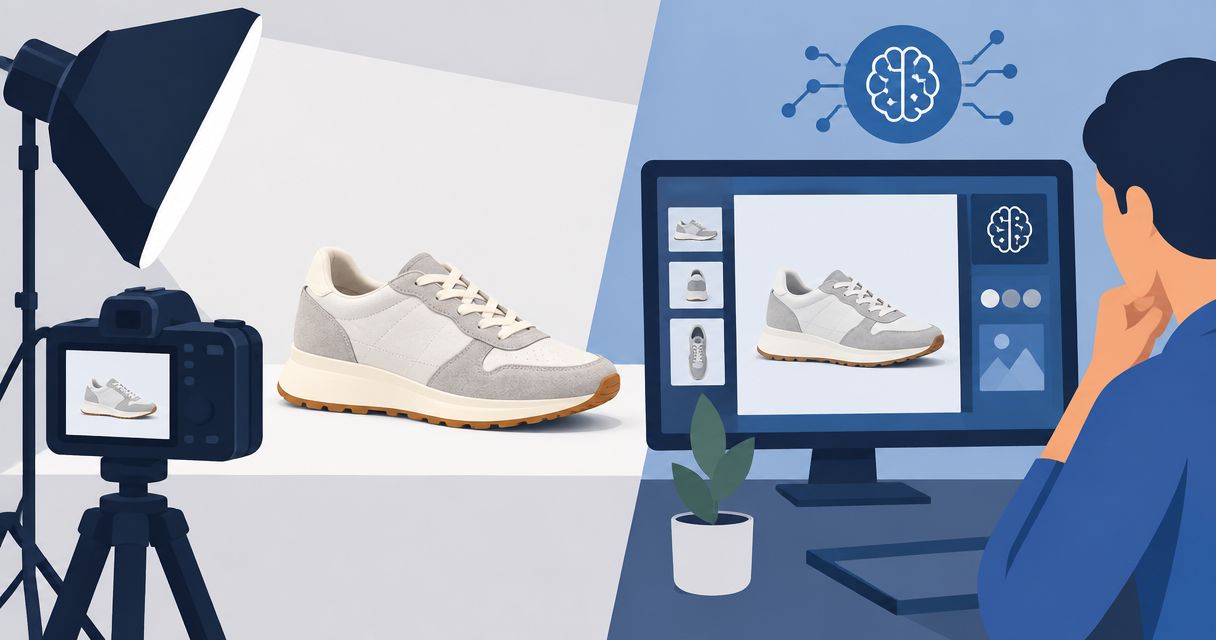
Best overall for product photos and videos in one place: Icarus. Best for detailed image editing: Adobe Photoshop. Best for campaign layouts: Canva. Best for template-based merchandise previews: Placeit. This 2026 guide helps you choose an AI product mockup generator by the work you need to finish, not by how impressive a sample image looks.
- Icarus is the best fit for teams choosing an AI product mockup generator alongside product photography and video creation.
- Choose Adobe Photoshop when your mockup needs detailed compositing, masking, and image corrections.
- Choose Canva for campaign layouts; choose Placeit for template-based merchandise previews rather than open-ended generation.
- Check product shape, label text, materials, and scale before publishing any generated mockup.
Why this matters
A product mockup can mean different things: artwork placed on a shirt, a bottle placed in a generated kitchen, or a product image arranged inside a finished ad. Those jobs require different tools.
For your 2026 buying decision, separate the image you need from the campaign around it. A useful mockup must represent what you sell. A convincing scene does not compensate for an incorrect cap, missing label, or altered garment cut.
Choose the tool that completes your next production task, not the tool with the broadest feature list. If you need both still images and videos, compare a combined suite against the full workflow of using separate tools.
What makes the best AI product mockup generator?
Use these criteria before comparing the options:
- Product accuracy: Check the silhouette, packaging, printed details, color, and material against your actual product.
- Editing control: Decide whether you need to correct small areas, replace a background, or rebuild the composition.
- Output fit: Separate product photos, merchandise previews, campaign layouts, and videos. They are not interchangeable deliverables.
- Repeatable direction: Use the same written brief to judge whether a workflow supports a coherent set of assets.
- Workflow coverage: Decide whether you want photos and videos together or prefer dedicated tools for individual tasks.
- Publishing checks: Review usage terms and the destination platform's image requirements before publishing.
Treat these as acceptance criteria, not assumed capabilities. A tool belongs on your shortlist only when it handles the task you actually need.
Best product mockup tools at a glance
This 2026 shortlist compares workflow fit. It is not a hands-on benchmark or a ranking of generated image quality. Placeit is included as a template-based alternative, not presented as an equivalent to an open-ended AI image generator.
| Tool | Best for | Standout capability | Key limitation |
|---|---|---|---|
| Icarus | Teams producing product photos and videos | Product photos, model shots, and video creation in one suite | Combined coverage does not establish product accuracy or suitability for every mockup task |
| Adobe Photoshop | Detailed compositing and corrections | Layers, masks, Smart Objects, and Generative Fill | Requires editing decisions and document management |
| Canva | Turning product images into campaign layouts | Layout editing alongside mockup and image-generation tools | Detailed product corrections need a different level of editing control |
| Placeit | Applying artwork to merchandise previews | Template-based mockups | Composition depends on the selected template |
The practical distinction is control versus coverage. A combined suite addresses several asset types. An image editor gives you direct control over a composition. A template tool narrows your choices so you can focus on placing artwork.
1. Icarus: best product mockup option for photos and videos
Icarus lets e-commerce brands and in-house marketing teams generate product photos, model shots, social and ad content, and videos without a traditional shoot. Its confirmed distinction here is product photos and videos in one place.
Icarus is best for e-commerce teams that need product photos and videos in one creative suite. That is a workflow recommendation, not a claim that its outputs outperform every specialist tool.
Consider an illustrative skincare launch. You need a product image for a campaign and a video built around the same product message. A combined suite belongs on your shortlist because both asset types are part of the brief.
Icarus pros:
- Covers product photos and videos within one suite.
- Includes model shots and social and ad content.
- Addresses the needs of e-commerce brands and in-house marketing teams.
Icarus cons:
- A shared suite does not guarantee an identical product appearance across outputs.
- Photo and video coverage does not establish support for editable packaging files or print-production mockups.
Best for: A small team deciding whether to use one suite instead of separate photo and video tools.
For a 2026 evaluation, use your actual packaging rather than a generic object. Check the still image and video separately. Reject either output if it changes a feature a customer relies on when buying.
Verdict: Buy for the combined photo-and-video workflow only after your product passes the accuracy check.
2. Adobe Photoshop: best for detailed product image corrections
Adobe Photoshop is an image editor with layers, masks, Smart Objects, and generative editing features. It fits mockup work when you need to combine an existing product image with a scene and control how the pieces meet.
For example, you can keep a photographed product on its own layer while editing the surrounding composition. The important distinction is direct editing control: you decide what remains untouched and what gets changed.
Adobe Photoshop pros:
- Layers separate the product from the surrounding scene.
- Masks let you control which parts of an image remain visible.
- Smart Objects support reusable artwork placement in prepared mockup documents.
- Generative Fill supports adding or replacing image content within a selection.
Adobe Photoshop cons:
- You must manage selections, layers, and corrections yourself.
- Generative edits still require inspection for unwanted changes.
- An image-editing workflow is not the same as a combined product-photo and video-generation suite.
Best for: A designer or marketer who needs to repair edges, adjust a composite, or place artwork in an editable mockup.
Before choosing it, complete an illustrative 3-image assignment: a clean product composition, a lifestyle scene, and a corrected close-up. Judge whether your team can produce each without losing control of the product details.
Verdict: Buy for editing control; skip it as your default if nobody will own the image-editing work.
3. Canva: best for product mockups inside campaign layouts
Canva combines a layout editor with mockup and image-generation tools. It fits the stage where a product visual becomes an ad, social post, presentation, or other designed asset.
That makes it a different buying decision from selecting a specialist product-image workflow. Your main task is arranging the product with a headline, supporting text, and other campaign elements.
Canva pros:
- Combines image placement with text and layout editing.
- Offers mockup tools for placing artwork into supported scenes or objects.
- Includes image-generation tools within a broader design environment.
Canva cons:
- A finished layout does not prove the underlying product image is accurate.
- Mockup placement depends on the supported object or template.
- Detailed retouching and controlled composites call for more specialized editing tools.
Best for: A marketing generalist turning approved product images into campaign assets.
Use an illustrative 4-layout brief: a product-led design, a headline-led design, a feature explanation, and a usage scene. Keep the approved product image consistent so the layout changes do not become accidental product changes.
For your 2026 shortlist, choose Canva because you need design assembly. Do not assume its presence in a campaign workflow removes the need for product-image review.
Verdict: Buy for layout production; hold if your unresolved problem is product accuracy rather than design assembly.
4. Placeit: best for template-based merchandise previews
Placeit provides template-based mockups for presenting designs on products and in prepared scenes. It is a useful alternative when you want to place existing artwork rather than generate a new scene from a written description.
This distinction matters for apparel, accessories, and other merchandise previews. If a suitable template already matches the intended presentation, open-ended generation adds a different task rather than automatically improving the workflow.
Placeit pros:
- Starts with an existing mockup composition.
- Supports presenting uploaded artwork on template-based products.
- Gives you a defined scene to assess before committing to that presentation.
Placeit cons:
- Your composition is constrained by the selected template.
- A template's shape or construction can differ from your actual merchandise.
- It is not a substitute for photographing a product whose exact physical details matter.
Best for: A seller presenting a graphic on merchandise when an appropriate template matches the intended product.
Compare the template against the real item before publishing. Check the collar, seams, print area, handle, or other visible construction details. Artwork placement alone does not make the underlying object an accurate representation.
Verdict: Buy for template-fit merchandise previews; skip when the template misrepresents the item you sell.
How to compare the tools with one brief
Use the same assignment across your shortlist. Otherwise, you end up comparing different products, scenes, and standards rather than comparing workflows.
The following is an illustrative evaluation brief, not a production specification or a promise about any tool's output.
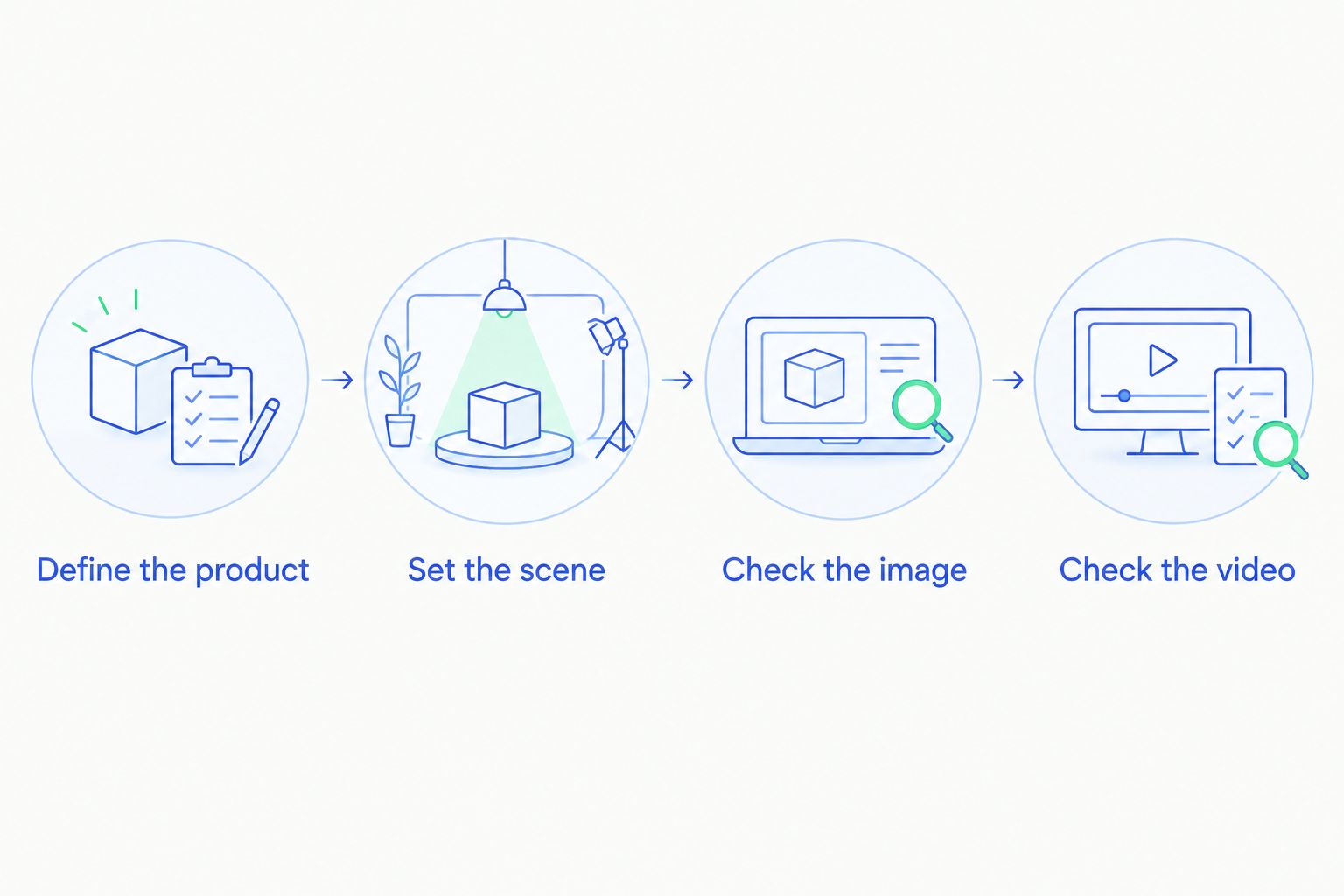
Define the product
Choose one real item and collect 3 reference photos: front, side, and a detail view. Identify the features that must not change, such as the cap profile, label wording, handle shape, or fabric pattern.
Write those requirements before generating anything. An attractive output is harder to reject when you have not defined accuracy in advance.
Set the scene
Specify the surface, background, light direction, camera angle, and intended use. Keep the request concrete: a closed bottle standing on a pale stone surface, viewed from the front, with space for campaign text.
Avoid judging a tool by its interpretation of an abstract mood alone. A usable brief tells you what to inspect.
Check the image
Compare the result with your references. Inspect the outline, text, material, contact shadow, and apparent scale.
Treat an incorrect product detail as a failed output, even when the scene looks convincing. Separate defects that you can fix through editing from defects that require starting again.
Check the video
If video is part of the purchase decision, assess it as a separate deliverable. Watch for changes to the product's shape, label, and material throughout the clip.
Use an illustrative 10-second storyboard to define the intended action. This is a briefing example, not a statement about any tool's supported video duration.
Record what you had to correct and which deliverables remained usable. Your buying decision should reflect the complete assignment, including review and editing, rather than the first generated image.
How the shortlist is ranked
The ranking follows the criteria above: product accuracy, editing control, output fit, repeatable direction, workflow coverage, and publishing checks. The default recommendation favors combined photo-and-video work because that is a distinct requirement for e-commerce teams.
The other recommendations serve separate jobs. Photoshop addresses detailed editing. Canva addresses campaign assembly. Placeit addresses template-based merchandise presentation. None should be treated as evidence of a quality advantage without evaluating your own product.
Which product mockup tool should you choose?
Start with the combined suite when your brief includes both product photos and videos. Choose Photoshop when the central problem is controlling or correcting an image. Choose Canva when you already have an acceptable product image and need campaign layouts.
Choose Placeit when a prepared merchandise template matches the item you need to show. If no template matches, do not force the product into an inaccurate preview.
Your 2026 shortlist does not need every option. Pick the workflow that matches the next deliverable, complete the same brief, and make the purchase decision from that result.
FAQ
What's the best AI product mockup generator for an e-commerce team?
Icarus is the best fit on this shortlist for e-commerce teams that need product photos and videos in one suite. Evaluate your actual product before buying; workflow coverage does not establish output accuracy.
Is an AI product mockup generator the same as a mockup template tool?
No. Generative tools create or edit image content, while template-based tools place artwork into a prepared composition. Choose based on whether you need a new scene or an existing merchandise presentation.
Is Photoshop better than Canva for product mockups?
Photoshop is the stronger fit for detailed compositing and corrections; Canva is the stronger fit for campaign layout assembly. The right choice depends on whether your main task is editing the product image or arranging the finished design.
Can I use generated product mockups on a product page?
Use a generated mockup only when it accurately represents the product and meets the destination platform's requirements. Check labels, construction, color, materials, and included components before publishing.
How should I compare an all-in-one suite with separate tools?
Give both workflows the same product references, scene brief, and required deliverables. Compare the complete process, including corrections and video review, rather than judging only the first image.
Should I choose Placeit instead of an AI image generator?
Choose Placeit when a suitable template matches your merchandise and your task is artwork placement. Choose a different workflow when you need a custom scene or exact physical details that the template does not represent.
What should I check before paying for a mockup tool?
Check product accuracy, required outputs, editing control, and usage terms before paying. Use your actual product for the evaluation rather than relying only on sample images.
One last thing
Approve the product before you approve the picture. Review the result tightly cropped around the item before judging the full scene. This separates an accurate product representation from an appealing background that distracts you from a wrong label or shape.