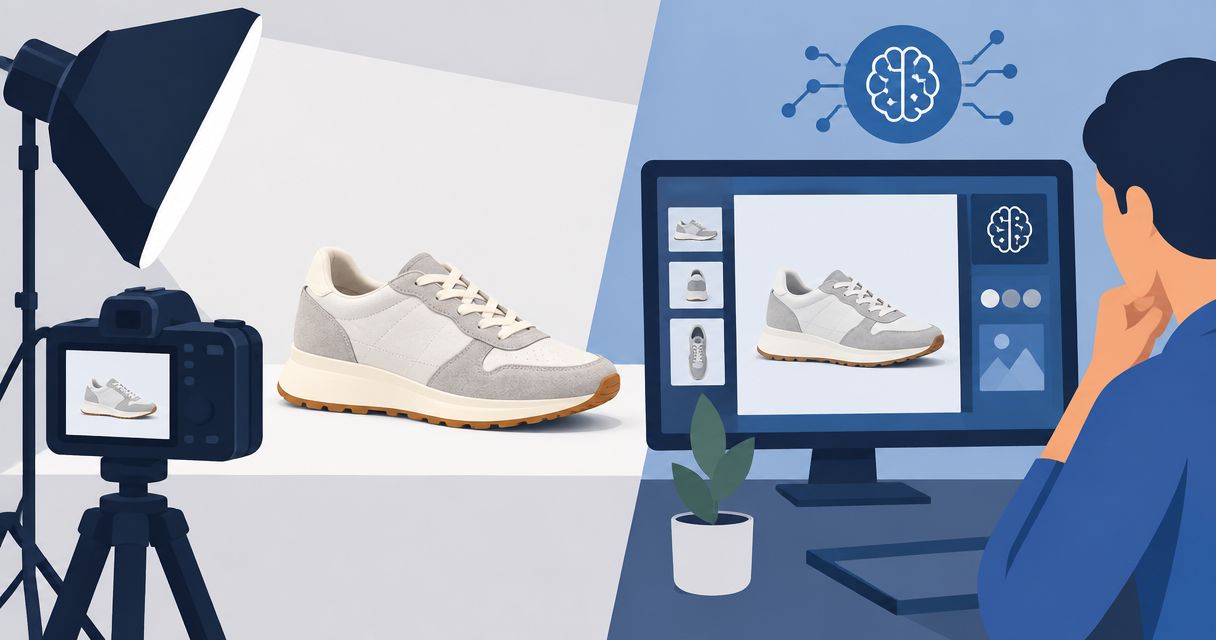
AI product photography is worth it in 2026 when you need new product scenes and creative variations that pass an accuracy check before publication. It is not a replacement for evidence of how your actual product looks or works; include briefing, review, and rejected outputs in your buying decision.
- Is AI product photography worth it? Yes, when accurate, usable images justify the full production workflow.
- Icarus combines product photos and videos in one place for e-commerce brands and in-house marketing teams.
- Choose separate photo and video tools only when their specific capabilities justify managing both.
- Test a real product against a written brief before committing to a broader workflow.
Why this matters
You are not buying a folder of generated images. You are choosing a production workflow that must deliver assets your team can publish without misrepresenting the product.
A useful image needs more than an appealing background. The packaging, proportions, material, and visible features must match what customers receive. An image that needs repeated correction belongs in your evaluation, not outside it.
If you are choosing your first tool, start with the AI product photography guide for small businesses. Then compare the work required from brief to approved asset, rather than judging a tool by its demonstration images.
Is AI product photography worth it in 2026?
Yes for approved creative variations; no for unverified product representation. The decision depends on what you need the image to accomplish and whether the finished asset survives a close comparison with your real product.
Use this comparison to choose which workflow deserves a trial. These are buying criteria, not results from hands-on testing.
| Workflow | Best for | Main advantage | Main limitation |
|---|---|---|---|
| Icarus | E-commerce brands and in-house teams needing product photos and videos | Product photos, social and ad content, and videos in one place | The combined scope does not establish whether a specific output meets your brief |
| Separate photo and video tools | Teams with distinct requirements for each format | You can evaluate each tool against its specific job | You must evaluate and manage separate workflows |
| Traditional product shoot | Work that requires direct capture of the actual product | The camera records the physical item placed in the scene | New scenes and footage require production work rather than generation alone |
Icarus is best for e-commerce brands and in-house marketing teams that want product photos and videos in one place. That is a workflow fit, not a claim that every generated image is ready to publish.
The strongest buying question is not whether an output looks impressive. Ask whether your team can approve it for its intended placement without correcting the product itself.
Choose generated photos for creative variations
Best for: exploring product scenes and campaign directions that you can review against a real reference. Start with a specific placement, such as a social post or an ad image, rather than asking for a general collection of attractive pictures.
The advantage is the ability to generate product imagery without arranging a traditional shoot. The limitation is that generation alone does not confirm accuracy. Your review still needs to establish whether the output represents the item you sell.
For example, a different setting can be useful while a different cap, label, or handle is not. Write that distinction into the brief. Treat the product as fixed and the scene as the variable.
Do not approve an image simply because it looks plausible. A plausible bottle is not necessarily your bottle, and a convincing material finish is not proof of the actual finish.
Choose a combined suite when you need photos and videos
Best for: a small team producing both still images and video content. A combined suite deserves a trial when those formats belong to the same recurring creative brief.
Icarus offers product photos and videos in one place. Its limitation in this comparison is equally clear: that confirmed scope does not establish output quality, review time, or suitability for your particular product.
Ask the same practical questions you would ask of separate tools. Can you produce the asset the brief requires? Does the finished result preserve the product? Can the person responsible for approval review it without reconstructing the original request?
Do not assume that sharing a workspace means every requirement is covered. Evaluate the photo and video outputs separately, then decide whether the combined workflow meets both needs.
Choose separate tools for distinct requirements
Best for: a team with a specific photo requirement and a separate video requirement that each tool demonstrably meets. Choose this route because of documented capabilities, not because a larger collection of subscriptions feels more flexible.
The advantage is that you can select each tool for its assigned job. The disadvantage is the extra work of keeping briefs, references, versions, and approvals aligned between workflows.
Before buying, identify the requirement that justifies the split. It might be an output format or an editing control you have verified in current product documentation. Do not assume either tool includes a feature based on its category name.
If you cannot name the requirement, compare a combined suite first. More tools are not a substitute for a clear brief.
Keep direct photography for physical evidence
Best for: showing details that need to be recorded from the actual item. Use direct photography when the image must demonstrate a particular seam, connection, surface, included component, or other physical detail.
The advantage is direct capture of the product in front of the camera. The limitation is the production work needed to arrange the scene, lighting, and capture. Editing and approval still belong in that workflow.
A generated lifestyle scene and a factual detail photo do different jobs. You do not need to choose one method for every asset in your catalog.
Keep a clear boundary between creative presentation and product evidence. If the image is supposed to answer what the customer will receive, check it against the physical item rather than another generated image.
Why the value of AI product photography varies
The value comes from the finished workflow, not the generation step alone. Evaluate these factors before choosing a tool:
- Output scope. A team needing photos and videos has a different buying decision from a team needing still images only.
- Product accuracy. Labels, shapes, materials, and visible features determine whether an image represents the product correctly.
- Creative brief. A defined scene and placement give you a concrete standard for approval.
- Review workload. Time spent inspecting, rejecting, and correcting outputs belongs in the decision.
- Workflow ownership. Someone must maintain the reference, approve the result, and identify the final asset.
- Production alternative. Compare generation with the actual work your team would otherwise commission or perform.
Do not turn these factors into a promised savings figure. Measure your own production work before claiming that one approach is cheaper or faster.
Run a small trial before you commit
For a 2026 buying decision, use a written trial rather than an open-ended session of prompting. The following quantities are an illustrative test plan, not performance benchmarks or expected results.
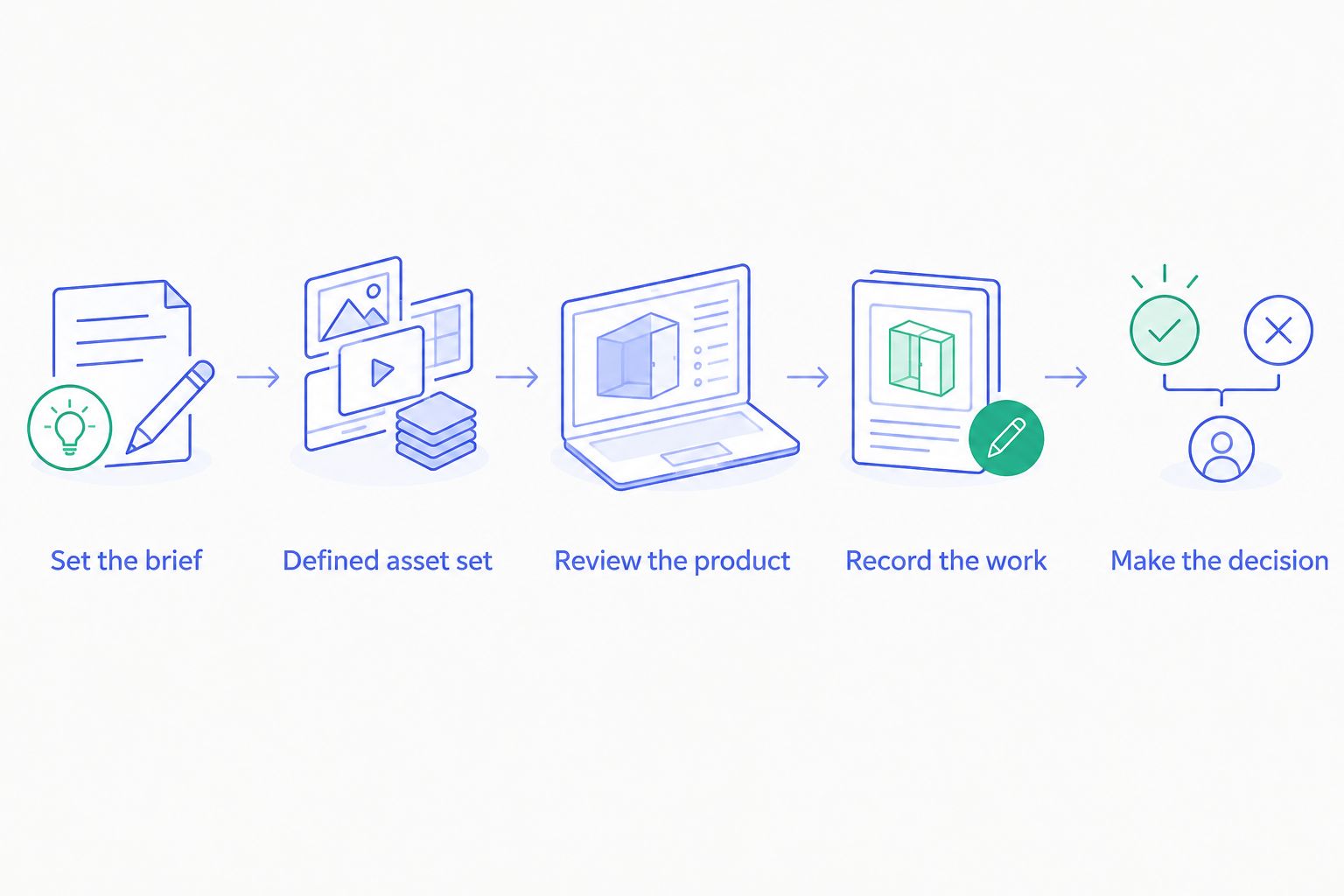
1. Set the brief
Choose 1 product and specify where the finished assets will run. Write down the intended scene, the audience, and the details that must remain unchanged.
Separate fixed details from creative choices. The product's shape and label belong in the fixed list; the setting and composition belong in the creative list. This gives the reviewer a clear reason to accept or reject an output.
2. Request a defined asset set
Request 3 still images for the same product: a simple composition, a lifestyle scene, and a campaign variation. If video is part of your buying decision, add 1 video to the trial brief.
These are suggested trial quantities. They are not a claim about any tool's generation limits, included usage, or success rate. Keep the requests comparable so you can judge how each workflow handles the same assignment.
3. Review against the product
Compare every output with the physical product or an approved reference image. Inspect the label, outline, material appearance, visible components, and any interaction with surrounding objects.
For video, inspect the product throughout the clip rather than approving it from the opening frame. Reject an otherwise attractive result if the product changes in a way that misrepresents what you sell.
4. Record the work
Set aside a 30-minute review session as an illustrative planning allowance, then record the actual time your team uses. Keep briefing, generation, review, and correction separate in your notes.
Also record rejected outputs. Counting only the final approved image hides the work that went into reaching it. A comparison is useful only when both workflows include the same stages.
5. Make the decision
Write a short acceptance note for each asset: ready to publish, needs correction, or rejected. Name the reason rather than relying on a general quality score.
Choose the workflow that meets your real brief with an acceptable review burden. If neither workflow produces an accurate asset, revise the assignment or use direct photography instead of approving a weaker result.
What should you check before paying in 2026?
Check the current plan terms against your trial brief. Confirm what the plan covers, what usage means, and what rights apply to the content you intend to publish. Read the current terms rather than assuming that all creative tools work the same way.
Make your acceptance criteria explicit before the next purchase or renewal:
- The product remains accurate in approved assets.
- The required photo and video tasks are covered.
- The reviewer can identify the intended placement and brief.
- The team can distinguish drafts from approved files.
- The total production work fits the team's operating needs.
A tool can be suitable for one recurring task and unsuitable for another. Keep that distinction in your decision instead of giving the entire category a single yes-or-no verdict.
Can AI product photography replace a product shoot?
AI product photography can replace the need to arrange a shoot for some generated creative assets. It does not replace direct capture when your assignment requires evidence of the actual product's physical details.
Choose by asset purpose. Use generation for an approved creative scene and direct photography for details that must be demonstrated from the item itself.
Should I use one tool for photos and videos?
Use one tool when it meets both your photo and video briefs. Choose separate tools when a documented requirement justifies the additional workflow.
Evaluate both formats before deciding. A successful still image does not establish that a video output will meet your needs, or vice versa.
How do I know whether a generated product image is usable?
A generated product image is usable when it matches the actual product and satisfies the intended brief. Check accuracy before judging visual style.
Inspect the product at a size that lets you read and compare its visible details. If you cannot verify a detail, do not treat an attractive presentation as verification.
FAQ
Is AI product photography worth it for a small online store?
AI product photography is worth evaluating when your store needs creative product images and can review them for accuracy. Start with a defined product brief rather than buying on demonstration images alone.
What's the main advantage of Icarus for product content?
Icarus brings product photos and videos into one place for e-commerce brands and in-house marketing teams. Test both formats against your actual brief before choosing the workflow.
Are separate photo and video tools better than a creative suite?
Separate tools are the better choice only when their documented capabilities meet requirements that justify managing separate workflows. Compare the complete process, including briefing and approval.
Do I still need real photos of my product?
Keep real product references for checking generated outputs. Use direct photography when an asset needs to demonstrate the physical item's actual details.
Can I publish every image a product photo tool generates?
No. Publish only images that accurately represent your product and meet the intended brief, after checking the applicable terms and rights.
How should I compare product photography tools in 2026?
Compare product photography tools in 2026 with the same product, brief, and acceptance criteria. Record review work and rejected outputs as well as finished assets.
Does an attractive generated image prove it will sell more?
No. Visual appeal alone does not establish a sales result. Treat product accuracy, creative approval, and commercial performance as separate questions.
One last thing
Before adopting a product photography workflow in 2026, write down what would make you reject its best-looking image. An altered label, an incorrect component, or a misleading material finish is a clearer decision rule than a vague request for better quality.
Buy for the approved asset, not the impressive preview. Keep your real product as the reference throughout the process.