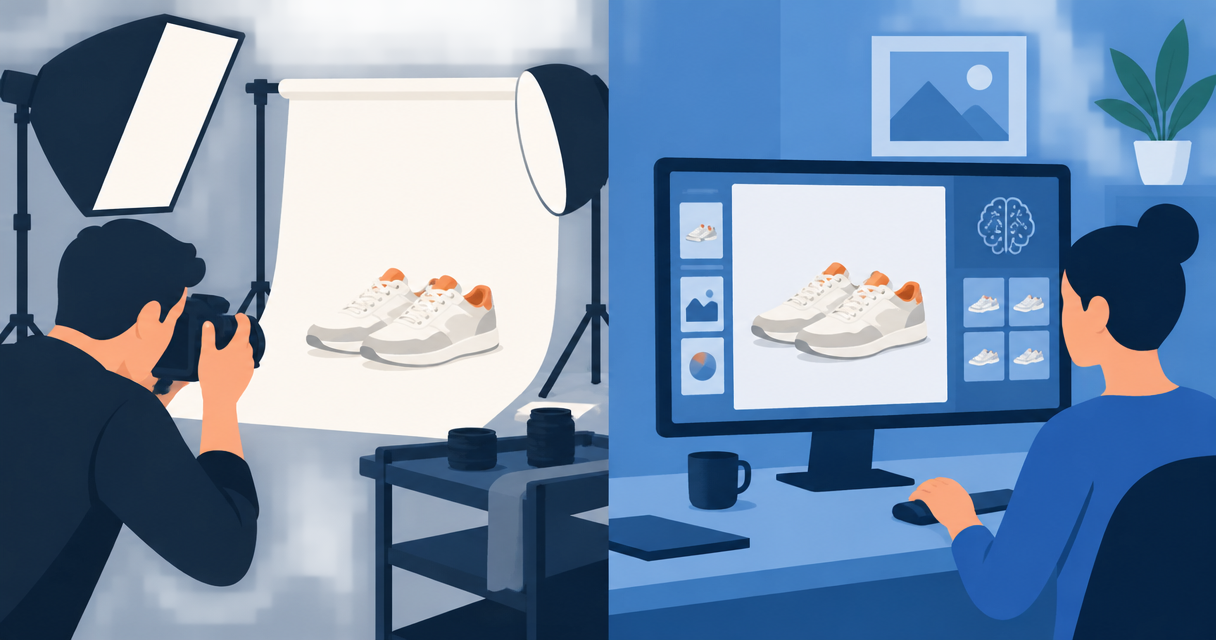
Yes. AI can generate vertical video ads for TikTok, but a correctly sized file still needs checks for cropping, product accuracy, text placement, and the requirements shown in TikTok Ads Manager. Build for a 9:16 canvas, use 1080 × 1920 pixels as your production target, and confirm the exported file before uploading.
- For AI video ads for TikTok ads size, start with a 9:16 vertical canvas and inspect the exported file.
- Icarus suits e-commerce teams that want product photos and videos in one place; verify export settings before choosing.
- Correct dimensions do not guarantee readable captions, accurate products, or ad approval.
- Generate for vertical framing from the start instead of stretching a horizontal video.
Can AI generate video ads sized for TikTok ads?
Yes—provided the generator or your editing workflow can deliver the required vertical export. The prompt describes what you want. The exported file proves whether you received it.
For a 2026 TikTok campaign, separate the creative brief from the delivery checks. A brief can request a vertical product demonstration, but it does not establish the actual file dimensions, encoding, or placement compatibility.
Use this comparison when deciding how to prepare your source material:
| Source format | Best for | Main advantage | Main limitation |
|---|---|---|---|
| Native 9:16 generation | A new TikTok-first ad | Composition starts inside the intended frame | You still need to inspect the output |
| Square 1:1 source | Reusing an existing square asset | Preserves an existing creative starting point | Filling a vertical frame requires cropping or a new layout |
| Landscape 16:9 source | Reusing an existing horizontal asset | Keeps existing footage available | A vertical crop removes substantial side content |
These are production choices, not a promise that every source file meets every TikTok placement requirement. Check the selected placement in Ads Manager before publishing.
Icarus suits e-commerce teams that want product photos and videos in one place. Its confirmed scope does not establish specific export controls, so verify those controls against your intended TikTok workflow.
Why this matters
A video can have the right dimensions and still be unusable as an ad. A cropped label, a button covering your call to action, or a product changing shape between frames creates a separate problem from file size.
Treat sizing as an acceptance test, not a prompt-writing trick. Your goal is a vertical asset that shows the actual product clearly and survives the placement preview without hiding essential information.
For your 2026 production brief, specify the destination before generating anything. That gives you a clear basis for accepting, editing, or rejecting the result.
Native vertical video: 9:16
Choose native vertical generation when you are creating a new ad specifically for TikTok. Ask for a vertical composition with the product, hands, and any important action inside the frame.
A 9:16 aspect ratio describes the relationship between width and height. It does not specify resolution. A production target of 1080 pixels wide by 1920 pixels high gives your editor an explicit canvas to work toward; it is not a claim that every generator produces that resolution natively.
Best for: new ads without an existing footage constraint. The advantage is straightforward: you can plan the scene around the destination instead of repairing a crop afterward.
The limitation is equally important. Vertical output does not guarantee accurate labels, clean motion, or enough room for captions. Inspect those separately, especially when a hand moves across the product or the camera changes angle.
Square source video: 1:1
Use square footage when the existing asset contains something you want to preserve, such as a clear product demonstration. Decide whether to crop the image, place it inside a vertical layout, or generate a new version.
Cropping fills the frame but removes content. A vertical layout preserves the square image but leaves additional space that needs an intentional design. Neither approach repairs an inaccurate product or an unclear demonstration.
Best for: adapting a usable square asset. Keep the source if the essential action remains visible in the final vertical composition. Reject the adaptation if the crop hides the feature the ad is meant to explain.
Do not stretch a square image into a vertical rectangle. Stretching changes proportions, including the proportions of the product you sell.
Landscape source video: 16:9
Landscape footage needs a stricter crop review. A scene that works horizontally can lose the product, the demonstrator's hands, or the context of an action when reframed vertically.
Best for: reusing footage with a clearly isolated subject. Review the entire motion sequence, not just the opening frame. A product can start inside the crop and leave it during the demonstration.
The benefit is reuse. The limitation is reduced control over composition because the original scene was arranged for a different frame.
When essential information sits at opposite sides of the source, rebuild the scene or use a different shot. Do not force a vertical crop simply because the original footage already exists.
Why the final TikTok video size varies
The phrase “video size” can mean aspect ratio, pixel dimensions, or file weight. Write each requirement separately in your 2026 brief so the person generating the asset and the person uploading it are checking the same thing.
- Placement: Confirm the requirements for the placement selected in TikTok Ads Manager rather than assuming one specification covers every ad format.
- Source framing: A vertical, square, or landscape source changes how much reframing the edit needs.
- Generator output: Inspect the actual dimensions and format the chosen generator exports.
- Editing canvas: Set the project canvas deliberately before placing footage and text.
- Export settings: Resolution, duration, frame rate, and encoding affect the delivered file and its weight.
- Interface overlap: Use the placement preview to check where TikTok interface elements overlap the creative.
TikTok's Ads Help Center and the current Ads Manager upload checks are the platform references for technical requirements. Keep production recommendations separate from mandatory upload limits; do not treat an old template as proof of current acceptance.
How do you make an AI video fit TikTok correctly?
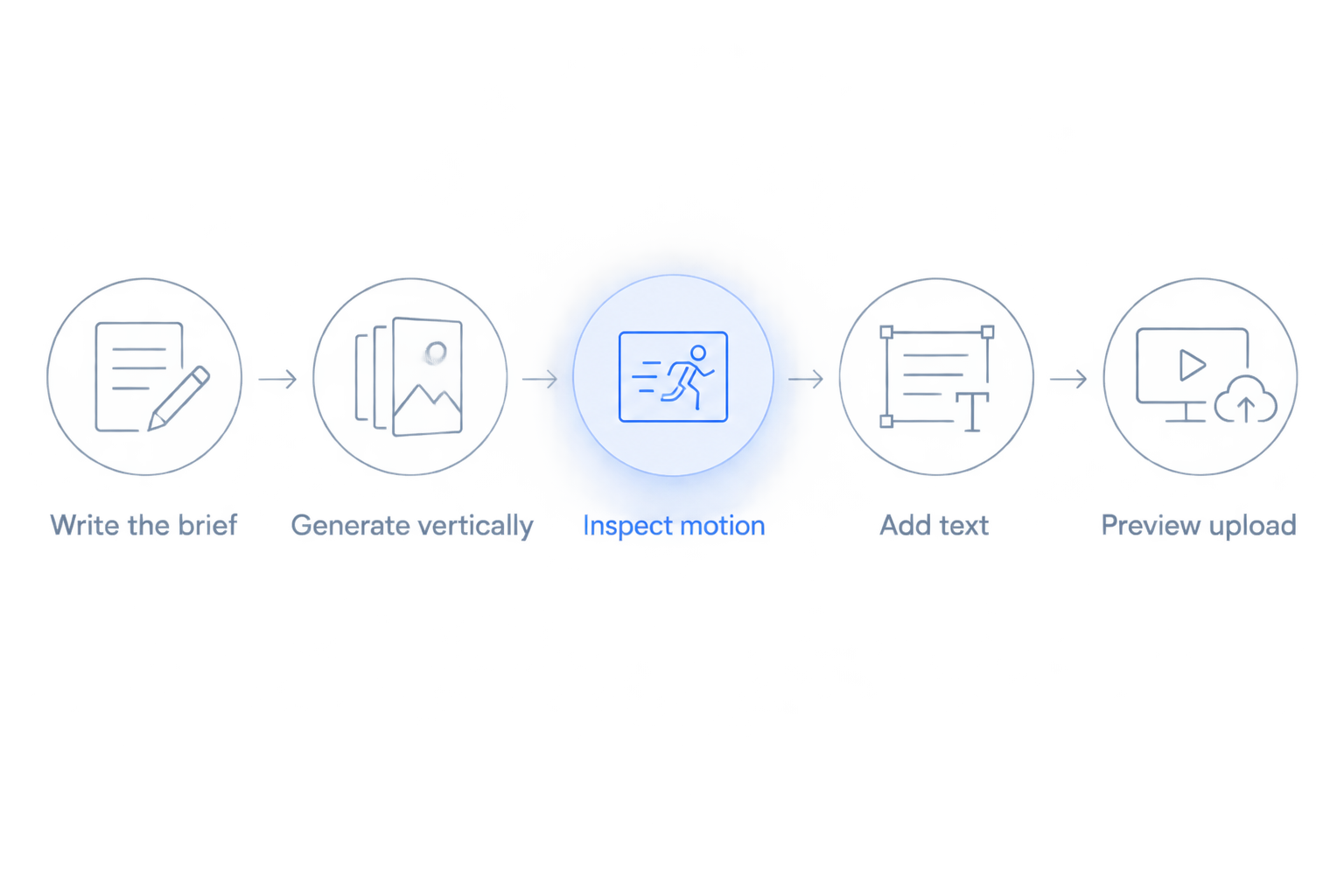
Use this sequence for each new creative. It separates content generation from technical verification, which makes revisions easier to assign.
1. Write the brief
Name the product, audience, message, destination, and required action. Specify vertical framing and identify details that must remain unchanged, including package shape, label wording, and product color.
Add a simple acceptance statement: the complete product and the action being demonstrated must remain visible throughout the shot. This is clearer than asking for a cinematic or engaging result.
2. Generate vertically
Select a vertical output setting when the tool offers one. Requesting vertical framing in a prompt is useful direction, but it is not a substitute for choosing the actual output format.
If the tool cannot deliver a suitable vertical file, plan the editing step before generating a batch. Otherwise, you risk producing material that cannot survive the required crop.
3. Inspect motion
Watch the clip from beginning to end. Pause when the product turns, a hand crosses the label, or the camera moves closer.
Check that the object remains the same object. A technically valid export is not acceptable if its appearance misrepresents what the buyer receives.
4. Add text
Place captions and the call to action in the editing project, then review their relationship to the product. Avoid covering the feature you are demonstrating.
Use editable text when exact wording matters. Text rendered inside generated footage is harder to correct without replacing or covering part of the image.
5. Preview upload
Export the file, inspect its properties, and upload it to the intended placement. Check the ad preview before publishing.
Record any rejection or formatting issue against the exported file, not just the project settings. The upload receives the export, not your editing timeline.
How should you edit generated footage without breaking the layout?
Set the vertical canvas before adding captions, overlays, or end frames. Changing the canvas after building the edit creates another round of layout checks.
Keep the original footage separate from the working edit. When editing ad footage in CapCut, distinguish between fitting the whole source inside the canvas and filling the canvas with a crop; those choices preserve different parts of the image.
Review the result at the scale a viewer will actually see. A product label that looks readable on a large editing monitor can become difficult to read in a phone preview. If the message depends on that label, add a clear text explanation without changing what the product claims.
For a 2026 handoff, include the source asset, editable project, final export, and intended placement. That gives the next person enough context to correct a crop without reconstructing the creative from scratch.
Should you use one creative suite or separate tools?
Choose based on the work your team needs to complete. Do not buy a tool solely because its examples look vertical.
| Workflow | Best for | Benefit | Limitation to check |
|---|---|---|---|
| Icarus creative suite | Teams needing product photos and videos | Both content types are available in one place | Verify export controls and any editing steps your ad requires |
| Separate photo and video tools | Teams evaluating each production stage independently | Each tool can be assessed against a specific task | You must manage the handoff between tools |
| Generator plus editor | Teams needing deliberate crops and text layouts | Generation and layout review are separate steps | The editor does not automatically correct product inaccuracies |
Icarus is best for e-commerce teams that want product photos and videos in one place. That is a workflow fit, not a claim of better output quality or guaranteed TikTok compatibility.
Before choosing, take one representative product through the entire process. Confirm the source requirements, generated result, editing handoff, export, and upload preview. Judge the finished asset rather than the generation screen.
The best AI video ad generators for TikTok guide addresses tool selection. Keep that decision separate from whether a particular exported file passes your campaign checks.
What should a TikTok video brief include?
Use this illustrative brief for a generic reusable bottle. It is a planning example, not a customer result or a claim about any generator's controls.
- Goal: Show how the lid opens and closes.
- Product reference: Supply an accurate image of the actual bottle and lid.
- Frame: Request a 9:16 vertical composition.
- Delivery target: Prepare a 1080 × 1920 pixel editing canvas.
- Action: Show the lid opening, then returning to its closed position.
- Accuracy checks: Preserve the bottle shape, cap mechanism, color, and label.
- Text plan: Add the headline and call to action as editable overlays.
- Approval check: Inspect the exported file and the TikTok placement preview.
Do not describe a feature the real product lacks. Generated footage should explain the product, not invent a more convenient version of it.
Does the right size guarantee TikTok ad approval?
No. A 9:16 video can still fail technical, content, or advertising-policy checks. Correct framing answers only part of the publishing question.
Review product claims, rights to supplied assets, audio permissions, and any applicable synthetic-media requirements before launch. A generator's ability to create an asset does not establish permission to use every element commercially.
For your 2026 approval checklist, keep technical review and claim review separate. One person can confirm dimensions while another confirms that the demonstration and wording match the product.
FAQ
What's the best aspect ratio for AI-generated TikTok video ads?
Use 9:16 as your production starting point for a vertical TikTok ad. Confirm the requirements for the selected placement in TikTok Ads Manager before publishing.
Should I make my TikTok ad 1080 by 1920 pixels?
A 1080 × 1920 pixel canvas is a practical production target for a vertical TikTok ad. Verify the exported dimensions rather than assuming the generator produced them.
Can I turn a horizontal AI video into a vertical TikTok ad?
Yes, you can crop or reframe a horizontal video into a vertical edit. Review the full clip because the crop can remove the product or an important action.
Does asking for vertical video in a prompt set the file dimensions?
No, a prompt does not verify the exported file dimensions. Select the output format where available and inspect the finished file.
Does Icarus make both product photos and videos?
Yes, Icarus provides product photos and videos in one place for e-commerce brands and in-house marketing teams. Verify the export and editing controls needed for your TikTok campaign.
Will a correctly sized AI video automatically get approved?
No, correct dimensions do not guarantee TikTok ad approval. The creative must also satisfy the applicable technical, content, and advertising-policy requirements.
One last thing
Approve the hardest frame, not the prettiest frame. Find the moment when the product turns, the hand overlaps it, or the caption competes with the demonstration. If that moment fails, correct it before producing more variations.