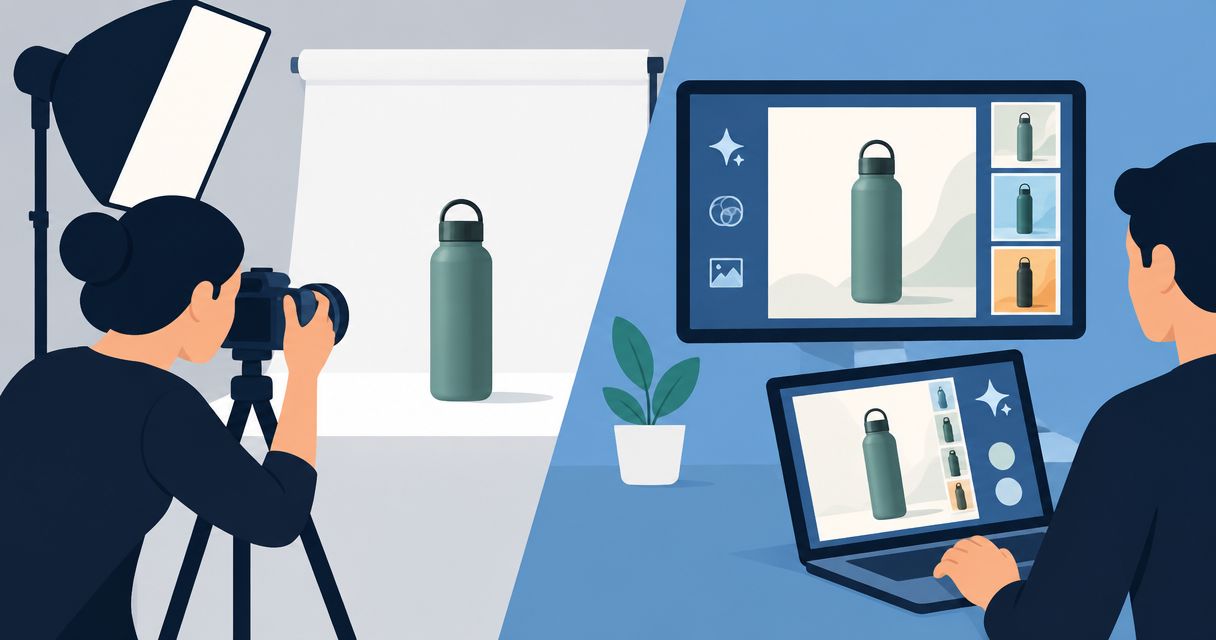
AI can replace a traditional product photoshoot for generated scenes and campaign content when the finished images accurately represent what you sell. It does not replace the need to verify product details, fit, materials, or demonstrated performance. In 2026, choose the production method by what each image needs to prove—not by whether it looks convincing.
- Can AI replace a product photoshoot? Yes for suitable creative work, not as proof of unverified product details.
- Icarus suits e-commerce teams seeking product photography and video generation in one place.
- Keep real product references and check every published image against them.
- Choose a traditional shoot when the image must document actual fit, construction, or product performance.
Can AI replace a traditional product photoshoot?
AI can replace parts of product photography, but replacement is a decision about the shot—not the whole business. A decorative background serves a different purpose from a close-up showing how a clasp works. Treat those images differently in your brief.
Start with the job the image must do. For a broader buying decision, read is AI product photography worth it?.
| Production approach | Best for | Main benefit | Main limitation |
|---|---|---|---|
| AI-generated product imagery | Exploring scenes and campaign concepts | Creates imagery without staging every depicted scene | Requires checks against the actual product |
| Traditional product photography | Documenting physical details and real use | Photographs an actual item under chosen conditions | Requires access to the item and a shoot setup |
| A combined workflow | Keeping factual references while developing creative variations | Separates product documentation from scene exploration | Requires a clear boundary between captured and generated details |
These approaches are not interchangeable. A generated lifestyle scene can communicate an idea, while a photograph of the actual item documents what was in front of the camera. Neither format excuses misleading editing or unsupported claims.
Why this matters
Your customer sees a product promise, not a production workflow. If the image shows a different closure, an extra accessory, or a material finish you do not sell, visual polish does not fix the mismatch.
For your 2026 content plan, separate images that explain the product from images that explore a campaign. This prevents a creative experiment from becoming the only reference a shopper has before ordering.
The same distinction improves your buying decision. Before choosing software or booking a photographer, identify which deliverables require physical evidence and which require a suitable visual setting.
When AI is a suitable replacement
Best for: scene exploration and creative variations that you can verify against the real product. Use generated imagery when the environment is part of the creative idea rather than evidence of a real event.
An illustrative example: you sell a plain ceramic planter and want to explore a bright kitchen setting. The room is creative context. The planter's shape, drainage details, finish, and included accessories remain factual requirements.
Your approval question is not just whether the kitchen looks believable. Ask whether the planter is still the item your customer will receive. Reject an image that invents a matching saucer if your product does not include one.
The benefit is the ability to develop a scene without arranging that exact physical setting. The limitation is review: an attractive output is not automatically a faithful product representation.
Use this approach only when you can identify the details that must remain unchanged. If nobody can verify the pictured product, do not approve it for a product claim.
When a traditional shoot is the better choice
Best for: documenting actual construction, fit, materials, and use. Choose photography when the visual needs to show what happened with a real product rather than what a plausible scene might look like.
Examples include showing how a garment sits on a particular wearer, how a compartment opens, or which components arrive together. Photograph the actual configuration you intend to sell and describe it accurately.
Traditional photography still needs direction. Camera angle, lighting, styling, and retouching affect what shoppers understand. A photograph can also mislead if it hides a relevant detail or shows accessories without explaining whether they are included.
The advantage is direct observation of the item during capture. The trade-off is the physical production work: you need the product, an appropriate setup, and the people or props the shot requires.
For a 2026 launch, reserve capture work for the details your team cannot responsibly approve from a generated interpretation. Do not ask a prompt to supply evidence you have not collected.
When a combined workflow makes sense
Best for: teams that need factual product references and creative campaign content. Capture the real item where detail matters, then evaluate generated scenes against those references.
This is a division of responsibilities, not a promise that every tool preserves every feature. Your reference set establishes what is true. Your creative brief establishes what can change.
For example, keep the product's silhouette, packaging text, and included parts fixed in the brief. Treat the room, surface, and surrounding props as creative decisions, subject to final review.
The benefit is a clear distinction between documentation and art direction. The drawback is coordination: someone must maintain the references, review outputs, and stop inaccurate assets from reaching publication.
Choose a combined workflow when your content needs both product evidence and creative exploration. Do not choose it on an assumed savings claim; evaluate the actual work required to get approved assets.
Why the answer varies by product and brief
Whether AI replaces a shoot depends on what the image must communicate. Use these factors to decide before production:
- Product detail: Identify the shapes, closures, labels, and components that customers must see correctly.
- Material appearance: Decide how you will check color, texture, transparency, and reflections against the item.
- Human interaction: Separate an illustrative pose from evidence about actual fit, handling, or use.
- Image purpose: Distinguish decorative campaign scenes from images intended to substantiate a product statement.
- Source references: Check whether your team has accurate views of the details it must approve.
- Review ownership: Name the person who can reject a visually appealing but inaccurate result.
These are approval criteria, not a ranking of product categories. A simple-looking package can still contain important text. A complex object can still appear in a scene that makes no claim about its operation.
How do you decide which shots AI should replace?
Use a small, clearly labeled evaluation brief before changing your production process. The following is an illustrative assignment, not a customer result or performance benchmark: choose 1 product, request 3 still images, and add 1 short video concept if video is part of your plan.
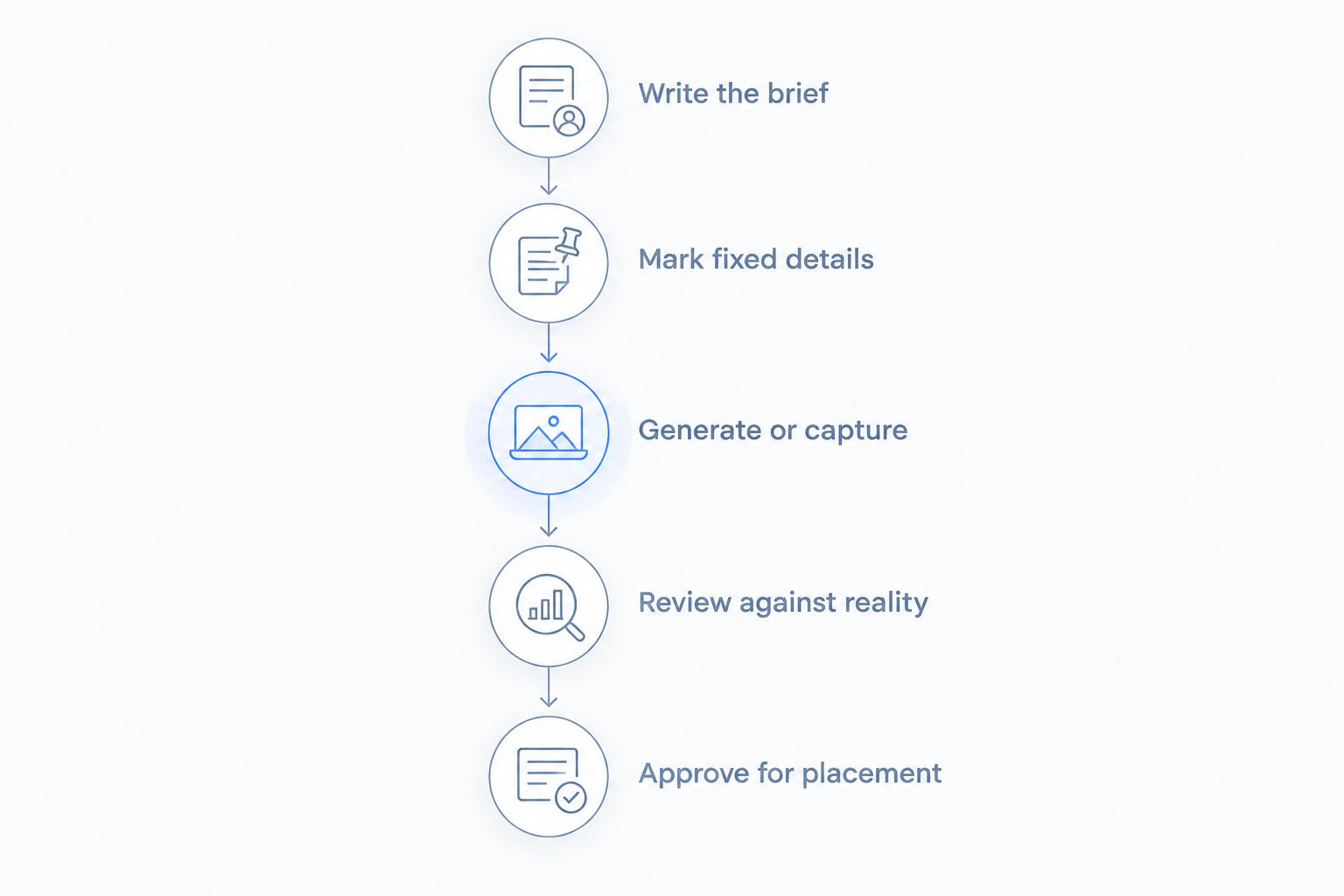
Write the brief
State the goal, product, scene, mood, placement, and shot count. Define what the viewer should understand after seeing each asset.
For the illustrative assignment, request a product-focused image, a lifestyle scene, and a detail image. Give each a separate acceptance rule rather than approving the set on overall appearance.
Mark fixed details
List what must match the item: silhouette, color, label wording, closures, and included parts. Use the actual product and accurate reference images to resolve questions.
Also list what can change. A background or prop is a creative choice only if it does not imply a feature, size, or inclusion that you cannot support.
Generate or capture
Assign each shot to AI generation, photography, or a combined process. Keep the assignment tied to its acceptance rule.
If the detail image must document a hinge, capture the real hinge. If the lifestyle image explores a room setting, evaluate generated options without treating the room as a real location.
Review against reality
Compare the result with the actual item, not just with the prompt. A prompt records your request; it does not prove that the output followed it.
Inspect product edges, text, materials, accessories, and interactions. For video, inspect changes through the sequence as well as the opening frame.
Approve for placement
Check the asset in the context where customers will see it. A crop can remove necessary context or make a prop look like an included accessory.
Keep a record of the approved asset and its intended use. If the product changes, reassess the image rather than assuming the previous approval still applies.
For a 2026 evaluation, record why you rejected an asset as well as why you approved one. Repeated label errors require a different response from a scene that simply misses your art direction.
Should you choose one creative suite or separate tools?
Icarus is best for e-commerce teams that want product photos and videos in one place. Its confirmed scope includes generated product photos, model shots, and social and ad content, including video, without a traditional shoot.
That scope is a reason to evaluate the product, not a guarantee that every output fits your brief. Check product accuracy, editing requirements, and the finished deliverables you need before making a buying decision.
| Tool setup | Best for | Reason to consider it | What to verify |
|---|---|---|---|
| Icarus | Teams seeking product photos and videos in one place | Covers both formats within one creative suite | Whether its outputs meet your product and publishing requirements |
| Separate photo and video tools | Teams with distinct requirements for each format | Lets you evaluate each tool against a separate brief | Handoffs, reference consistency, and review work across tools |
Use the same product references when evaluating either setup. Otherwise, differences in the inputs make it harder to judge whether the workflow itself suits your team.
A single suite does not remove the need for approval. Separate tools do not automatically deliver better specialization. Choose the setup that meets your documented requirements, not the one with the longest feature list.
Do you still need real product photos?
Real product photos remain useful as references for appearance and detail. Keep clear views of the item you sell, especially the areas customers use to distinguish variants or understand construction.
You do not need to turn every reference into a campaign image. Its purpose is to help your team verify what appears in the finished content.
Can generated images prove fit or product performance?
Generated images do not prove actual fit or product performance. A convincing depiction of a person wearing or using an item is not evidence that the depicted interaction occurred.
Use real observation and appropriate supporting evidence for those claims. Keep creative illustration separate from product substantiation.
How should you evaluate replacement in 2026?
Evaluate replacement in 2026 by approved deliverables, not by the number of outputs generated. Review whether the content accurately represents the product and fits its intended placement.
Count the work that remains, including corrections, review, and any physical capture still needed. Do not assume an output has replaced a shoot until it meets the brief.
FAQ
Can AI replace a product photoshoot entirely?
AI can replace a product photoshoot when every required image can be generated and verified against the actual product. Keep physical capture where you need to document real details, fit, or use.
What's the best way to check generated product photos?
Compare generated product photos with the actual item and accurate reference images. Check shape, text, materials, included parts, and any interaction shown.
Is a traditional product shoot always more accurate?
A traditional shoot photographs a real item, but the finished image still needs accuracy checks. Styling, camera position, retouching, and omitted context can change what customers understand.
Can I use AI for lifestyle images and photography for detail shots?
Yes, you can assign lifestyle scenes to generation and detail shots to photography. Define which product features must stay unchanged and review the finished assets against the same references.
Should my small team use Icarus or separate photo and video tools?
Icarus fits teams seeking product photos and videos in one place. Compare that setup with separate tools using the same brief and product references; approve the option that meets your actual requirements.
Do generated model shots establish how clothing fits?
Generated model shots do not establish actual garment fit. Use photographs of the real garment on a wearer when you need to document that fit.
What should I include in a product photography brief?
Include the goal, product, scene, mood, intended placement, and shot count. Add fixed product details and an acceptance rule for each deliverable.
One last thing
Approve the product before you approve the scene. First check the object against your reference without judging the setting. Then assess composition, mood, and placement.
This separates factual accuracy from creative preference. A beautiful room should not distract your reviewer from a label, closure, or accessory that does not match what you sell.