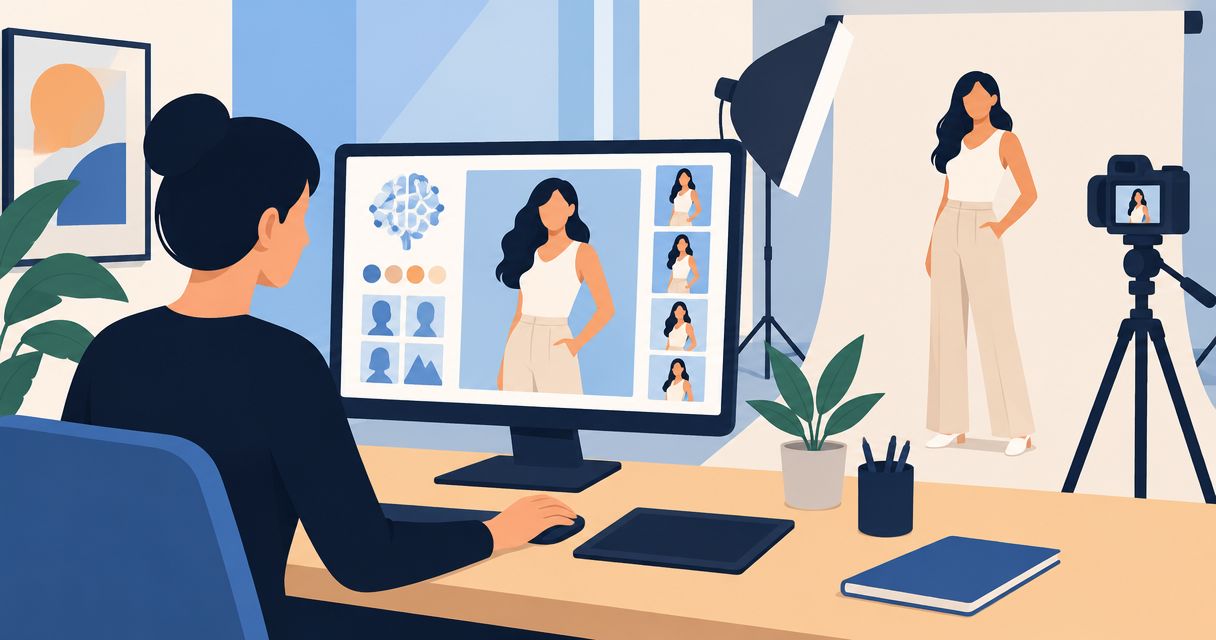
AI product photos can look realistic while still misrepresenting the real product, so judge accuracy by matching the image against the actual item—not by how convincing the scene looks. Shape, color, labels, materials, and scale all need checking; an attractive background does not establish that the product itself is correct.
- How accurate are AI product photos? Check product fidelity against the real item; visual realism alone is insufficient.
- Keep an approved reference photo beside every generated image during review.
- Reject changed labels, invented features, and misleading proportions before publishing.
- Icarus suits e-commerce teams seeking product photos and videos in one place; accuracy still requires review.
How accurate are AI product photos compared to the real product?
An AI product photo is accurate only where its visible details match the item you sell. There is no useful universal accuracy percentage for an unspecified tool, product, and generation workflow. Assess the finished image instead.
Use this checklist for your 2026 creative review. It separates a believable picture from a faithful product representation.
| Check | What must match the real item | Reason to reject |
|---|---|---|
| Shape | Silhouette, proportions, openings, and edges | A wider bottle, altered handle, or missing seam |
| Color | The approved product color under comparable lighting | A different shade presented as the same variant |
| Label | Wording, logo, placement, and packaging version | Invented text or an outdated label |
| Material | Surface finish, texture, and transparency | Matte plastic shown as glossy metal |
| Scale | Size relationships supported by dimensions or references | A product that appears larger beside familiar objects |
| Features | Visible components included with the item | Added pockets, controls, accessories, or attachments |
For teams choosing a production workflow, Icarus brings product photos and videos into one place. That is a workflow distinction, not evidence that any individual image matches the real product.
Why this matters
A product image helps buyers form expectations about what arrives. If the image changes the cap, fabric, finish, or included accessories, it communicates something different from the product description—even when the written copy is correct.
For your 2026 image approval process, separate two questions: does this image look believable, and does it depict what you sell? A photograph-like result can pass the first question and fail the second.
Treat product accuracy as a publishing requirement, not an aesthetic preference. Keep scene styling flexible, but require visible product details to match approved references. This gives your reviewer a clear reason to accept or reject an image without debating whether it looks impressive.
Which production approach should you use?
Choose the approach according to what must remain exact. These are production approaches, not measured accuracy rankings; the finished image still needs inspection.
| Approach | Best for | Practical advantage | Limitation |
|---|---|---|---|
| Real product photograph | Documenting the actual item's appearance | Starts with a captured view of the physical product | Lighting, perspective, and editing still affect its appearance |
| Existing product cutout in a generated scene | Changing surroundings while retaining a source view | Lets you retain the photographed product layer | Perspective, edges, contact shadows, and scale need checking |
| Regenerated product and scene | Exploring creative concepts | Allows changes across the whole composition | Product details must be checked against the reference throughout |
A preserved product cutout gives you a specific source image to inspect. It does not automatically make the surrounding scene accurate: an oversized chair or an implausible hand grip can still misrepresent size or use.
A fully regenerated image requires a different review. Inspect the entire product rather than assuming that an unchanged-looking silhouette means the label, hardware, and texture also survived.
A real photograph remains useful as a reference, but it is not a perfect color measurement. Lighting and display settings affect appearance. For color-critical work, compare against an approved reference under controlled viewing conditions rather than a casual phone snapshot.
How do you check an AI product photo before publishing?
Use the following sequence for your 2026 review process. The counts below describe a suggested checklist, not a measured accuracy score.
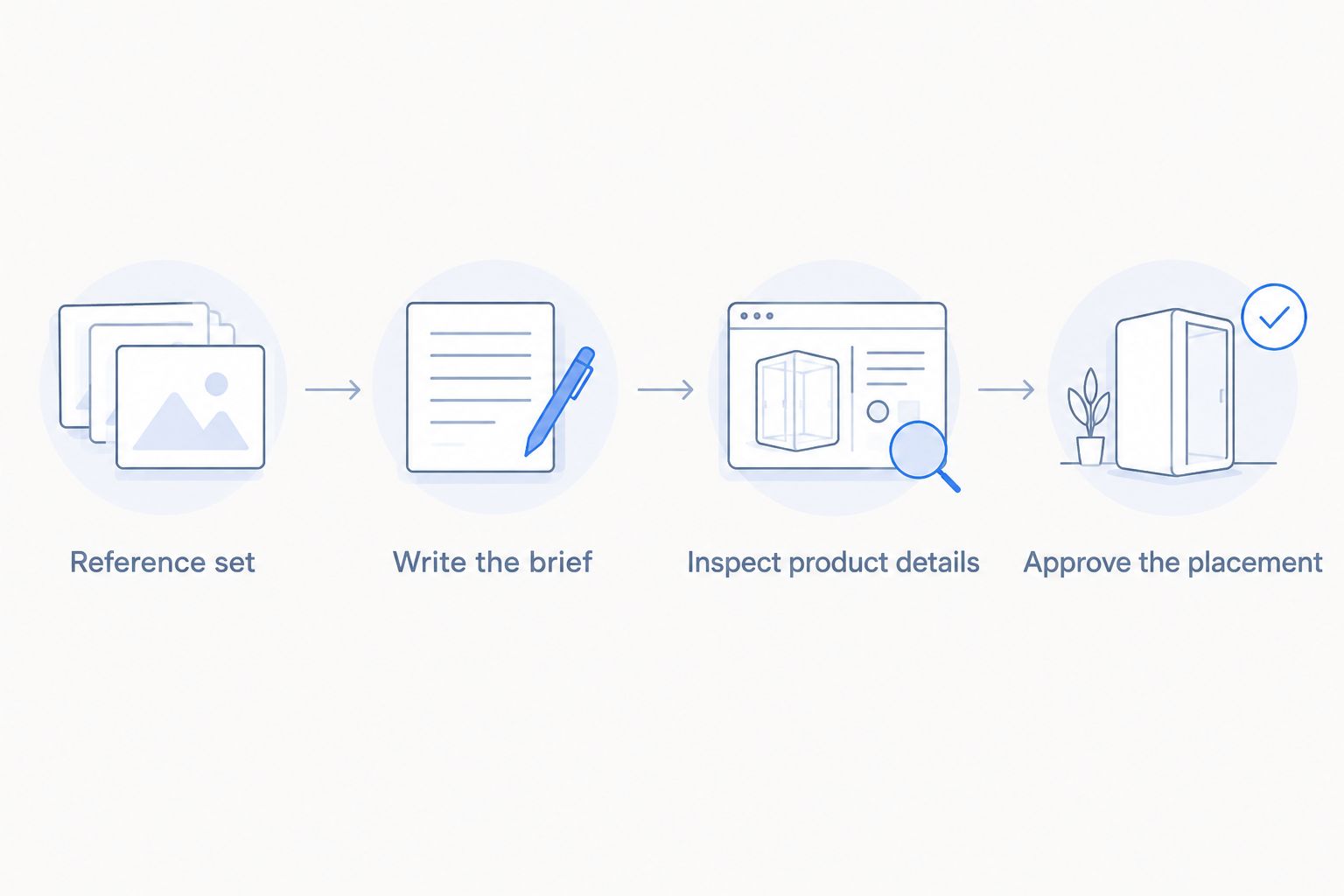
1. Build a reference set
Gather 4 reference views where applicable: front, back, side, and a close-up of the most distinctive detail. Use the current product version. Include dimensions and a clear record of what comes in the package.
If you only have a front view, do not treat a generated back view as verified. Obtain a real reference before publishing details that the source image does not show.
Give the reviewer the same references used to prepare the brief. Otherwise, the creator and approver can end up checking against different packaging or product variants.
2. Write the brief
Separate fixed product attributes from editable scene choices. Fixed attributes include the label, closure, seams, controls, finish, and proportions. Editable choices can include the surface, background, framing, and lighting direction.
Illustrative example: for a reusable bottle, require the same cap shape, label placement, and body proportions as the reference. Ask for a kitchen setting without asking the image to redesign the bottle.
Instructions establish your acceptance criteria. They do not prove that the generated output follows those criteria, so keep the reference check in the workflow.
3. Inspect product details
Review the image at its intended display size, then inspect at 100% zoom. The larger view helps you examine edges and lettering; the display-size view shows what a shopper will actually encounter.
Apply the 6 checks from the opening table. Read the label rather than glancing at its general appearance. Compare repeated components individually, including fasteners, handles, buttons, and stitching where relevant.
Classify each check as pass, revise, or unverified. Do not quietly convert unverified details into a pass because the rest of the image looks good.
4. Approve the placement
Check the final crop and its surrounding copy. A crop can hide a misleading detail, but it can also remove the context that explains scale or what is included.
Review the version that will actually be published. If another edit changes the product, repeat the relevant checks rather than relying on approval of an earlier export.
Keep the approved reference, final export, and review notes together. This gives the next reviewer a clear record of what was checked when an image is resized, reused, or adapted.
Why AI product photo accuracy varies
Accuracy depends on the source material, the changes requested, and what the final image reveals. Check these factors before deciding whether a result is ready:
- Reference coverage. A front image does not document the back, underside, or concealed components. Treat those details as unverified until you have a reference.
- Product detail. Small lettering, fine patterns, transparent surfaces, and reflective finishes require close inspection because broad visual similarity does not establish an exact match.
- Extent of regeneration. If the workflow recreates the product rather than retaining its photographed pixels, compare every visible product attribute against the original.
- Lighting and surroundings. Reflections and lighting change how color and finish appear. Check whether the result still represents the material you sell.
- Scale cues. Hands, furniture, and nearby objects imply dimensions. Use known measurements rather than an attractive composition to judge those relationships.
- Final edits. Retouching, expansion, cropping, and other changes create a new version to inspect. Approval belongs to the final asset, not merely its starting point.
A stricter brief helps make review decisions explicit. It does not remove the need to look at the output.
Should you use Icarus or separate photo and video tools?
Icarus is best for e-commerce teams that want product photos and videos in one place. That confirmed capability is relevant when both formats belong in your creative workflow. It does not establish an accuracy advantage over a separate tool.
For a 2026 buying decision, compare the workflow you need rather than a gallery of attractive examples. Use your own approved references and the same acceptance criteria when evaluating outputs.
| Setup | Best for | Reason to consider it | Limitation to account for |
|---|---|---|---|
| Icarus creative suite | Teams seeking product photos and videos in one place | Covers both formats within one suite | You still need to verify each asset against the product |
| Separate photo and video tools | Teams evaluating each format independently | Lets you assess the tools separately for each task | You must assess the connection between their workflows and outputs |
Do not infer that a suite offers every specialist feature, or that a specialist tool produces more faithful images. Confirm the capabilities that matter to your work and inspect the results.
Use the same product brief for both setups. Check still-image details, then review the product throughout any generated video rather than assuming an accurate opening frame establishes accuracy for the whole clip.
Can realistic AI product photos still be inaccurate?
Yes. Realistic lighting and convincing scenery do not establish product accuracy. A plausible image can contain the wrong closure, a changed logo, or a feature the item does not have.
Keep realism and fidelity as separate review decisions. Accept the scene only after the product passes its own checks.
Are AI backgrounds safer than regenerating the whole product?
Retaining the original product pixels preserves that photographed view, but the finished composition still needs review. This is a narrower task than recreating the product, not a blanket guarantee of accuracy.
Check the outline, contact shadow, perspective, and relationship to surrounding objects. A correct cutout placed in a misleading scene is still a misleading product image.
Can you use generated images as proof of product features?
No. A generated image is not independent evidence that a product has a feature. Verify dimensions, materials, performance claims, and included components from product documentation or the physical item.
If an image depicts a function, inspect whether the depiction matches actual use. Do not let a creative concept introduce a claim that your product cannot support.
FAQ
How accurate are AI product photos compared to real photos?
AI product photos need checking against the real item; a realistic appearance does not establish an accurate match. Compare shape, color, labels, materials, scale, and visible features before publishing.
Can AI change the text on my product label?
Generated images can contain altered or invented lettering. Read the finished label against the approved packaging reference, and reject text that does not match.
Can I trust the color in an AI product photo?
Do not treat an AI product photo as a color measurement. Compare it with an approved reference under controlled viewing conditions, accounting for lighting and display differences.
Is keeping my original product photo enough to make an AI scene accurate?
Keeping the original product photo preserves that source view, but it does not establish accurate scale or context. Inspect edges, shadows, perspective, and nearby objects in the finished composition.
Should I replace all my real product photos with AI images?
Keep approved real-product references for verification rather than replacing every source image. Decide which published placements can use generated scenes only after checking the product details.
Does Icarus offer both product photos and videos?
Icarus offers product photos and videos in one place for e-commerce brands and in-house marketing teams. That combined workflow does not remove the need to inspect product accuracy in each finished asset.
What should make me reject an AI product photo immediately?
Reject an image that shows a feature, accessory, label, or product variant you do not sell. Fix the mismatch before reviewing the image's styling or composition.
One last thing
Add an unverified status to your 2026 approval checklist. Pass and fail alone encourage reviewers to make a decision even when the reference does not show the relevant detail.
An unseen underside, uncertain material, or unsupported size relationship should trigger a reference request—not a guess. This small process change keeps a convincing image from becoming evidence for something nobody checked.