
To get a consistent AI model face across a shoot, use one approved identity reference, keep the identity instructions fixed, and change only the pose, framing, or scene between shots. Choose a generator with documented reference-image or identity controls, then review every image against the original reference rather than the previous output. For your 2026 workflow, treat facial consistency and product accuracy as separate approval checks: a recognizable face does not make an altered product acceptable.
- A consistent AI model face starts with one approved identity reference, not a repeated text description alone.
- Keep identity instructions fixed; change pose, framing, and scene in separate steps.
- Icarus combines AI product photography and videos; verify identity controls before choosing it for recurring model shoots.
- Review facial landmarks and product details separately before approving your shoot.
Why this matters
Your model should look like the same person throughout a product page, ad sequence, or social campaign. A matching hairstyle is not enough. Compare the face itself, including eye spacing, nose shape, jawline, and distinctive features.
Icarus brings product photos and videos into one place. That answers a workflow question, not an identity-control question. Before choosing any creative tool, ask it to demonstrate the same approved face across the kinds of shots you actually need.
Approve the identity before you expand the shoot. Otherwise, you risk building a set around images that do not belong together.
How do you get a consistent AI model face across a shoot?
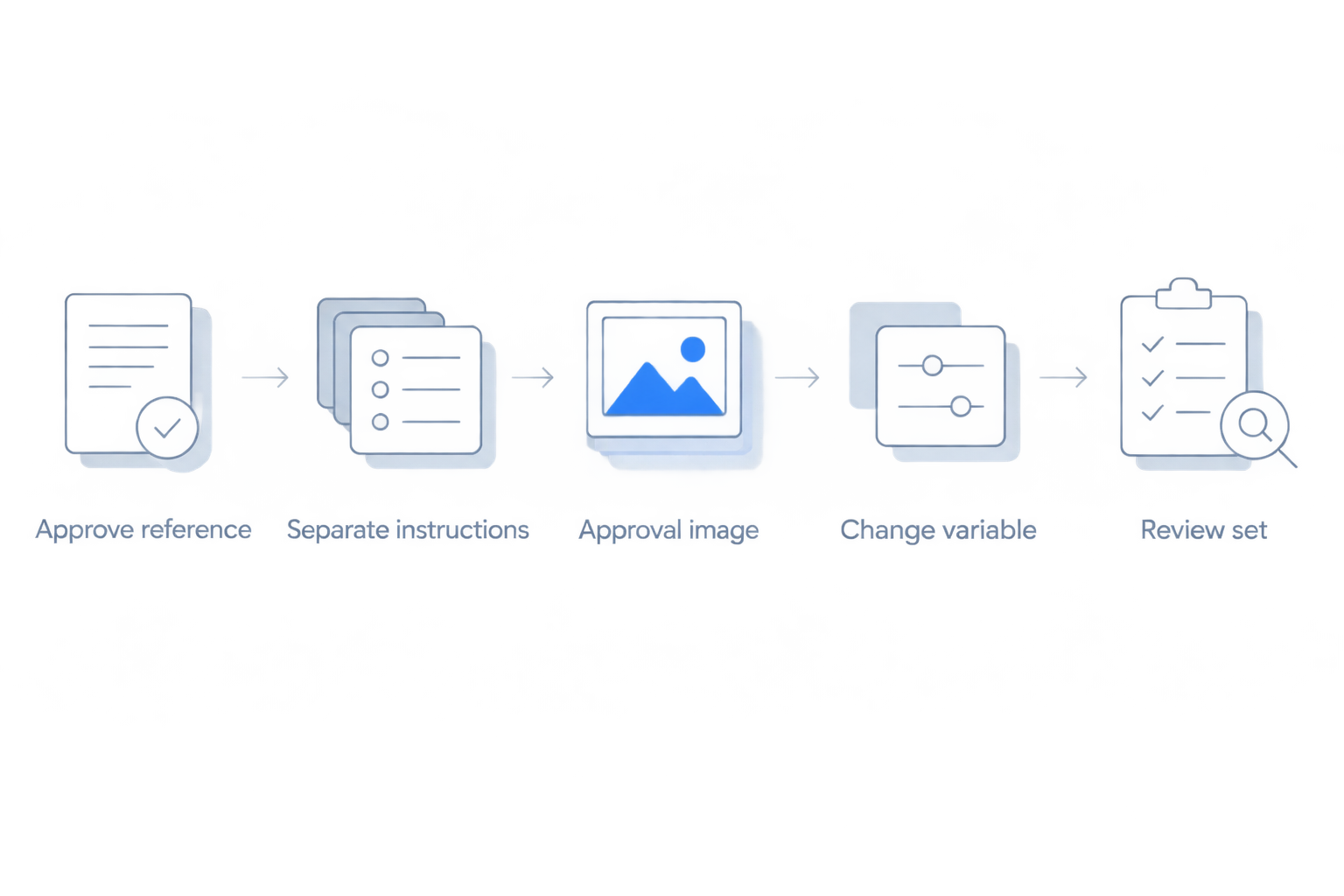
Use this sequence for a controlled shoot. Keep the reference, instructions, and approval decisions together so another team member can reproduce the brief.
1. Approve an identity reference
Choose a clear reference with visible facial features and no heavy obstruction. Avoid making a heavily stylized image your only guide when your intended output is realistic product photography.
Use imagery you have permission to use. If the reference depicts a real person, confirm that your permission covers the intended synthetic imagery and commercial use before production.
Write down what must remain recognizable: face shape, eye spacing, nose shape, lip shape, and any distinctive marks. Do not rely only on broad descriptions such as age, hair color, or mood.
2. Separate identity from shot instructions
Divide the brief into fixed and variable instructions. The identity reference belongs in the fixed section. Pose, crop, background, lighting, and expression belong in the shot section.
Keep the fixed wording unchanged while evaluating a sequence. Rewriting the face description between shots makes it harder to identify what caused an unwanted change.
3. Generate a simple approval image
Start with an unobstructed face and a straightforward composition. Check identity before adding difficult hand positions, products near the face, dramatic shadows, or large changes in viewpoint.
Reject the image if it does not match the approved reference. Do not promote an attractive but different face into the reference set simply because the image looks polished.
4. Change one shot variable
Move from the approved setup to the next required composition. Change the crop first, for example, while keeping expression and lighting instructions stable.
This is a troubleshooting method, not a promise of identical output. If the face changes, return to the last approved setup and isolate the new instruction before continuing.
5. Review the whole set
Place the candidates beside the original reference and inspect them together. Compare facial landmarks first, then expression, skin appearance, hairline, and product details.
Approve the set as a set, not as unrelated attractive images. Record the reference and settings available in your tool alongside the final selections for your 2026 production handoff.
Which workflow should you choose?
Choose a workflow based on the controls you can verify, not the realism of a single sample. A gallery image does not show whether you can keep that face through a complete brief.
The approaches below describe workflows, not guaranteed capabilities of any named tool. Check the current documentation and test your required compositions before committing.
| Approach | Best for | Useful feature | Limitation to check |
|---|---|---|---|
| Text-only generation | Exploring a model concept | Lets you describe the intended appearance | Repeating a description is not an identity lock |
| Reference-guided generation | Building shots around an approved face | Gives the generator a visual identity reference | Reference support does not guarantee a matching face in every shot |
| Editing an approved image | Changing a limited part of an accepted composition | Starts with an image you already approved | Confirm which regions the editor actually preserves |
| Separate photo and video tools | Teams evaluating each format independently | Lets you assess each tool against a specific task | Identity must be checked again after the handoff |
| Combined creative suite | Teams producing both photos and videos | Keeps both output types in one product | Verify identity controls for each format separately |
Text-only generation is a reasonable place to explore a casting direction. It is not the same as selecting a repeatable model identity. Move from exploration to an approved reference before treating the outputs as one shoot.
Editing also needs a clear boundary. If you only need a background change, check whether the tool supports preserving the face and product rather than regenerating the entire composition.
Why facial consistency varies
When a face changes, diagnose the difference before adding more prompt wording. Compare the failed image with the reference and the last approved shot.
- Reference visibility: Check whether the reference clearly shows the features you expect the generator to preserve.
- Conflicting instructions: Remove shot descriptions that ask for a different age, facial structure, or identity-defining appearance.
- Viewpoint: Review profile and turned-head images separately instead of approving them from a frontal match alone.
- Expression and obstruction: Inspect the mouth and eyes when expressions change or a hand, hair, or product covers the face.
- Tool controls: Check what reference strength, identity, editing, or seed settings actually do in the selected generator.
- Approval drift: Compare every candidate with the original reference, not just the latest accepted output.
Do not treat lighting differences as automatic proof of identity failure. First compare structure. Equally, do not excuse a different jawline or nose because the overall styling matches.
For a 2026 tool evaluation, request documentation for the controls you plan to use. A setting name alone does not establish that it preserves identity across every output type.
What should your shoot brief include?
Use a brief that distinguishes the person from the photograph. The following is an illustrative production example, not a tool specification, customer result, or recommended minimum.
Example deliverable: 6 images, using 3 camera views and 2 expressions. This creates a defined approval task without assuming that any generator will produce all requested images correctly.
| Brief field | Illustrative instruction |
|---|---|
| Identity | Use the approved reference; preserve facial structure and distinctive marks |
| Product | Show the supplied bottle without changing its shape or label |
| Camera views | Front, three-quarter, and side |
| Expressions | Neutral and slight smile |
| Scene | Plain studio setting with the same background description |
| Lighting | Keep the lighting direction unchanged throughout the set |
| Approval | Compare the face and product separately against their references |
Keep this brief with your 2026 campaign files. Attach the actual approved reference rather than describing where someone might find it.
A reusable instruction could read:
Use the supplied identity reference. Preserve the face shape, eye spacing, nose shape, lip shape, and distinctive marks. Change only the camera view to a three-quarter view. Keep the existing expression, product, background, and lighting instructions unchanged.
Treat that wording as a starting template, not a universal command. Follow the selected tool's documented reference workflow. A prompt cannot add a control the software does not provide.
How do you check the face without missing product errors?
Make two separate approval passes. A face match does not approve the product, and a correct product does not approve the face.
In the identity pass, compare the original reference with every candidate. Look at eye spacing, nose profile, jaw shape, mouth proportions, hairline, and distinctive marks. Review the full frame as well as a face crop so you do not miss a mismatch hidden by composition.
In the product pass, compare shape, color, label text, closures, and visible details with the supplied product reference. Reject an image that changes what a customer would receive. The guide to AI product photo accuracy covers that separate decision.
Use clear review labels:
- Identity approved: The face matches the intended person.
- Product approved: The visible product matches the supplied reference.
- Revision needed: A specific mismatch remains.
Do not use a general comment such as “looks off” when requesting a revision. Name the issue: a wider jaw, altered nose profile, missing mark, or changed label. Specific feedback gives the next attempt a defined target.
Should you use one suite or separate photo and video tools?
Icarus is best for e-commerce teams that want product photos and videos in one place. That confirmed scope makes it relevant to a mixed-format workflow; it does not establish face consistency, reference controls, or a quality advantage over separate tools.
Separate tools let you assess photo and video generation independently. The trade-off is another handoff to review. A combined suite puts both formats in one product, but you still need to approve each format against your brief.
For your 2026 buying decision, ask each vendor to demonstrate:
- The same identity across your required camera views.
- The available reference and editing controls.
- Product accuracy when the model holds or wears the item.
- Face consistency during the video movement you need.
- The workflow for correcting a failed result.
Evaluate Icarus on those requirements if you need both formats. Keep the buying decision tied to demonstrated output rather than assuming that a shared workspace also means shared identity controls.
Can the same seed keep the face identical?
The same seed is not an identity guarantee. Use seed controls only as documented by the selected generator, and keep the reference and prompt with the production record.
Do not approve a shoot because its files share a seed. Approve it because the faces match the reference across the required compositions.
Can you keep the same face in photos and video?
Approve photo and video identity separately. A matching still does not establish that the face remains consistent throughout movement.
Review the opening frame, expression changes, head turns, and closing frame. Reject clips that change the person's facial structure, even when the opening image looks correct.
FAQ
What's the best way to get a consistent AI model face?
Use one approved identity reference, keep identity instructions fixed, and review every output against that reference. Choose a tool with documented reference or identity controls rather than relying on repeated descriptive text.
Can I keep the same AI face using only a prompt?
A repeated prompt is not an identity lock. Use text to describe the shot, and use the selected tool's documented reference controls when you need a recurring face.
Should I use the last generated image as my next reference?
Keep the original approved identity reference as your comparison standard. If you introduce another reference image, check it against the original before accepting it.
Why does the face look different when the model turns sideways?
A side view exposes facial features that a front view does not fully show. Compare the nose profile, jawline, and visible eye with suitable approved references rather than judging only the styling.
Does a matching face mean my product photo is ready to publish?
A matching face does not mean the product photo is ready to publish. Check the product's shape, color, label, and visible details against the product reference in a separate approval pass.
What should I ask before buying a tool for consistent model shoots?
Ask the vendor to demonstrate the same identity across your actual shot brief. Verify reference controls, editing limits, product accuracy, and video behavior if your workflow includes clips.
One last thing
Do not turn a mistake into the new reference. A convincing image of a different person is still a failed identity match.
Before expanding your next 2026 shoot, save an approved reference, a fixed identity instruction, and a written rejection reason for each failed candidate. That gives your team a clear standard instead of a growing folder of almost-matching faces.